In AV projects, even a single client-requested change can impact AV schematics, BOMs, wiring diagrams, signal flow diagrams, rack elevations and floor plans. Replacing even one AV device can also alter device ports, cable connections, equipment quantities and RU allocation.
According to a construction and engineering study cited by Autodesk, around 80% of deviation-related costs originate during the design phase. This statistic highlights why AV teams must resolve AV design inconsistencies early, before they lead to project delays, increased overall expenses and client dissatisfaction.
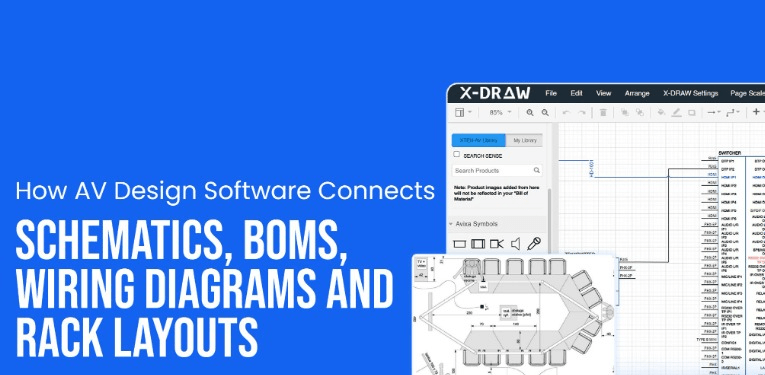
In this blog, we will discover how AV design software simplifies connecting schematics, BOMs, wiring diagrams, cable schedules and rack layouts for consistent CAD diagramming requirements.
Key Takeaways:
- AV design software helps teams to streamline the process of creating and managing schematic designs, BOMs, rack elevations, wiring diagrams and rack layouts.
- Accurate AV CAD drawings assist in verifying signal paths, device ports and cable connections before starting the installation process.
- A clear AV BOM keeps product models, manufacturer part numbers and equipment quantities aligned for accurate procurement.
- Clear version control allows AV designers, installation teams and project stakeholders to work from the latest approved design.
- AV rack layout software simplifies rack elevation planning, RU allocation, equipment positioning, space verification and ventilation planning before the final rack assembly.
Why AV CAD Design Software Must Connect Schematics, BOMs and Rack Layouts?
AV CAD design software needs to connect schematics, AV BOMs, cable wiring diagrams and rack layouts, as each output relies on the same equipment data, device ports, signal paths, cable connections and rack configuration details. AV schematic software platforms such as XTEN-AV (X-DRAW), D-Tools, Vectorworks ConnectCAD, AVSnap and Microsoft Visio support these tasks. However, their AV-specific drafting capabilities, such as automation, equipment libraries, cable labeling functions and layout-planning features, may vary.
Following are the essential AV design elements mentioned below that help to maintain clarity across system planning and ensure proper deployment:
Always Verify AV System Logic Before Installation
AV line schematics represent how sources, displays, processors, amplifiers and endpoints interact. This enables integrators to verify the signal direction, device compatibility and available ports before equipment is confirmed.
While evaluating Audio Visual (AV) system design software, AV teams must consider how easily it manages equipment symbols, device-port assignments and signal-path revisions.
Keep AV Equipment Selection Accurate
A structured Bill of Materials (BOM) records AV manufacturers, model numbers, part numbers, equipment quantities and mounting hardware. By keeping these details aligned with the approved schematic design, the BOM provides the procurement team with accurate criteria for ordering the required AV equipment.
Map Every Cable Connection
AV wiring diagrams streamline identifying the source device, port, destination device, cable ID and signal type. This detailed information gives AV installers a proper reference for cable labeling, connection checks and testing during final deployment.
Finalize AV Rack Capacity and Equipment Fit
An AV rack layout shows whether the selected equipment will fit within the available enclosure space or not. It also helps teams to verify RU allocation, mounting hardware, device depth, cable management, ventilation and airflow for precise rack configuration.
How Connected AV Diagram Software Improves Design Accuracy and Project Coordination?
AV diagram software improves design accuracy by connecting product data, AV device ports, signal paths, cable connections and rack requirements within the same project.
When equipment needs to be changed, its impact on related CAD drawings and technical documents needs to be reviewed carefully before the updated design is shared with installation teams.
This connected approach also supports coordination between system design and rack planning. AV professionals can prefer an Audio Visual (AV) rack diagram tool and planner to properly check device positioning, rack unit availability, cable management, rack accessories and enclosure requirements before the rack elevation moves to the fabrication stage.
What to Look for in Modern AV Schematic Software?
Here are five essential capabilities to consider when selecting software for professional audiovisual projects:
1. AV Schematic Drawing Capabilities
The AV platform must offer standardized symbols, device blocks, port-level connections and cable routing capabilities for audio, video, control, USB and network signals.
2. Accurate AV Product Data
AV designers should be able to access manufacturer details, product models, part numbers, dimensions and I/O specifications while selecting compatible AV equipment.
3. Automated AV BOM Generation
Bill of materials software should be able to compile approved equipment selections into a structured AV BOM, making it easier to prepare purchasing records and coordinate additional material requirements.
4. Automated AV Rack Layout Planning
An automated rack planning feature should arrange AV equipment across the available rack units based on enclosure capacity, equipment dimensions, cable routing, ventilation and thermal requirements. Through effective power and cooling planning, it allows matching rack infrastructure with equipment loads.
5. AV Project Documentation and Revision Control
Look for revision-tracking options that simplify recording design changes, allowing AV teams to identify the latest approved CAD drawing. The export options should also support consistency across AV project documentation for approvals, procurement, fabrication and technical handoff.
Conclusion
Connected AV project details make it easier to manage design changes across equipment selection, cable connections, rack planning and technical documentation. The right AV engineering software brings these details into a more organized process, allowing designers, project managers and installers to work from accurate project data. This minimizes the chances of errors, improves overall coordination and supports a smoother transition from early system planning to final deployment.