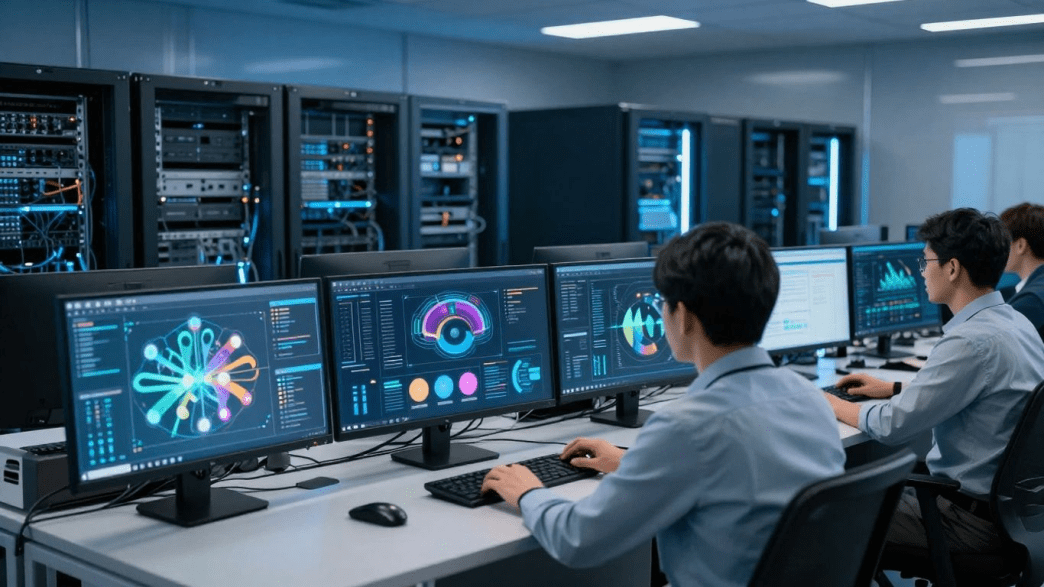
Downtime rarely begins with a single dramatic failure. It often grows from small weaknesses, aging equipment, unclear ownership, or changes that were never fully tested. IT experts start by tracing the conditions around an interruption rather than treating only the visible symptom.
Common sources of outages and performance issues
A service can fail because of a damaged device, an overloaded server, a network configuration error, or an application dependency. Power interruptions, expired certificates, storage limits, and incompatible updates can create similar trouble. Human mistakes also matter, especially when procedures are informal or access is too broad.
The first task is to separate the trigger from the underlying weakness. A failed switch may be the immediate cause, while the deeper issue is a missing replacement plan or an undocumented network design. That distinction helps a technical team fix the event and reduce the chance of a similar one.
The business impact of interrupted systems
An outage affects more than the application that stops responding. Employees may lose access to files, customer records, communication tools, or payment workflows. Even a short interruption can create delays that continue after systems return.
The impact also depends on timing. A failure during a critical transaction period may cost more than a longer interruption during a quiet shift. IT experts therefore connect technical events to business processes, deadlines, service commitments, and the people who depend on each system.
Using audits and baseline assessments to find vulnerabilities
An audit creates a clearer picture of the environment before an incident occurs. The review may cover hardware age, software versions, account permissions, backup status, network design, and vendor dependencies. Baseline measurements then show what normal performance looks like.
Without a baseline, unusual behavior is easy to dismiss as a temporary fluctuation. With one, a team can compare processor load, storage growth, response times, and login activity over time. ITExperts describes its technicians as learning the client environment during onboarding, which can help technicians triage issues more quickly when support is needed.
Prioritizing risks by likelihood and operational impact
Not every weakness deserves the same response on the same day. A practical risk review considers how likely a failure is, how many users it could affect, and how difficult recovery would be. It also accounts for dependencies, since one modest system may support several important workflows.
A simple risk register gives leaders a shared basis for decisions. It can identify urgent fixes, planned improvements, and risks that need further investigation. This approach keeps spending focused on the failures most likely to interrupt meaningful work.
How proactive monitoring prevents disruptions
Proactive monitoring turns IT support from a purely reactive function into an ongoing operating practice. It gives teams a view of system health while services are still available. That time can make the difference between a quiet repair and a visible outage.
Monitoring networks, servers, applications, and endpoints
A useful monitoring program follows the full path of work. It checks network availability, server resources, application behavior, and endpoint health instead of watching only one layer. This broader view helps technicians see whether a slowdown comes from infrastructure, software, connectivity, or a local device.
ITExperts states that it offers 24/7 monitoring for networks, servers, and endpoints to maximize uptime and business continuity. That documented scope fits environments where issues can develop outside normal office hours. Monitoring is most useful when the collected information leads to a defined action.
Detecting unusual activity before it becomes an outage
A warning may appear as a gradual rise in storage use, repeated login failures, unusual traffic, or a service that responds more slowly than its baseline. None of these signs proves an outage is coming. Together, however, they can justify investigation before users begin reporting a problem.
The goal is not to create noise by flagging every small variation. Teams refine thresholds around business needs and known maintenance windows. They also compare alerts with recent changes, so a normal deployment is not confused with a developing incident.
Using automated alerts and escalation workflows
Alerts become valuable when they reach the right person with enough context. A notification should identify the affected service, the apparent severity, the time of detection, and the first checks to perform. A clear escalation path prevents the alert from sitting in an unattended queue.
A disciplined workflow usually moves from detection to verification, assignment, communication, and resolution. It also records what happened so recurring alerts can be tuned. That process reduces the risk that an important signal is buried among low-priority notifications.
Maintaining systems through patching and preventive maintenance
Patching closes known weaknesses and can correct defects that affect reliability. Preventive maintenance also includes reviewing capacity, replacing aging components, checking backup jobs, and removing unnecessary accounts or software. These tasks are less disruptive when planned rather than forced by an emergency.
Maintenance windows should be tied to tested procedures and clear rollback steps. A change that cannot be reversed safely deserves extra review. Afterward, the team should confirm that the service works as expected and that monitoring has returned to normal.
How professional IT teams respond to incidents
Even well-maintained environments experience incidents. The difference is often the speed and order of the response. Professional IT teams rely on preparation, communication, and evidence rather than improvising every step.
Creating an incident response plan
An incident response plan explains how the organization recognizes, contains, resolves, and reviews a disruption. It names critical systems, communication channels, decision makers, and recovery requirements. The plan should be accessible during an outage, including when ordinary collaboration tools are unavailable.
A useful plan stays practical. It includes contact details, service dependencies, vendor information, and instructions for preserving logs. It also defines when an event becomes a major incident and who has authority to change priorities.
Assigning roles and establishing escalation paths
Incident response becomes slower when several people assume someone else is handling the next step. Defined roles remove that uncertainty. One person may coordinate the response, another may investigate the technical cause, and another may manage internal or customer communication.
Escalation rules should reflect both severity and time. A small issue that remains unresolved may require senior attention, while a broad outage may require immediate vendor involvement. Clear ownership lets specialists work without leaving stakeholders uninformed.
Restoring critical services in the right order
Recovery should follow business priorities, not simply the order in which systems failed. Identity services, network access, data stores, and core applications may have dependencies that affect the sequence. Restoring a visible application first is not helpful if its supporting services remain unavailable.
Teams can define recovery priorities before an incident by speaking with process owners. They should identify the minimum service level required for essential work and the temporary alternatives available. This gives the response a practical target instead of an undefined goal to restore everything at once.
Documenting incidents and preventing repeat failures
An incident record should capture the timeline, symptoms, decisions, changes, and recovery results. Logs and screenshots can help confirm what happened when memory is incomplete. The record is not only for accountability; it becomes useful technical knowledge.
A post-incident review should ask which safeguards worked and which assumptions failed. The resulting actions might include a configuration change, a new alert, a training update, or a revised recovery procedure. The review should focus on learning rather than assigning blame.
How resilient infrastructure keeps operations running
Resilience means that a business can continue operating, or recover within an acceptable period, when a component fails. It is built through design choices made before trouble starts. The right combination depends on the organization’s systems, budget, staffing, and tolerance for interruption.

Building redundancy into critical systems
Redundancy can reduce dependence on one device, connection, power source, or location. Examples include paired network components, alternate internet connections, spare equipment, and replicated services. Redundancy only helps when the alternate path is maintained and ready to operate.
A design review should examine single points of failure across the whole service. A second server does little if both servers share one power supply or one unsupported storage system. IT experts assess these relationships so resilience is designed around actual business dependencies.
Using backups and disaster recovery strategies
Backups provide copies of data, while disaster recovery describes how systems and services will be restored. Both need defined schedules, retention rules, ownership, and security controls. A backup that has never been restored is an assumption, not proof of recoverability.
Recovery objectives help make the plan concrete. The recovery time objective states how quickly a service should return, while the recovery point objective describes how much recent data the business can afford to lose. These targets guide technology choices and spending.
Evaluating cloud, hybrid, and on-premises environments
Cloud, hybrid, and on-premises environments each create different operational responsibilities. Cloud services may reduce the need to maintain some physical equipment, while hybrid designs can preserve local systems alongside hosted resources. On-premises infrastructure may provide direct control but requires careful investment in hardware, power, space, and maintenance.
The best evaluation begins with workload requirements rather than a preferred label. Teams should review data location, connectivity, compliance needs, recovery dependencies, and the skills available to manage the environment. A mixed design can be effective when its boundaries and ownership are clear.
Testing recovery plans with realistic scenarios
Recovery exercises reveal gaps that planning documents often hide. A team can test a lost server, a damaged site, unavailable credentials, or a failed internet connection. The exercise should involve the people who would actually make decisions during a disruption.
Testing should produce evidence, not just reassurance. Participants can record elapsed recovery time, missing information, manual workarounds, and unexpected dependencies. The plan then becomes a working document that improves after each exercise.
How IT support improves employee productivity
Employees lose productive time when technical problems linger or when routine work requires too many manual steps. Professional support gives them a clear route to assistance and gives the organization a consistent way to manage requests. The result is less guesswork for users and better visibility for managers.
Resolving technical issues through a centralized help desk
A centralized help desk gives employees one place to report incidents, ask questions, and check progress. Tickets create a record of symptoms, priority, ownership, and resolution. That history helps technicians recognize recurring problems instead of treating every request as new. For organizations looking to extend this centralized support model, the IT experts at ServiceJi provide outsourced service desk and help desk support with scalable coverage, including 24/7/365 options.
Support quality depends on communication as much as technical skill. A short update can reduce uncertainty while a more complex issue is being investigated. When common fixes are documented, technicians can resolve straightforward requests quickly and reserve deeper attention for harder cases.
Standardizing devices, applications, and user access
Standardization reduces the number of variables in a support environment. Consistent device configurations, approved applications, and defined access roles make troubleshooting more predictable. They also simplify onboarding, replacements, and security reviews.
Standards should not be rigid for their own sake. They should leave room for legitimate job requirements while keeping exceptions visible and supported. A clear inventory helps the team understand what is deployed, who uses it, and when it needs attention.
Supporting remote and hybrid employees
Remote and hybrid employees need dependable access to applications, files, communication tools, and support channels. Their work may pass through home networks, shared spaces, and varying device conditions. Support processes therefore need clear identity checks, remote troubleshooting methods, and guidance that does not assume an office connection.
A consistent experience matters across locations. Employees should know how to report a problem, protect company information, and continue essential work when a local connection fails. ITExperts states that it provides online support as well as onsite service calls, a documented combination that can support different workplace needs.
Automating repetitive IT tasks and service requests
Automation can handle predictable actions such as account provisioning, software requests, routine checks, and status updates. It can also route tickets according to category or urgency. The purpose is to reduce waiting and free technicians for work that requires judgment.
Automation needs controls. Requests should be authorized, changes should be logged, and exceptions should move to a person. When these safeguards are in place, routine service becomes faster without making the environment harder to govern.
How security practices reduce downtime and risk
Security and availability are closely connected. Malware, stolen credentials, and unauthorized changes can interrupt operations as surely as a hardware failure. A practical security program protects systems while keeping recovery and business continuity in view.
Protecting systems from malware and ransomware
Malware defenses begin with supported software, secure configurations, endpoint protection, and timely response to suspicious activity. Ransomware requires particular attention because it can affect production systems and backups at the same time. Segmentation and tested recovery procedures can limit the damage when prevention fails.
ITExperts states that it monitors alerts and reacts to cyber-attacks 24/7 to protect network business data and integrity. That documented capability belongs alongside access controls, employee training, and recovery planning. No single security measure should be treated as sufficient by itself.
Managing access controls and user permissions
Access should match a person’s role and should change when that role changes. Multi-factor authentication, least-privilege permissions, and timely removal of inactive accounts reduce opportunities for misuse. Administrative access deserves additional review because it can affect many systems at once.
Permission reviews are easier when ownership is explicit. Managers can confirm who needs access, while technical teams can verify how that access is configured. The process should cover employees, contractors, service accounts, and third-party connections.
Training employees to recognize security threats
Employees often encounter suspicious messages before a security team does. Training can help them identify unusual requests, unsafe links, unexpected attachments, and attempts to collect credentials. It should be short, repeated, and connected to the tools employees use every day.
A healthy reporting culture matters. People should be able to report a mistake quickly without fearing automatic blame. Early notification gives IT experts more options to isolate an account or device before a small event spreads.
Combining cybersecurity monitoring with business continuity
Cybersecurity monitoring helps identify and contain threats, while business continuity keeps essential work moving during disruption. These practices should share information about critical systems, recovery priorities, communications, and decision authority. Keeping them separate can leave a gap between stopping an attack and restoring operations.
A combined exercise can test both sides at once. The team might simulate compromised credentials, unavailable files, or a damaged endpoint, then measure how quickly it detects the event and provides a safe workaround. The results can strengthen technical controls and operational plans together.
How businesses measure the results of professional IT support
Professional support should be evaluated through evidence rather than impressions alone. Operational metrics show whether services are stable and responsive. Experience measures reveal whether employees can complete their work with less friction.
Tracking uptime, response time, and resolution time
Uptime shows how consistently a service is available, but it needs context about which systems were measured and how maintenance was handled. Response time shows how quickly support acknowledged an issue. Resolution time shows how long it took to restore normal service or provide an accepted workaround.
These measures should be reviewed by service, severity, and period. A single average can hide repeated failures affecting a small but important group. Trends are more useful when paired with incident reviews and clear service expectations.
Measuring employee productivity and user satisfaction
Productivity can be assessed through reduced interruption time, faster onboarding, fewer repeat requests, and smoother access to required tools. User satisfaction surveys add a human view of clarity, courtesy, and effectiveness. Neither measure needs to claim that every improvement came from IT support alone.
The most useful surveys ask focused questions after a request is closed. Managers can compare feedback with ticket categories and resolution records. This helps identify whether dissatisfaction comes from slow response, unclear communication, recurring defects, or a difficult process.
Calculating the cost of downtime
Downtime costs may include lost transactions, idle staff time, delayed shipments, missed appointments, recovery labor, and reputational harm. Some costs are easy to count, while others require reasonable estimates. A business should state its assumptions so the calculation can be refined over time.
A simple model can compare the estimated cost of an interruption with the cost of prevention. The result does not need to justify every technology purchase. It helps leaders focus on systems where improved availability would protect the most valuable work.
Choosing IT experts based on expertise, scalability, and service quality
A support partner should be assessed against the organization’s actual environment and operating needs. Relevant experience, response coverage, documentation practices, security processes, and communication standards all matter. The evaluation should also consider whether service can grow as locations, users, and systems change.
A structured comparison keeps the decision grounded. Businesses can ask how incidents are escalated, how changes are documented, how performance is reported, and how recovery is tested. ITExperts says its team members have a minimum of 10 years of experience in their respective fields; that claim should be considered alongside the provider’s documented scope and service quality.
A strong relationship is measured after the contract begins, not only during selection. Regular reviews can connect service activity to uptime, employee experience, risk reduction, and recovery readiness. That ongoing evidence helps the business decide what to improve next.
Conclusion
Professional IT teams reduce downtime by finding weak points early, monitoring systems continuously, responding with defined roles, and designing recovery around business priorities. They also improve productivity through clearer support, consistent environments, and practical automation. When businesses measure these results over time, IT experts become a steady part of operational resilience rather than a last-minute response to technical trouble.