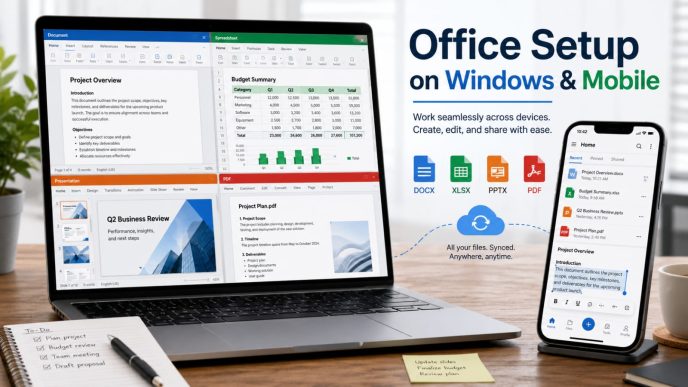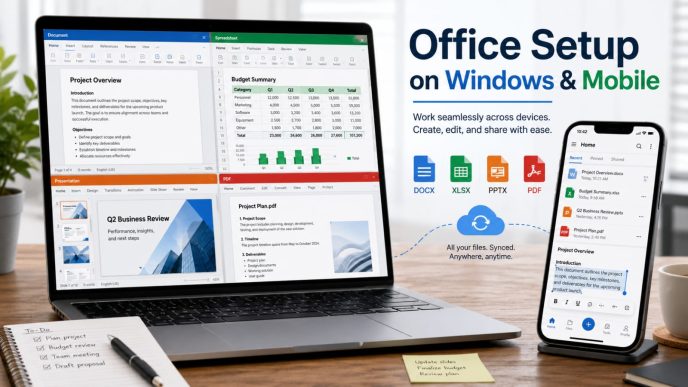

Digital spreadsheet tools have transitioned from simple ledger management software into the backbone of corporate operations. Teams now move well beyond entry-level usage to solve intricate business problems that require sophisticated calculation methods. Companies that prioritize comprehensive Excel Courses ensure their staff stays current with these shifting technical standards.
From basic data entry to complex business modeling
The reliance on spreadsheets has grown alongside the need for nuanced financial planning and operational oversight. Where once users simply input raw numbers, they now construct predictive models that simulate various market conditions. This transition requires a deeper understanding of how different variables interact within a sheet.
Integration with cloud and collaborative platforms
Modern work environments rely on files that exist in a shared digital space rather than on a single desktop. Employees frequently access shared workbooks simultaneously to provide updates or pull specific values. This real-time collaboration requires a firm grasp of cloud-based file management and version control best practices.
Bridging the skills gap in distributed teams
Geographically separated departments face unique challenges when attempting to standardize data reporting across multiple locations. Standardized training ensures that a team in one region interprets complex datasets in the same way as their colleagues abroad. Consistent proficiency levels help maintain clarity and operational stability regardless of physical distance.
Boosting team productivity with advanced functions
Efficiency gains come from shifting away from manual data entry toward automated and dynamic calculation methods. These tools save departments hours of labor each week by reducing reliance on tedious, recurring tasks. Investing in training enables teams to focus their energy on strategy rather than upkeep.
Leveraging array formulas for dynamic data analysis
Array formulas allow for multi-cell calculations that update automatically as data points change throughout the sheet. Users can perform complex operations across massive ranges without creating multiple intermediate columns to hold partial results. This technique simplifies the underlying architecture of any workbook.
Mastering Power Query for efficient data cleansing
Microsoft Power Query serves as a powerful capability for importing and reformatting raw datasets from disconnected sources. Users can define specific steps for clean-up, ensuring that information remains consistent even as original source files grow or change shape over time.
Simplifying complex calculations with LAMBDA functions
When standard logic becomes too cumbersome, custom calculations provide a way to build reusable formulas that function like native tools. Teams can define, name, and implement these functions directly within a workbook to reduce errors and improve readability. The following table showcases how this creates a more efficient workflow architecture:
| Feature | Primary Benefit | Skill Level | |
| Array Formulas | Dynamic updates | Intermediate | |
| Power Query | Automated cleansing | Advanced | |
| LAMBDA Functions | Custom logic | Expert |
These functions allow for modular design where developers categorize repetitive elements into reliable components that anyone can trigger.
Automating manual workflows to minimize human error
Manual data entry invites errors that can compromise the integrity of downstream reporting and high-level decision-making. Standardizing automated paths reduces the burden on individuals while providing a consistent output across all business units. Reducing manual intervention remains a primary goal for any operational efficiency project.
Reducing repetitive tasks with VBA and macros
Visual Basic for Applications scripts provide a way to record and execute sequences of actions that would otherwise take minutes of clicking. These macros effectively automate the movement of data between sheets and the generation of formatted views. Teams utilizing this path find they spend significantly less time on the mechanical aspects of maintenance.
Implementing Office Scripts for web-based automation
Teams can build reliable automation workflows by connecting Microsoft Excel to Power Automate. This integration allows scripts to trigger upon specific file updates or schedule-based intervals without needing local software installation. It shifts the burden of execution from the personal machine to a server-side process.
Enhancing process reliability through standardized reporting
Consistency in reporting depends on having rigid rules that govern how information is handled from start to finish. Organizations that adopt uniform templates find that their data quality remains high across various departments. Adopting these habits is a foundational component of modern employee Excel Courses for large enterprises.
Enhancing data-driven decision-making
Sophisticated tools allow leadership to extract actionable intelligence from mountains of raw organizational data. When staff can bridge the gap between technical output and business application, the company benefits from faster response times. Using professional visualization tools clarifies complex trends that might otherwise go unnoticed.
Utilizing PivotTables for multi-dimensional analysis
PivotTables provide a flexible interface to summarize and categorize datasets without altering the raw input information. Analysts can quickly flip or sort their views to identify outliers or seasonal trends that might impact quarterly performance. Consider the following key advantages for analysis teams:
- Improved speed when filtering through thousands of data rows.
- Ability to pivot data categories to show different perspectives.
- Direct integration with slicers for user-friendly interactive reporting.
- Simplified summarization for high-level management executive briefings.
These tools enable rapid exploration where analysts test hypotheses by just reordering variables in the layout menu.
Visualizing key metrics with professional-grade dashboards
Charts and graphics turn abstract data into clear visual stories that are easy for stakeholders to grasp at a glance. Effective dashboards use appropriate visual types to highlight performance metrics versus targets, ensuring that all eyes focus on relevant performance indicators. This clarity helps stakeholders align on priorities without getting lost in cell-level detail.
Connecting external enterprise data for real-time insights
Connecting Microsoft Power BI to established data sources allows users to pull live information directly into their analysis environment. Real-time access ensures that decisions rely on the most current figures rather than cached or outdated exports. Integration ensures that the analysis process keeps pace with actual business events.
Maximizing return on investment for Excel courses
Financial investment in training requires a clear connection to operational outcomes to justify the cost. Management teams should evaluate whether their learning programs align with the specific technical needs of their workforce. A targeted curriculum often produces much stronger results than a general one-size-fits-all lesson plan.
Tailoring curriculum to specific departmental needs
Different teams within an organization often have vastly diverse technical requirements, ranging from pure data science to high-frequency accounting. Generic training modules frequently fail because they focus on features that specific staff members will never actually touch. Customizing the content ensures that learners find immediate, applicable value in their daily output.
Evaluating the impact of certification on employee performance
Formal verification processes allow companies to gauge the baseline skill levels existing within their various teams. While certifications indicate foundational knowledge, they also motivate staff to push their current limits through structured, goal-oriented learning. It provides an objective metric to track how training spends influence overall company productivity.
Fostering a corporate culture of continuous professional development
When businesses treat learning as an ongoing process rather than a one-time event, they build a more resilient workforce. Employees who feel encouraged to develop their technical breadth are more likely to seek out innovative solutions for the problems they face. This forward-looking mindset keeps the organization ahead of the technical curve.
Overcoming common barriers to skill adoption
Resistance to new technical methods often stems from a lack of immediate clarity regarding how those changes benefit the individual performer. Leadership must bridge this divide by clearly demonstrating the time saved and the reduced stress of an automated workflow. Smooth transitions require patient planning and sustained support throughout the implementation phase.
Addressing staff resistance to new technical workflows
Change often feels like an additional task rather than a simplification of existing duties for busy employees. Explaining the long-term benefits of an improved workflow is essential to generating buy-in from seasoned team members who have developed their own methods over many years. Framing the transition as tool-enablement rather than policy-enforcement works best.
Balancing intensive training schedules with daily operational demands
Finding time for training in a high-pressure environment is challenging for both managers and individual contributors. Spreading contact hours over several weeks in bite-sized segments can mitigate the impact on daily production. Flexible timing allows team members to apply what they have learned before moving on to the next concept.
Sustaining knowledge retention after formal training completion
Knowledge fades quickly if employees do not have the opportunity to test their new capabilities in real-world scenarios immediately. Encouraging the creation of a ‘super-user’ group within the department helps maintain momentum after the initial training concludes. These internal mentors can provide quick assistance, troubleshoot issues, and continue to promote best practices long-term.
Conclusion
Empowering teams with superior analytical capabilities transforms how an organization views and manages its most critical information. By focusing on practical application, automation, and continuous growth, businesses build stronger foundations for long-term success. Investing in structured learning paths ensures that the workforce remains prepared for the challenges of the evolving modern workspace.