Texas weather can shift from clear skies to severe thunderstorms in a matter of hours. These changes affect more than roads, power lines, and outdoor plans. Heat, rain, wind, ice, and flooding can also influence internet speed and reliability. The impact varies depending on whether a household uses satellite, fixed wireless, or fiber internet. Understanding how each connection responds to weather can help customers troubleshoot slow speeds and prepare for outages.
Why Texas Weather Creates Internet Challenges
Texas contains several climate zones, exposing internet infrastructure to many environmental conditions. North Texas may experience hail, tornadoes, freezing rain, and powerful thunderstorms. West Texas often faces extreme heat, dust, drought, and strong winds. Coastal communities must prepare for hurricanes, tropical rain, flooding, and salt exposure. Internet providers must maintain cables, towers, dishes, cabinets, and utility equipment under all these conditions.
The weather does not need to destroy equipment to affect performance. Rain or moving vegetation may interfere with signals traveling through the air. High temperatures can cause electronic devices to overheat or restart. Storm damage may interrupt electricity even when communication lines remain intact. Customers may experience buffering, high latency, intermittent service, or a complete outage.
How Rain and Storms Affect Satellite Internet
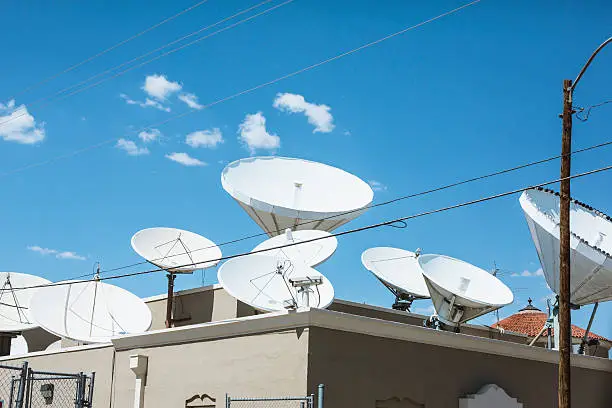
Satellite internet sends signals between a dish at the customer’s property and equipment in space. Heavy rain can absorb or scatter part of that signal, creating a problem known as rain fade. Light rain may have little effect, while an intense thunderstorm can reduce speeds or briefly interrupt service. Thick clouds are not always enough to cause problems, but clouds combined with heavy precipitation may weaken the connection. Properties with trees or other obstructions near the dish may experience additional interference.
Strong winds may shift a poorly secured satellite dish and affect its alignment. Even a small movement can reduce signal quality without creating obvious visible damage. Hail may damage the dish, mounting hardware, connectors, or outdoor cables. Lightning can also cause electrical surges that harm modems, routers, and power adapters. Customers should never climb onto a wet roof or touch damaged electrical equipment after a storm.
Satellite performance may be affected by:
- Heavy rain between the dish and the satellite
- Wind that changes dish alignment
- Hail damage to exterior equipment
- Ice or snow buildup on the dish
- Power outages and electrical surges
How Weather Influences Fixed Wireless Internet
Fixed wireless internet sends data between a nearby tower and an antenna installed at the customer’s property. Because the signal travels through the air, rain, foliage, buildings, and other obstructions may affect its strength. The amount of interference depends on the frequency, distance from the tower, and quality of the installation. Customers near a tower with a clear line of sight may notice little change during ordinary rain. Customers farther away may experience slower speeds or increased latency during severe weather.
Wind can move trees into the signal path or shift exterior antennas and mounting hardware. Wet leaves may block more of the signal than dry leaves, creating seasonal performance changes. Dust storms can coat outdoor equipment or contribute to interference in dry areas of Texas. Extreme heat may place additional stress on radios, tower components, and power systems. Although outdoor equipment is designed to handle changing conditions, unusually intense weather can still affect service.
How Extreme Heat Affects Home Internet Equipment
Texas heat can affect every type of internet connection, including systems that are normally resistant to atmospheric interference. Modems, routers, network switches, and power supplies produce heat while operating. Equipment placed in direct sunlight, a hot garage, an attic, or a sealed cabinet may overheat. An overheated device may slow down, disconnect, or restart unexpectedly. Problems that occur mainly during hot afternoons may be related to equipment placement rather than the provider’s network.
Customers should place networking equipment in a shaded, ventilated, climate-controlled location. Air should circulate around the modem and router, and vents should remain clear of dust. Devices should not be stacked unless the manufacturer permits it. Outdoor cables and connectors should be rated for local weather conditions. Recurring overheating problems may require equipment replacement or assistance from the provider.
How Fiber Internet Responds to Severe Weather
Fiber internet transmits information using pulses of light through thin strands of glass or plastic. Rain, clouds, humidity, and radio interference generally have little direct effect on the signal. This resistance makes fiber a reliable option for streaming, gaming, remote work, and connected devices. However, fiber service is not completely protected from severe weather. It still depends on physical cables, powered equipment, connection points, and local utility systems.
Floodwater may enter underground cabinets or exposed connections when protective seals fail. High winds, falling branches, or damaged utility poles can cut aerial fiber lines. Construction and storm cleanup crews may accidentally damage buried cables. Ice can weigh down trees and cause branches to fall onto communication lines. A neighborhood may also lose fiber service when provider equipment runs out of backup power.
Why Power Outages Affect Every Connection
Satellite, fixed wireless, and fiber systems all require electricity at the customer’s property. A fiber cable may continue carrying data during a blackout, but the optical terminal and router cannot operate without power. Satellite dishes and wireless antennas also depend on powered components. Provider facilities may have batteries or generators, but those backup systems have limited capacity. Extended power outages can therefore interrupt service even when the network has not been physically damaged.
A battery backup can keep essential equipment operating during a short interruption. Customers should identify every device required for their connection, including the modem, router, fiber terminal, or antenna power supply. Surge protectors may reduce damage from voltage spikes, although they cannot guarantee protection from a direct lightning strike. Mobile hotspots can provide temporary access during an outage. Cellular networks may become congested when many residents switch to mobile data at the same time.
Signs Weather May Be Affecting Your Connection
Weather-related problems often begin during or immediately after a specific event. Speeds may drop when heavy rain starts, or service may disconnect after a strong wind gust. Equipment that repeatedly restarts on hot afternoons may be overheating. An outage that continues after power returns could indicate damaged cables or provider equipment. Checking whether multiple devices are affected can help separate a network problem from an issue with one computer or phone.
Common warning signs include:
- Buffering or higher latency during thunderstorms
- Frequent disconnections during strong winds
- A modem or router that feels unusually hot
- A satellite dish or antenna that appears shifted
- Service that remains unavailable after power returns
- Visible damage to cables, poles, or utility boxes
Preparing Your Internet Before Severe Weather
Preparing before a storm can reduce equipment damage and service disruptions. Modems, routers, and power supplies should remain in dry areas away from windows and direct sunlight. Important files, maps, and entertainment can be downloaded before severe weather arrives. Customers should charge mobile devices and backup batteries in advance. Provider support numbers and outage pages should also be saved on a phone.
Helpful preparation steps include:
- Use a quality surge protector
- Consider a battery backup
- Keep router firmware updated
- Avoid placing equipment in garages or attics
- Have dangerous tree limbs removed professionally
- Report loose cables or damaged utility boxes
- Never adjust rooftop equipment during a storm
Frequently Asked Questions
Does rain always slow satellite internet?
No. Light rain may have little noticeable effect, but heavy rainfall can weaken the signal between the dish and satellite. Dish alignment and overall signal strength also affect performance.
Is fixed wireless reliable during thunderstorms?
Fixed wireless can remain reliable during ordinary rain. Severe rain, wind, moving trees, or tower damage may reduce speeds or interrupt service, especially for customers farther from the tower.
Does hot weather slow fiber internet?
Heat does not normally slow the light signal inside a fiber cable. However, extreme temperatures may affect routers, power supplies, network cabinets, and other electronic equipment.
Will fiber internet work during a power outage?
Usually not without backup power. The fiber terminal, router, and provider equipment must have electricity for the connection to operate.
Can storms permanently damage internet equipment?
Yes. Lightning, flooding, hail, falling branches, and power surges can damage indoor or outdoor components. Wet or visibly damaged equipment should be inspected by a professional.
Which internet type performs best in bad weather?
Fiber generally experiences the least direct interference from rain, clouds, and atmospheric conditions. However, every connection type can be affected by power outages, flooding, fallen trees, or damaged infrastructure.
Choosing Internet Service in Paris, TX
Households comparing internet service in Paris, TX, should consider more than an advertised download speed. Weather exposure, installation quality, equipment placement, tower distance, and provider maintenance can influence real-world performance. Fiber usually offers strong resistance to direct atmospheric interference, while fixed wireless may serve areas without wired infrastructure. Satellite can reach rural properties where other options are unavailable, although heavy rain may have a greater effect on its signal. The right choice depends on availability, budget, household usage, and reliability needs.
Customers should ask potential providers how they handle outages, repairs, and equipment replacement after severe weather. Upload speeds, latency, data limits, installation requirements, and contract terms should also be reviewed. Homes used for remote work, telehealth, online learning, or security systems may benefit from backup power or a secondary connection. No internet service can avoid every weather-related interruption. Choosing suitable technology and preparing equipment properly can reduce downtime when the Texas weather becomes severe.