Introduction
Many small online communities begin with one group chat. At first, this feels efficient: everyone sees the same announcements, members can ask questions immediately, and files are easy to share. As membership grows, however, official notices become buried under casual conversation, documents are uploaded repeatedly, and administrators spend more time finding information than supporting the community.
The problem is usually not the number of members alone. It is the absence of a simple operating structure. Communities that define channels, roles, invitation rules, file locations, and membership procedures early can expand without rebuilding everything later.
The objective is not to create a complicated enterprise system. A small community needs an understandable arrangement that separates important information, limits unnecessary access, and gives members a predictable way to participate.
Before making changes, administrators should inventory current groups, active links, existing files, and people with elevated access. This baseline reveals duplicated spaces and prevents useful routines from being removed accidentally. Changes can then be introduced in stages: separate announcements first, clarify roles next, and reorganize files and invitations afterward. A phased transition is easier for members to understand than moving everything at once, and it gives organizers time to correct problems before the new structure becomes permanent.
Map the Community’s Communication Needs
Before creating channels, write down the community’s main purpose and the types of communication it must support. A hobby group, volunteer project, student network, and private membership organization may all need different structures.
Most communities should consider announcements, general discussion, questions or support, event coordination, shared files, and private administrator communication. Organizers should also decide which information is available to all members and which records require restricted access.
If the group regularly shares forms, schedules, templates, or guides, identify where the current versions will be stored. For recurring events, decide whether one events channel is sufficient or whether temporary event spaces will be created and archived. Mapping these needs first prevents unnecessary channels and unclear information boundaries.
Choose a Suitable Messaging Platform
A suitable platform should work on the devices members already use. Mobile access is normally essential, while desktop access is valuable for administrators and members who manage longer discussions or documents. Depending on the platform, mobile and computer versions may not offer identical controls, so organizers should test the tasks members will perform most often.
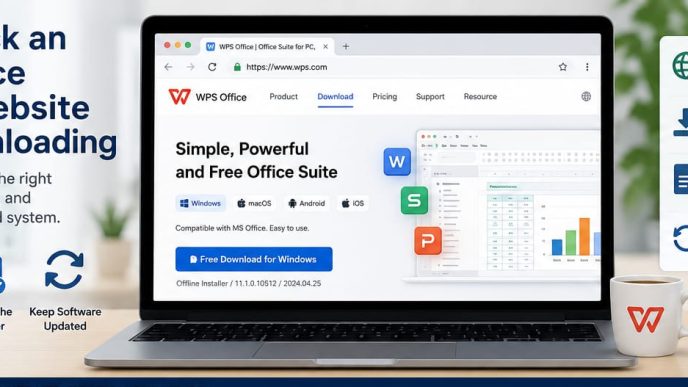
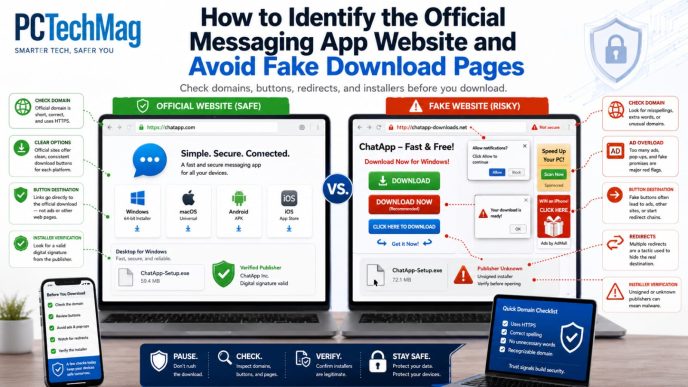
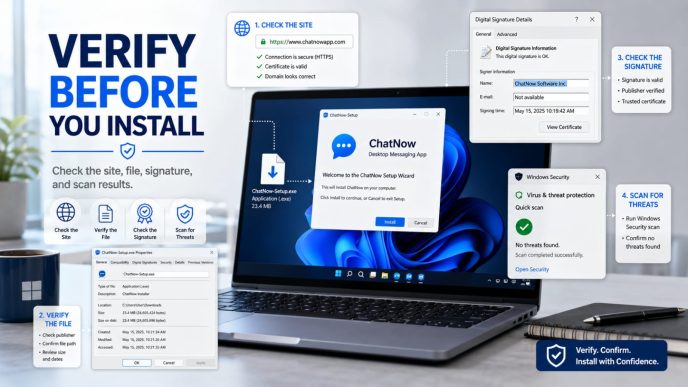
The download path should also be easy to explain. Members should be able to identify the correct version without passing through misleading advertisements or unrelated installation pages. When preparing onboarding instructions, specify the device type and the expected installation route.
For communities evaluating resources related to potato app下载, the practical question is whether ordinary members can recognize the correct version, understand the download steps, and use the interface comfortably. The platform should also provide enough basic support for separated communication, file sharing, and manageable access, depending on the platform.
Separate Announcements from General Discussion
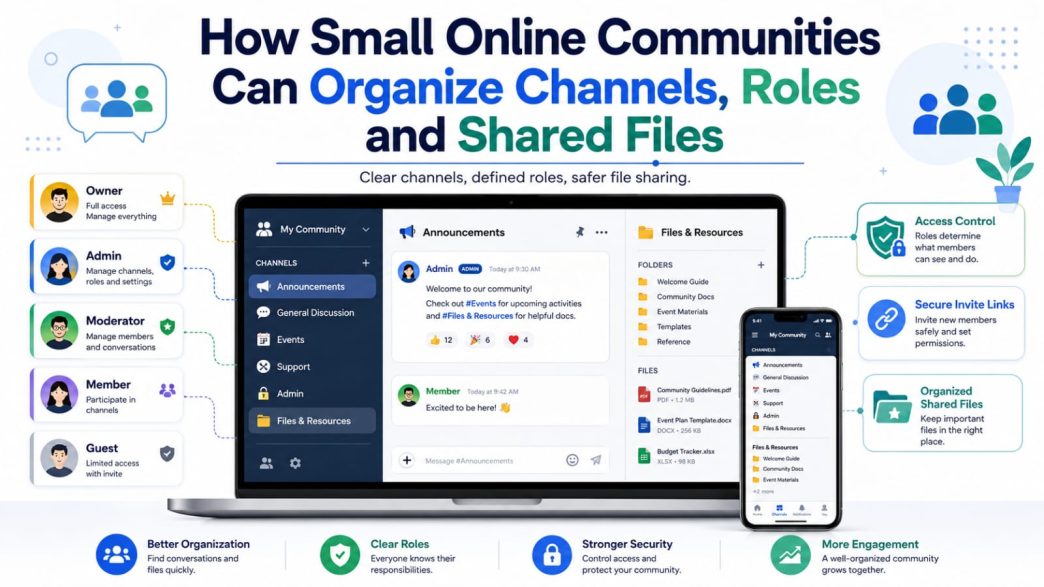
An announcement channel should contain official notices such as meeting times, deadlines, policy updates, and event changes. Posting should normally be limited to authorized administrators or organizers so the channel remains easy to scan.
General conversation belongs in a separate space. This allows members to talk freely without pushing important notices out of view. Community rules, welcome information, and frequently used links should be pinned or stored in one visible reference area.
The structure can remain small. One announcement channel and one discussion channel are often more useful than several overlapping groups with unclear purposes.
Create Clear Role Definitions
Every elevated role should have a defined responsibility. The owner maintains overall continuity and major settings. Administrators manage members, channels, and invitations. Moderators handle conduct and discussion issues. Event organizers coordinate specific activities. Regular members participate in standard spaces, while guests receive limited access for a temporary purpose.
Role names may vary, and the available permission controls depend on the platform. The important rule is to grant only the access required for the task. A person who helps with one event may not need permanent administrator privileges.
Write down who can approve members, publish announcements, manage files, change settings, and respond to complaints. Clear ownership reduces conflicting decisions and makes it easier to remove permissions when responsibilities change.
Protect Invitation Links
Permanent invitation links can spread beyond their intended audience after being copied into public posts, old event pages, or forwarded messages. Where the platform permits, use temporary, limited-use, or event-specific links instead of one permanent link for every situation.
New accounts can be reviewed manually in a small community. Administrators may confirm the person’s referral, event registration, or reason for joining before granting broader access. Keeping a simple record of which link was used for each activity also helps trace unusual joins.
Old links should be revoked after an event, recruitment period, or administrator change. Controlled invitations keep growth intentional without making normal onboarding difficult.
Organize Shared Files
Rules, onboarding guides, event schedules, forms, and templates should be grouped by purpose rather than repeatedly uploaded into different chats. Useful categories may include Rules and Guidelines, Onboarding Materials, Event Files, Shared Resources, and Completed Project Records.
Use consistent file names that include a topic, date, or version number. Event-Guide-2026-07-v2.pdf is easier to identify than final-guide-new.pdf. One location should be treated as the current source, while outdated copies are archived or removed.
Communities using potato聊天软件 for everyday communication should still treat document control as a separate responsibility. A messaging tool can distribute attachments, but the community must decide where final versions live, who may update them, and how members identify the current copy.
Sensitive records should not remain in a general-access file area when only a few people need them. Depending on the platform and the type of information, a separate controlled repository may be more appropriate.
Manage Member Onboarding
New members should receive a short explanation of the community’s purpose, channel structure, posting rules, privacy expectations, and file practices. They should know where official announcements appear, where normal discussion belongs, and whom to contact for help.
Initial access can be limited until the member has reviewed the rules or completed a simple verification step, depending on the platform. The process should be clear and proportionate rather than unnecessarily difficult.
A predictable onboarding message reduces repeated questions and helps new members participate without relying on trial and error.
Create a Member Exit Process
When a member leaves, remove access to relevant channels and revoke any administrator, moderator, or event role. Review invitation links known to the departing member and replace sensitive links when appropriate.
Check access to external folders, shared documents, event systems, and community records as well as the messaging platform. Necessary administrative records should be retained, but personal information that no longer serves a legitimate purpose should not remain indefinitely.
A short exit checklist ensures that access is removed consistently rather than only when an incident occurs.
Review Community Structure Every Month
A monthly review can be completed quickly. Administrators should check whether old channels are still useful, whether the administrator list remains accurate, and whether completed event files should be archived.
They should also review active invitation links, update rules that no longer match the community, and investigate inactive, duplicate, or unusual accounts. The review date and the person responsible should be predictable.
Small, recurring maintenance is easier for members to understand than occasional large reorganizations. It also prevents temporary channels, privileges, and files from becoming permanent by accident.
Common Community Management Mistakes
The most common mistake is keeping announcements, questions, files, and ordinary conversation in one crowded group. Other problems include assigning too many administrators, publishing permanent invitation links, and storing important documents without version numbers.
Communities also create risk when former members retain access or when nobody knows how to report a concern. An appeals or feedback route does not need to be complex, but members should know where to raise problems and who is responsible for responding.
Adding more groups does not solve these issues by itself. Each space needs a clear purpose, audience, and owner.
Conclusion
Small community governance should be established before membership becomes difficult to manage. Clear channels make information easier to find, limited roles reduce unnecessary access, and controlled invitations help protect membership boundaries.
Consistent file rules, onboarding guidance, exit procedures, and monthly reviews also reduce the administrative work required over time. A community does not need a complicated system; it needs a simple structure that members understand and administrators maintain consistently.