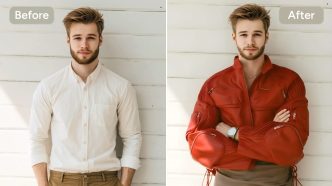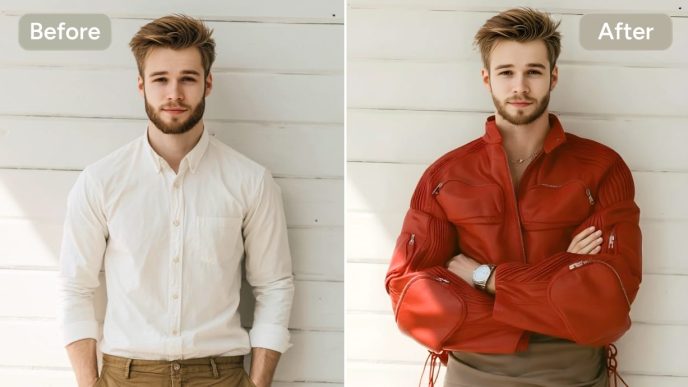
Founder interview packages fail in a specific way on African tech desks: the still looks honest on a phone screen, the motion preview feels alive, and the export turns the subject into someone else by frame four. Reference hygiene breaks before anyone argues about prompt poetry. The Seedance 2.0 API path through SeeAPI rewards clean inputs—multimodal references, character consistency, and a Fast/Quality/Lite flow—yet dirty phone stills and messy backgrounds can burn a 720p-class credit line without fixing the face.
Multimedia producers on magazine timelines do not have room for mystery morphs. A profile piece tied to a funding round needs the founder’s jawline to survive a slow push-in, not a cosmetic upgrade. The workflow below treats reference prep as part of the cost model, not as optional neatness. SeeAPI’s single balance makes that discipline visible: every dirty upload shows up in the same credit ledger.
Why Dirty Phone Stills Break Character Consistency
Phone captures arrive with mixed lighting, partial motion blur, and background clutter that competes with the face edge. Seedance 2.0 can hold identity when the reference frame gives it a stable anchor. When the anchor is noisy, the model improvises—cheekbones shift, glasses warp, skin texture crawls. On a founder interview still, that reads as untrustworthy even if the motion path is smooth.
Character consistency applies a constraint after upload—it cannot override bad source material. Producers who skip crop and cleanup pay twice: once in preview time, again when Quality export still shows drift beside the original JPEG. The cheek geometry can melt on a slow turn-in while the background stays sharp—a hard fail for any profile package tied to a funding announcement.
Step One Capture And Crop A Clean Reference Still
Start with the dullest part of the job. Pull the best frame from the interview recording or burst, not the thumbnail auto-selected by the camera roll. Export at full resolution, then crop to the face and shoulders with consistent headroom. Remove competing edges—mics, banners, passerby shoulders—that steal boundary attention from the skin line.
Heavy JPEG compression and edge crop failures belong at intake, not in a second Quality pass. A phone still with blocky skin texture or a banner edge eating the temple line should fail upload review before any generate click. On the live desk, the first export checked against the on-set photo often exposes jaw drift that preview hid at half size—catching that before a second Quality pass saves credit spend the magazine cannot invoice away as “learning.”
Strip Background Clutter Before You Upload
Busy expo halls and co-working walls are identity poison. Blur or replace background noise when partner rules allow; otherwise reframe tighter. The reference slot is not a place to “see if the model fixes it.” Motion models chase salient edges. A neon sign behind the ear becomes part of the face if it is loud enough.
Match Aspect Ratio To Stories Or Landscape
Lock 9:16 for vertical social cuts and 16:9 for site hero loops before upload. Re-cropping after generation wastes credits and reopens face drift. Write the target ratio on the ticket beside the still name so the next producer cannot inherit a landscape source for a Stories deliverable.
Step Two Choose Fast Quality Or Lite For The Task
Seedance 2.0 routes through Fast, Quality, and Lite before prompt and reference attachment. Fast suits direction checks—does the head hold through a nod? Lite helps quick social loops when motion is minimal. Quality belongs to the export the magazine will defend beside the print portrait.
Dirty inputs make tier choice misleading. A noisy still can look acceptable on Fast and still fail Quality beside the source. Treat Fast as a hygiene gate, not as proof the reference is clean. Only move up when frame one matches the still at preview size.
Step Three Upload Reference And Drive Motion
With a clean still, open the standard flow: select tier, write a motion prompt that names one action, attach the reference, generate. Keep prompts short and physical—”slow push-in, hold eye line, minimal blink” beats a paragraph of adjectives. Multimodal references work when the file matches the promised ratio and the face edge is unambiguous.
Free accounts remain on watermarked previews; paid paths unlock HD and commercial use. One SeeAPI balance holds the spend so profile packages and event recaps do not fork into expired promo wallets mid-week. Credits never expire, which matters when a cover story slips a week and test renders still count against the same pool.
Compare Output Beside The Source Frame
Scrub the export next to the uploaded still at identical zoom. Jaw width, hairline, and eyewear bridge must survive. If the face morphs on a founder interview still, discard the clip before CMS upload—that single miss would never clear editorial QA on a cover-profile package.
Dirty Input Battery That Wastes Preview Credits
Run the same failure modes deliberately on test stills before a paid export. This battery is how producers learn cost without treating the desk like a lab report:
| Dirty input | Observable result |
| Motion-blurred burst frame | Cheek geometry melts on turn-in |
| Cluttered expo background | Logo edge attaches to hairline |
| Heavy JPEG compression | Skin texture crawls; teeth sharpen unnaturally |
| Wrong aspect crop for Stories | Head re-centers; shoulders invent new shape |
A single Quality pass on an unclean still can land near the 720p credit band—roughly 170 credits in the 2.0 list—without delivering a file the magazine can publish. That figure signals cost-of-dirt: one skipped cleanup step equals one full export gone. Producers on our desk treat that spend as re-work tax, not as bad luck.
Under the August 31 promotion, eligible Seedance 2 credits may convert one-to-one after the 2.5 platform launch. Hygiene first, then spend under that promo. Early 2.0 exports that pass the battery still count as useful production, not as throwaway tests.
Limits Clean References Still Need Human Review
Even a spotless reference cannot fix a wrong deliverable shape. A perfectly cropped landscape still will not rescue a vertical Stories package without reframing. Human review remains mandatory for partner logos, consent boundaries, and caption truth. Automation accelerates motion; it does not sign the magazine’s name.
SeeAPI keeps API access on the roadmap, but today’s desk win is reference discipline inside the existing UI. Producers who internalize that limit ship fewer apology posts.
Hygiene Checklist Before You Click Generate
Pin this beside the export ticket:
- Best frame selected; blur and clutter reduced; ratio locked to deliverable.
- Fast preview passed beside source still at working zoom.
- Quality export approved only after face, logo, and crop checks—then hand to editorial with the still attached.
That sequence turns the balance into published work instead of a folder of almost-right morphs. The desk moves faster when Generate is the last step, not the first guess.
When the checklist passes, the founder’s face in frame four should still match frame one. Anything less belongs in the discard pile before the CMS ever sees it. Teams that front-load hygiene spend less time arguing about whether the model or the producer failed—and more time shipping footage the cover line can defend.
SeeAPI will add API routing later; until then, treat every Generate click as a line item with a name on it.