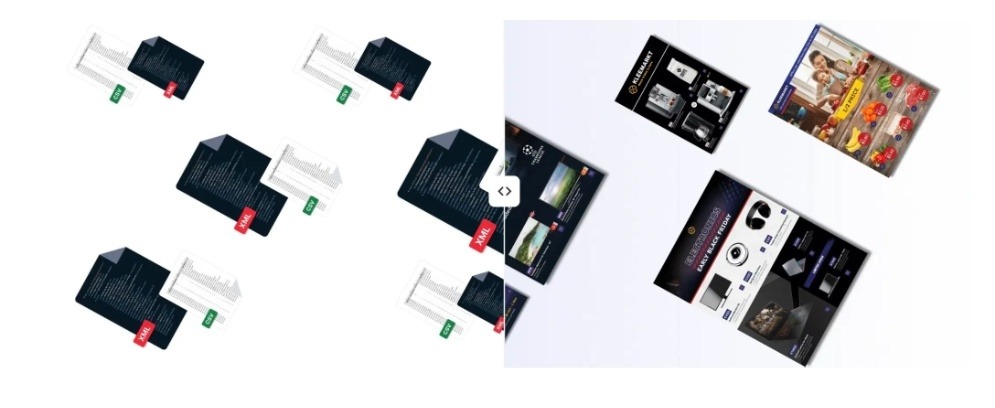
igital catalogs load more quickly than PDFs since they stream page content over the web one by one, rather than making a shopper download one hefty file before getting to see anything. They also quite a bit because every product could be turned into a click-and-buy item instantly, whereas with a PDF the shopper is stuck looking at the image and then leaving. The net effect is a browsing experience that not only opens within a second or two but also converts interest into orders rather than letting it slip away.
Deep down, PDFs don’t work well for shopping because shopping was never one of their use cases. Print, not digital, is their native habitat so a PDF version of a catalog can be very heavy 20, 50, or even 100 megabytes, and the browser needs to download the whole thing before opening the first page. On a phone with poor network connection, just that delay could be enough to scare away a big chunk of visitors and those who stick around won’t be able to make a purchase without exiting the document.
What actually makes a PDF slow to open
A PDF is one single file merged together, so its size is directly affected by the number of pages and the resolution of the images inside it. For example, a 40-page lookbook with glossy pictures and high resolution can easily be over 60 megabytes. And the browser will treat that one file as one download without any shortcut. Nothing is displayed until a certain amount of the file is downloaded, so the customer is watching a blank screen or a spinning loader while the megabytes slowly download.
Then again, digital catalogs operate differently. The platform compresses and divides each spread into smaller web-optimized images and loads only the pages that the customer is actually viewing, while the next ones are being quietly fetched in the background. The first page can be displayed in about a second, even on mobile data, because the browser is not waiting for pages 30 through 40 to arrive. Long time industry data have associated the faster load time with lower bounce rates, and the difference between a one-second open and a fifteen-second download is exactly where many potential customers give up.
Using PDFs also has a hidden cost for publishers. Whenever someone opens a hosted PDF, your server has to deliver the entire file, and that means that bandwidth bills will increase with traffic.
Why clickable beats downloadable for conversion
Conversion difference is fundamentally where the purchase is effectuated. With a PDF, a consumer is attracted to a product, but then must recollect it, open a new tab, find the store, and track down the product once more. Most individuals simply do not follow through that sequence, and every additional step forgives desire. An e-catalog reduces a double tap only as a product picture is a live hotspot that directly links to the product page or drops the product into the cart.
This is particularly important on mobile platforms where almost two-thirds of catalog browsing occurs. A PDF on a phone is a very frustrating pinch and zoom with tiny text and no way to interact with what you’re seeing, whereas a responsive digital catalog will reflow for the screen and provide thumb-sized tap targets. So, the shopper remains absorbed in the activity of browsing rather than being thrown out to carry out detective work.
Besides this, you get something that a PDF will never offer, which is insight into people’s actual behavior. A PDF will not show you anything except for the number of downloads in the best case, but a digital catalog will tell you which pages attracted the most attention, which hotspots were tapped, and which spreads converted to sales.
How the difference plays out across industries
The extent of your advantage really depends on the type of products you sell. Fashion and home brands tend to experience the greatest change as their catalogs are very visual and people often buy after discovering new items, plus going from a PDF that’s meant for admiring to a shoppable lookbook is a direct way to catch impulses that might be lost otherwise. A seasonal collection that is showcased as an expressive and easy-to-use catalog will convert browsing into shopping much more effectively than a downloaded file.
Grocery and big-box retailers care about the speed angle as much as the conversion one. Their weekly flyers reach huge audiences, so a heavy PDF multiplied across millions of opens becomes a real bandwidth and performance problem, and replacing it with a streamed digital version makes every advertised special instantly clickable. The conversion lift here comes from the same source whether you build it yourself or use a digital flipbook catalog tool, since the win is making every advertised special tappable instead of a note the shopper has to carry to the store. The print savings stack on top, since a digital flyer cuts out paper and distribution that can run into serious money for a national chain.
Both B2B and wholesale catalogs encounter variations of the same problem. A distributor’s product catalog may comprise hundreds of pages, resulting in a PDF business tools almost unusable due to its enormous size, while the buyer hardly ever browses for introduction and mostly searches to reorder. When a digital catalog offers rapid page loading and a functional search box, the cumbersome document is transformed into something a procurement manager can readily navigate, thereby shortening reorder cycles and lessening the dependence on sales representatives.
What it takes to switch from PDFs
Transitioning away from PDFs is actually easier than most people imagine since the main element you’re working with is your current print files. For example, if you create a catalog in InDesign and then export it as a PDF, that file is precisely what you upload and the system will convert it into a digitally streamed, mobile-friendly, and shoppable version without you having to rebuild the whole thing from scratch. The interactive hotspots will be added on top, preferably fetching live pricing and stock information from your store so the catalog will always be up-to-date without any manual intervention.
Typically, pricing follows a subscription with different levels instead of a huge one-off build, which makes it accessible to medium-size retailers and not only to very large brands with development teams. Production schedules are measured in days instead of months once your source file is ready, so you can try out this change in just one campaign rather than making it a big project. The actual effort is mostly in tagging products and linking the feed, and both are the tasks which a good platform largely automates.