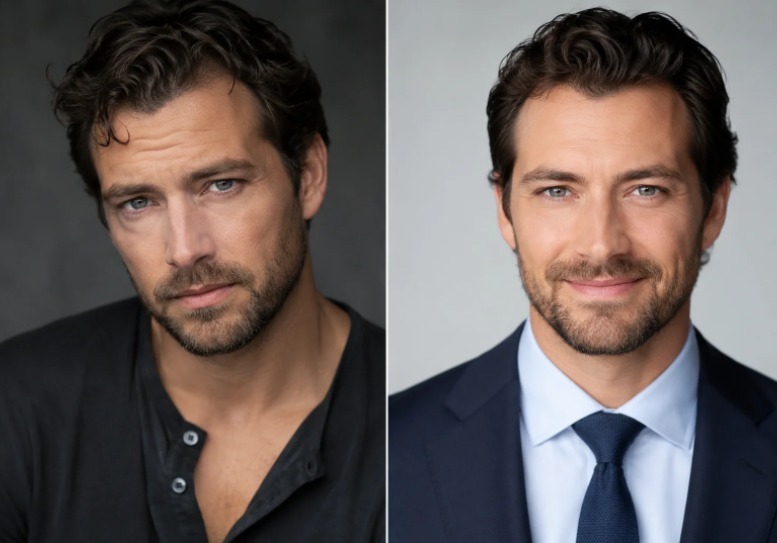
Most practice sites still treat a headshot as a single JPEG someone emailed years ago. That habit breaks as soon as the same face must land on a staff directory, a Healthgrades card, a conference bio, and a patient portal avatar. Clinics shopping for doctor headshots are usually trying to replace that brittle file with a reusable face asset.
Check a narrower claim than “AI makes good photos.” The generator trains a personalized model on a small selfie set, then fans that model across clothing, scene, and pose choices. A practice can refresh a roster without booking every physician into the same studio block. A style overlay alone leaves the collage problem under a new filename.
What A Personalized Headshot Model Actually Means
A personalized model is a temporary face representation built from the uploaded selfies. Identity continuity is the point: skin tone, facial geometry, and distinctive features should survive when the outfit and background change. Applying a corporate template to one source photo and calling the export done fails that bar.
ProfessionalHeadshot describes the process in three moves. Upload casual phone photos. Choose industry looks, outfit styles, and backgrounds. Wait while the system trains on that face and returns a batch of polished stills. Delivery sits in a 10–30 minute window depending on the paid tier. The output count lands between 40 and 100 headshots per session, which matters only if the clinic can name one master file afterward.
For a digital ops lead, the model metaphor explains why one weak selfie can poison the set. The system learns the face from the folder you give it. A single flattering crop next to four underexposed hallway shots makes a dirty training set.
Why Phone Selfies Are Inputs Not The Final Face
Selfies are training data. Patients should see the generated artifact, not the bathroom mirror shot that fed the model. Keep two mistakes out of intake: uploading one “best” mirror photo, and judging success by whether the first preview looks glamorous.
Angle And Lighting Spread Beats One Perfect Selfie
The public guidance asks for 5–20 selfies with different angles, lighting conditions, and backgrounds. Everyday phone cameras are enough. The spread teaches the model what stays constant about the face when the room changes. A folder of near-identical bathroom selfies teaches almost nothing and still burns a generation slot.
In our pipeline, the test protocol starts before the doctor opens the generator. Collect the folder first. Ask for front-facing, slight left, slight right, and one softer indoor light. Skip sunglasses, heavy filters, and group crops. The intake rule is boring on purpose. Clean inputs reduce the re-work later when a listing circle makes the jawline look invented.
The Model Preserves Skin Tone And Face Geometry
Likeness is the hard requirement for medical pages. Patients who already know the physician will notice if the portal avatar belongs to someone else. The platform’s likeness claim is that the personalized model keeps unique features and skin tone rather than replacing them with a stock professional face.
Put a check on the ops list. Place the chosen export beside two source selfies on the same screen. If the eyes, hairline, or skin tone drift enough that a colleague hesitates, discard the export even when the lighting looks expensive. A polished stranger is a hard fail on a clinic roster.
Style Matrix Turns One Upload Into Channel Coverage
After the face model exists, clothing and scene choices decide where the file can live. The product exposes 30+ clothing styles and 14 scene backgrounds before generation starts. Pose coverage includes frontal plus left and right three-quarter angles. One upload becomes a kit when someone uses that matrix with a naming rule.
Outfit And Background Choices Happen Before Render
Medical pages usually need a white lab coat or scrubs against a clean studio plate. Leadership bios may need a navy suit or black blazer. Make the decision before render. Changing the role signal later means another generation cycle and another afternoon of CMS tickets.
For directories, lock solid white or light gray first. Those backgrounds survive circular thumbnails on Healthgrades and Zocdoc better than busy clinical walls. Keep warmer office scenes for long-form bios if the clean crop already passed.
Pose Angles Matter For Square Versus Circle Frames
A frontal master usually wins on directory circles. Three-quarter angles can help conference programs and rectangular press cards where the shoulder line has room. Save both, but do not publish three different angles across one department grid. Inconsistent pose language recreates the collage problem with better lighting.
When the clinic routes the job through ProfessionalHeadshot.io, treat the download folder as raw inventory. Rename one approved frontal file as `lastname-master.jpg`, then derive portal and listing crops from that master. Leave the rest in an archive folder so nobody grabs a near-miss under deadline pressure.
Privacy Windows And Commercial Rights Change The Ops Checklist
Face files are sensitive even when the use case is ordinary marketing. The published privacy rule is blunt: uploaded photos and generated headshots are deleted after 30 days, are not sold, and are not used to train other AI models. Full commercial usage rights are included for the generated set. GDPR and CCPA compliance claims sit beside that deletion window.
The clinic should download and archive approved masters outside the product account before the 30-day clock matters. Waiting inside the web gallery leaves you without a media library. If legal later asks where the source selfies went, answer “deleted by policy,” not “still sitting in someone’s browser tab.”
- Source selfies are deleted after 30 days, so collect once and avoid reseeding weak folders.
- Generated sets follow the same deletion window, so export masters to the media library the same day.
- Full commercial rights cover reuse on the site, listings, press pages, and the patient portal.
- Uploaded faces are not used to train other models; keep that policy note for compliance review.
Refund timing also belongs in the ops note. Every plan includes regeneration credits, and a full refund path exists within 7 days if the result still fails after those regenerations. Use regenerations for likeness or crop failures. Wardrobe taste tests after the intake rule was set waste an hour that should have gone to naming the master file.
Keep The Master File Outside The Thirty Day Window
For a tech-minded practice team, the useful path stays short: selfie intake, personalized model, style matrix, export, archive. ProfessionalHeadshot fits when the clinic needs many channel-ready faces without another studio logistics week. Used that way, ProfessionalHeadshot becomes infrastructure for roster updates.
Judge the output on three checks in one pass: likeness beside the source selfies, clean background inside the listing circle, and a master stored outside the temporary gallery. Pass all three and the AI pack replaces a fragile JPEG with an asset the roster can reuse.
If the team only chases a prettier first preview and never archives a master, the collage returns in thirty days under a quieter name. Keep the file where the website and listings can still find it after the generation session ends.