Submission week has a familiar loop: regenerate the mechanism figure, dislike the labels, regenerate again, then discover the journal wanted a different width, resolution, or file behavior all along. The wasted motion is rarely model quality. It is a soft brief. PaperFig becomes useful when journal requirements and prompt structure are locked before anyone spends another round of credits on a prettier wrong panel.
Text, sketch, photo, PDF, and reference-image paths all lead to the same review rule: keep label correction inside the workflow, and do not spend the next credit round until venue constraints are written down. That sequence only reduces rework when those constraints arrive first. Otherwise every export is a guess dressed as progress, and the editorial calendar absorbs the delay.
Submission Redraws Usually Mean The Brief Was Soft
A soft brief sounds complete while leaving the acceptance tests unstated. “Make a clearer pathway for Figure 2” does not say whether the reader must see hypothesis versus measured result, whether grayscale print must still separate branches, or whether the file must survive a specific column width. Generators answer the sentence they are given. Soft sentences produce soft drafts.
Technical editors see the cost later, when a coauthor asks for one more regeneration after the caption is already written. The figure then becomes a moving dependency for the whole package: abstract word count, results order, and even the cover letter’s “what is new” paragraph. A preflight habit stops that drift by forcing the missing constraints into the first request.
The old workaround was to redraw in a specialist editor after the generator “got close.” That still works for final geometry, but it does not justify skipping the venue rules. If the first draft was aimed at the wrong width class, the specialist editor inherits a composition that was optimized for the wrong stage.
Step One Collect Journal Dimensions And File Rules
Before opening generate, collect the boring constraints from the target journal or conference template: final width, minimum resolution, color versus grayscale expectations, acceptable file types, and any typography rules that affect label density. These details decide whether a basic PNG rehearsal is enough or whether a later Faithful 4K PNG and editable exports are required.
PaperFig’s tool set includes a journal-requirements style checker for exactly this kind of review. Use it as a gate, not as decoration. If the team cannot fill the requirements line, they are not ready to spend generation credits. The checker does not replace the author guidelines PDF; it forces the team to stop pretending those guidelines will be read later.
Use The Requirements Checker Before Opening Generate
Write the constraints into a short preflight note beside the manuscript figure callout. Example fields: single-column or double-column width, resolution class if stated, color mode guidance if stated, and whether SVG or editable labels will be needed for production. The note does not need to be elegant. It needs to be complete enough that a later regeneration cannot claim ignorance.
In my testing of editorial intake, the first version of this note usually exposes at least one missing rule the authors assumed was “standard.” Catching that before generation is cheaper than catching it after three incompatible exports and a weekend of caption rewrites.
Step Two Structure The Prompt Around One Mechanism Claim
Once the venue constraints are known, structure the prompt around one claim the figure must prove visually. Name the entities, the direction of each relationship, the panel order, and the conclusion a hurried reader should reach. PaperFig also offers prompt-structuring help for mechanism, panels, labels, relationships, and visual constraints. That help is valuable only when the scientific claim is already decided.
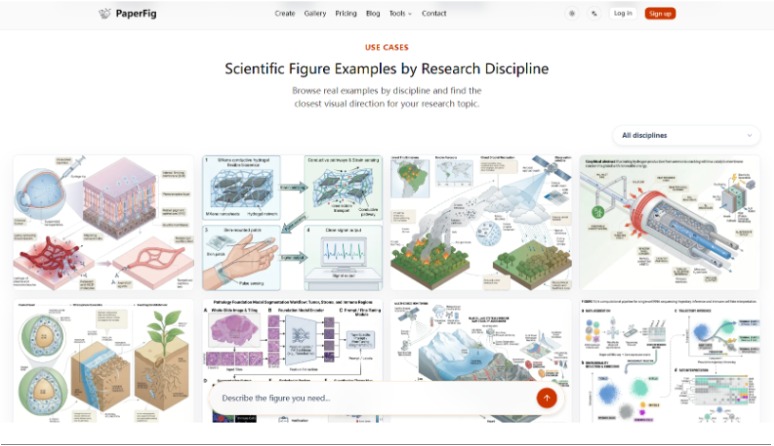
Keep statistical charts out of this brief unless the tool is being asked for the surrounding system diagram. The product is strongest at mechanism diagrams, workflows, experimental setups, and graphical-abstract style schematics. Raw plotting belongs elsewhere. Mixing both jobs in one prompt usually produces a panel that is neither a trustworthy chart nor a clear mechanism map.
Name Panels Labels And Relationships Explicitly
A usable prompt reads like a typed interface. “Panel A: sample enters chip. Panel B: drug exposure. Panel C: viability readout. Arrows mean process flow, not chemical conversion.” Ambiguous verbs are how arrows acquire accidental meaning. If the manuscript still cannot distinguish hypothesis from result, stop and repair the text before asking any AI scientific figure maker to invent geometry.
Reference images may guide hierarchy, but they are not a license to copy a published figure. The prompt should state what must change. Otherwise the draft can look familiar for the wrong reason and create a permissions problem beside the scientific one. Sketch or photo inputs follow the same logic: they must expose structure the team already understands, not hide uncertainty behind a busy source image.
Step Three Generate Then Fix Labels Before Export
Generate from the constrained brief, then treat labels as a separate review lane. AI labels can be wrong. The workflow expects that: use the OCR text editor, often described as Fix Labels, to click and correct wording without regenerating the whole composition. Regenerating to repair one misspelling can move approved objects and reopen scientific review.
Credit arithmetic matters here. Core figure generation, figure enhancement, Fix Labels, and Faithful 4K PNG upgrades are each described as costing about 50 credits. Editable SVG or PPTX exports after label work are described as costing 150 credits. That split argues for fixing text before paying for editable exports, and for delaying 4K until the reading order has survived a human pass.
Spend Credits On Fix Labels Not Blind Regenerations
A practical desk rule is simple. If the reading order is right and only nomenclature is wrong, patch labels. If an arrow points at the wrong compartment, that is a hard fail for the current draft; rewrite the relationship list and regenerate once, not five times with adjective changes. Blind regenerations usually burn credits each without improving the acceptance note.
After labels lock, choose the export that matches the next stage. Basic PNG is enough for internal discussion. Faithful 4K PNG helps when the journal package needs a higher-resolution still. SVG or PPTX becomes useful when production still needs editable label surgery after scientific approval. Paying for those richer exports while entity names are still floating is how a credit ledger fills up with files nobody can submit.
Step Four Compare Against Journal Specs At Final Size
Place the export into the actual manuscript or template at final width. Many drafts look impressive full-screen and become unreadable in a single-column layout. Check whether every label survives the shrink, whether arrowheads still show direction in grayscale, and whether the caption still matches the panel order on the page.
This is also where graphical-abstract planning belongs if the venue asks for one. Plan one visual message and reading order first, then generate. A graphical abstract that tries to teach the whole paper usually fails the size test even when every icon is charming. If the abstract figure needs a different claim from Figure 2, write a second brief instead of stretching one generation across two jobs.
Use a compact pass table during the final-size check:
| Gate | Pass | Fail |
| Venue specs | Width, resolution class, and file type known before generate | Authors discover rules after three exports |
| Claim lock | One mechanism sentence drives panels and arrows | Prompt is a style wish list |
| Label lane | OCR fixes applied before SVG/PPTX spend | Full regenerations used to repair one word |
| Final size | Labels remain readable at column width | Panel looks fine until placed in the template |
| Science match | Caption and arrows describe the same relationships | Caption apologizes for the figure |
If the final-size row fails, do not open a debate about taste. Increase label priority, reduce secondary decoration, or split the claim across panels. Taste arguments are how soft briefs return through the side door. A discarded draft at this stage is cheaper than a production ticket opened after acceptance.
Common Mistakes That Burn Fifty Credit Units
The recurring mistakes are mechanical:
- Generating before journal width and file rules are written down.
- Using a reference image as a substitute for a verified mechanism sentence.
- Uploading a low-resolution screenshot and expecting values to survive enhancement.
- Paying for editable exports while entity names are still moving.
- Treating enhancement as proof that the science was checked.
Enhancement can help hierarchy, spacing, label readability, and arrows. It does not certify data marks, permissions, or venue compliance. Compare every revision with the original records. If a number or control condition cannot be defended from the source, the export is not a submission candidate no matter how balanced the layout looks.
Free signup credits can support this preflight culture if the brief is non-confidential. Registration adds 150 credits, and each core generation is about 50 credits, so early tests are cheap only when they answer a real gate. Using those credits to explore adjectives while the journal template is still unopened is how a morning spend disappears without moving the manuscript.
Another quiet failure is role confusion. Authors argue about color; editors argue about column width; nobody owns the claim sentence. Assign one person to maintain the preflight note. When that note changes, the figure brief changes with it. When the note is stable, regenerations need a stated reason beyond preference.
Ready Means Spec Pass Plus Science Pass
PaperFig fits manuscript desks that want a constrained first draft and an in-workflow label repair path, not a substitute for scientific review. Lock the venue specs, structure one claim, generate, fix labels, then judge the file at final size. That order turns credits into progress instead of into a folder of near-miss PNGs.
If the claim is still unsettled, or the only source materials cannot be shared with an AI-assisted workflow, keep the figure in a local editor until those conditions change. A clean export cannot repair an unfinished argument. The teams that finish faster are usually the ones that refuse to regenerate until the acceptance note is complete.