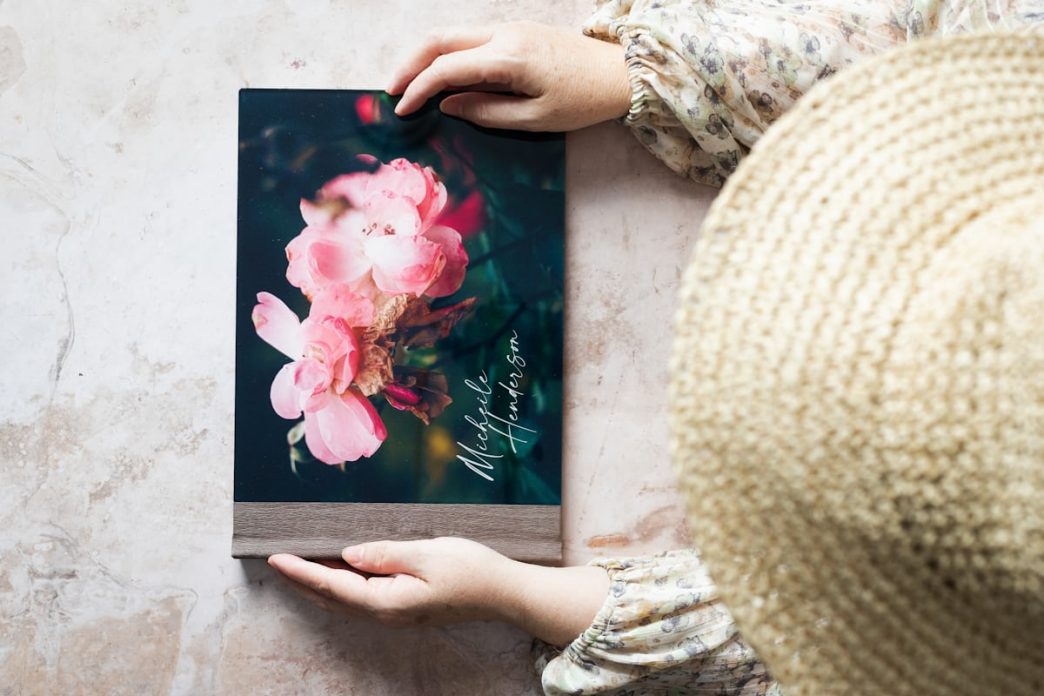
A professionally printed funeral program can serve as both a helpful guide for the service and a lasting keepsake for family members and friends. The quality of the paper, ink, photographs, finishing, and layout all affect how polished the final program appears. Even a simple design can look elegant when it is printed with clear text, balanced colors, and durable materials. Families should compare funeral program printing options before deciding whether to print at home, use a local print shop, or order from an online provider. Understanding the available choices can make it easier to create a respectful program that reflects the life and personality of the person being remembered.
Choose the Right Printing Method
The first decision is whether to use digital printing, offset printing, or a home printer. Digital printing is the most common choice for funeral programs because it is fast, affordable, and suitable for small or medium-sized orders. It produces sharp text and clear color images without requiring the lengthy setup associated with commercial offset presses. Offset printing may provide excellent color consistency and lower per-copy costs for very large quantities, but it is rarely necessary for a typical memorial service. Home printing offers convenience, although the final quality depends heavily on the printer, ink, paper, and time available.
Digital printing is often the best balance of quality, speed, and price. Many local and online printers can complete short-run orders quickly, which is important when services must be planned within a few days. Professional digital printers also handle heavier paper more reliably than most home printers. They can print close to the edge of the page, maintain consistent color, and produce clean two-sided copies. Families should ask to see a sample before approving the entire order whenever the schedule allows.
Select a Professional Paper Weight
Paper weight has a major influence on how substantial and refined a funeral program feels. Standard office paper is usually too thin for a formal program because photographs may show through from the opposite side. A heavier text or cover stock provides better durability and gives the program a more finished appearance. For a basic folded program, paper between 28 and 32 pounds often works well. Booklet covers may benefit from heavier cardstock, while interior pages can use a lighter stock.
Popular paper choices include:
- 28-pound premium text paper for simple folded programs
- 32-pound text paper for a smoother, more substantial feel
- 65-pound cardstock for covers and memorial cards
- 80-pound cover stock for premium booklet covers
- Matte-coated paper for clear text and rich photographs
- Uncoated paper for a traditional, understated appearance
The paper should be heavy enough to feel durable but not so stiff that it cracks when folded. If using cardstock, ask the printer to score the fold before finishing the program. Scoring creates a clean crease and helps prevent the paper surface from splitting. The chosen paper should also work well with the selected printer and binding method. A print professional can recommend an appropriate weight based on the design.
Compare Matte and Glossy Finishes
Matte and glossy papers create very different visual effects. Glossy paper enhances color saturation and can make photographs appear brighter and more detailed. However, it may produce glare under church lights or near windows, which can make text harder to read. Matte paper provides a softer appearance and is often more comfortable to view during a service. It also feels appropriate for formal, traditional, or understated funeral program designs.
A satin or silk finish offers a compromise between matte and glossy paper. It provides smoother color reproduction than uncoated stock without creating excessive shine. This finish works especially well when the program contains several high-quality photographs. Uncoated paper may be preferable when the design includes handwritten messages or when guests will sign the program. The best finish depends on the balance between readability, photography, and the desired tone.
Use Full-Color Printing Thoughtfully
Full-color printing can make a funeral program feel personal and visually engaging. It is especially effective for cover portraits, floral elements, scenic backgrounds, and photo collages. Professional printers use advanced color systems that typically create more consistent results than standard home inkjet printers. Still, too many competing colors can make the layout appear busy or informal. A limited and coordinated color palette usually produces a more elegant result.
Families may choose colors based on the individual’s favorite shades, cultural traditions, military service, faith, or the flowers used at the memorial. Soft neutrals, muted blues, gentle greens, burgundy, lavender, and warm earth tones are common choices. Black-and-white printing can also look highly professional when paired with strong typography and carefully edited photographs. A black-and-white interior with a full-color cover may help control costs while preserving visual impact. Each color choice should support the overall mood rather than distract from the content.
Prepare Photographs for Printing
Photographs are often the focal point of a funeral program, so they must be prepared carefully. Images should have enough resolution to print clearly at the size used in the layout. Original digital files usually produce better results than screenshots, social media downloads, or pictures copied from text messages. Printed photographs should be scanned at a high resolution and cleaned gently before scanning. Dark, faded, or damaged images may need minor editing before they are placed in the design.
A professional printer or designer can often adjust brightness, contrast, sharpness, and color balance. These corrections should remain subtle so the person’s features continue to look natural. Avoid enlarging a small image too much because it may become blurry or pixelated. Group photos should be printed large enough for faces to remain recognizable. Reviewing a printed proof is the most reliable way to confirm that photographs look clear.
Choose Clean Folding and Binding Options
The way a funeral program is folded or bound contributes to its professional appearance. A bifold program uses one sheet folded in half and is a practical choice for shorter services. A trifold design creates six narrow panels, which can work well for brief sections but may limit photograph size. Multipage booklets provide more room for obituaries, poems, tributes, and additional images. The format should match the amount of content and the way guests will use the program.
Common finishing methods include:
- Machine folding for straight, consistent creases
- Scoring before folding to prevent cracking
- Saddle stitching for multipage booklets
- Stapling along the fold for simple binding
- Rounded corners for memorial cards
- Hole punching and ribbon binding for decorative programs
- Laminating covers for added durability
Saddle stitching is a popular choice for booklets because it creates a clean spine using staples placed along the center fold. Programs with many pages may require a different binding method, but most memorial booklets remain short enough for saddle stitching. Decorative ribbon can add a personal touch, although it may increase assembly time and cost. Finishing should enhance the design without making the program difficult to handle. Simple, precise folds and secure binding often look more professional than elaborate decorations.
Consider Borderless and Full-Bleed Printing
Full-bleed printing allows photographs, colors, or design elements to extend completely to the edges of the page. This technique can make the cover look polished and similar to a professionally published booklet. Standard home printers often leave a white border around the page, while commercial printers can print on larger sheets and trim them to the final size. Full-bleed printing works especially well for large portraits, watercolor backgrounds, and floral designs. It should be included in the file setup from the beginning.
Designers normally extend background images slightly beyond the trim line to prevent thin white edges from appearing after cutting. Important text and faces should remain inside a safe area away from the page edge. Families should confirm whether the printer charges extra for trimming or full-bleed production. A borderless design is not required for a professional result, especially when the layout uses intentional white margins. The key is to make the border choice appear deliberate and consistent.
Review Resolution and File Format Requirements
Correct file preparation helps prevent unexpected printing problems. Most professional printers prefer a print-ready PDF because it preserves fonts, images, margins, and page placement. The document should be created at the exact finished size and include bleed settings when required. Photographs should generally be prepared at 300 dots per inch for high-quality printing. Low-resolution graphics may appear acceptable on a computer screen but become blurry on paper.
Fonts should be embedded in the PDF to prevent substitutions during production. Colors may also shift slightly when a file moves from a screen-based color mode to a commercial printing system. Ask the printer whether files should use RGB or CMYK color settings. Keep an editable copy of the original design in case changes are needed. A properly prepared file reduces delays and helps the printer reproduce the program accurately.
Compare Home, Local, and Online Printing
Each printing source offers different advantages. Home printing gives families complete control and may be practical for a small number of simple programs. However, it requires sufficient ink, compatible paper, a reliable two-sided printer, and time for folding and assembly. Local print shops offer personal assistance, quick proofing, and convenient pickup. Online printing companies may provide broader paper selections and competitive pricing, but shipping time must be considered.
When comparing funeral program printing options, ask about:
- Minimum and maximum order quantities
- Same-day or next-day service
- Color and black-and-white pricing
- Paper stocks and finishes
- Folding, scoring, and binding
- Proofing procedures
- File setup requirements
- Rush fees and shipping costs
- Policies for correcting printing errors
A local printer may be the safest choice when the service date is approaching quickly. Staff members can review the file, identify layout problems, and provide physical proof. Online services may work well when the family has more planning time and already has a print-ready design. Home printing may be appropriate when only a few copies are needed. The best option is the one that provides reliable quality within the available schedule and budget.
Order the Correct Number of Copies
Estimating the quantity carefully helps families avoid shortages and unnecessary expense. Begin with the expected attendance and add extra copies for participants, clergy members, musicians, funeral home staff, and relatives who cannot attend. Families may also want additional programs for memory boxes, scrapbooks, or future memorial gatherings. A common approach is to order 10 to 20 percent more copies than the expected number of guests. This provides a reasonable buffer for unexpected attendance.
Larger orders may qualify for a lower per-copy price, but ordering too many can create waste. Ask whether the printer allows a small reprint if additional copies are needed. Keep in mind that color booklets with multiple pages will cost more than simple folded programs. The quantity should be confirmed only after the guest estimate and service details are reasonably clear. Accurate planning helps the family stay within budget while ensuring every guest receives a copy.
Always Request a Printed Proof
A proof allows the family to review the program before the full order is produced. Printed colors can look different from those displayed on a phone or computer monitor. The proof may also reveal text that is too small, photographs that print too dark, or content placed too close to a fold. Check every name, date, title, page number, and service detail carefully. More than one person should review the program whenever possible.
Hold and fold the proof exactly as guests will use it. Confirm that pages appear in the correct order and that no text is upside down or misplaced. Look closely at margins, image cropping, and alignment. Make final corrections before approving the print run. A careful proofing process is one of the most effective ways to achieve a professional result.
Frequently Asked Questions About Funeral Program Printing Options
What type of paper is best for funeral programs?
A premium 28-pound or 32-pound text paper works well for folded programs. Booklet covers may use 65-pound or 80-pound cardstock. The best choice should feel durable and fold cleanly.
Is matte or glossy paper better?
Matte paper is easier to read and creates a refined appearance. Glossy paper can make photographs more vibrant but may create glare. Satin paper offers a balanced alternative.
Should funeral programs be printed in color?
Color printing is ideal for photographs and personalized design elements, but it is not required. Black-and-white printing can look elegant and may be more affordable. A color cover with black-and-white interior pages is another option.
Can funeral programs be printed at home?
Yes, especially for small quantities and simple designs. Use high-quality paper, fresh ink, and a printer that supports accurate double-sided printing. Test several copies before printing the full quantity.
What file format should be sent to a printer?
Most printers prefer a high-resolution PDF. The file should include embedded fonts, correct page dimensions, and bleed settings when needed. Confirm the printer’s specifications before submitting it.
How many funeral programs should be ordered?
Order enough for the expected attendance plus 10 to 20 percent extra. Additional copies may be needed for service participants, absent relatives, and family keepsakes. Confirm the estimated guest count before placing the order.
What is full-bleed printing?
Full-bleed printing allows colors and images to extend to the edge of the page without a white border. The printer produces the design on a larger sheet and trims it to size. This method can give the cover a polished appearance.
How quickly can funeral programs be printed?
Many local shops offer same-day or next-day digital printing. More complex booklets, specialty papers, and online orders may require additional time. Ask about production deadlines and rush fees as early as possible.
Create a Polished and Lasting Memorial Program
Professional funeral program printing depends on thoughtful decisions about paper, color, photographs, folding, binding, and file preparation. Digital printing on a quality matte or satin stock is a dependable choice for many families. Full-bleed covers, clear photographs, readable typography, and precise finishing can elevate even a simple layout. Comparing funeral program printing options in advance helps families balance appearance, cost, and production time. With careful proofing and a reliable printer, the final program can become a dignified keepsake that honors a loved one for years to come.