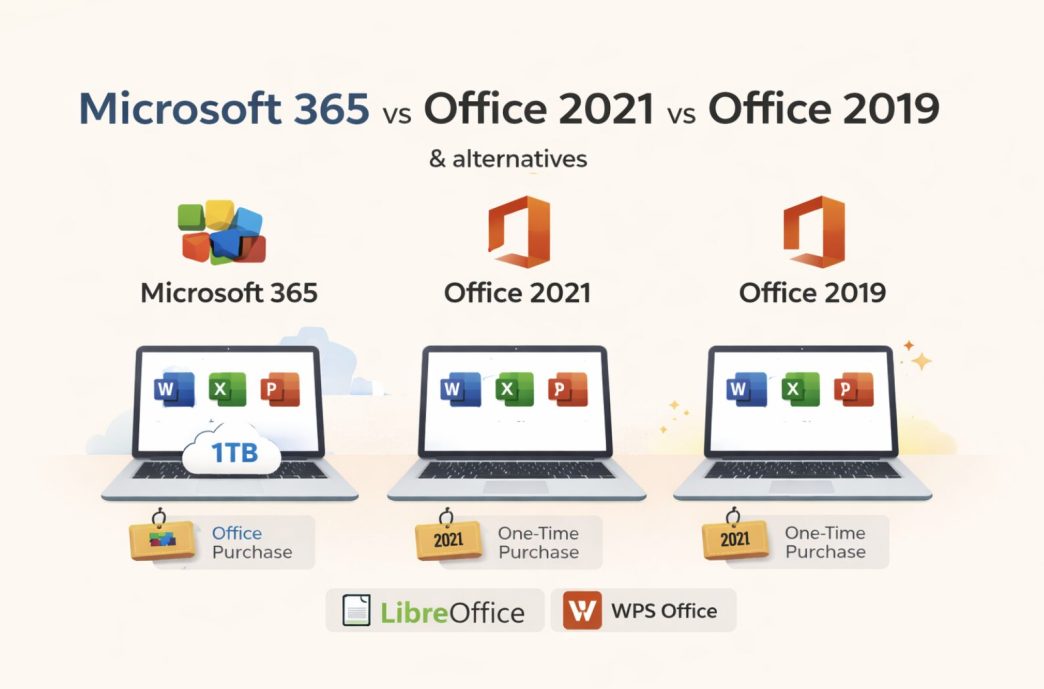
Three versions of Microsoft Office are available right now. A subscription and two licenses you buy once. The price points are different, what you get with each one is different, and how long Microsoft supports them is different. Worth sorting out before you hand over any money.
The Subscription Route — Microsoft 365
Microsoft 365 is the subscription. You pay annually, and the software stays current for as long as you keep paying. The family plan sits at around $100 and covers up to six people for $17 per person across a full household.
You get Word, Excel, PowerPoint, Outlook, and OneNote on up to five devices. Each person gets 1TB of OneDrive storage on top of that. Updates come through on their own, so whatever Microsoft adds, you get it without having to do anything.
The part that puts some people off is the dependency. Stop paying, and the apps go into read-only mode. Your files do not disappear—you can still open and view them—but editing is locked until the subscription is back on. For someone using Office every day for work, that rarely comes up. For someone who uses it a few times a month, paying $70 a year for occasional use is harder to justify.
Office 2019 — Should You Still Buy It?
Office 2019 launched in late 2018. One payment, one device, no subscription. That model appealed to a lot of people who did not want a recurring charge attached to their productivity software.
The timing just isn’t great if you’re buying it now. General support ended back in October 2023, and extended support has already run out too. So at this point you’re getting nothing — no fixes, no updates, no patches whatsoever. You’d be spending money on software that’s already fully dead in the water.
The feature set is also frozen at whatever Microsoft shipped in 2018. For standard document work, that is fine—Word still opens documents, and Excel still runs spreadsheets. But anything Microsoft has added or improved in the past five years is not in there.
Users right now using Office 2019 and doing great with it see no need to swap today. But walking into a store today and buying it fresh? That is a harder case to make when Office 2021 is sitting right there at a similar price with more runway left on it.
Office 2021 — The One-Time Purchase That Still Makes Sense
Office 2021 is Microsoft’s current one-time purchase option. Pay once, and use it on one machine—same structure as 2019, but you are getting a newer version of the software with support through 2026. A few things that used to be locked to 365 made their way into it — Excel got some function updates, the collaboration side got work done on it, and there were interface changes that 2019 users never saw.
Windows 10 and 11 both handle it just fine, no complaints there. Office 2019 on Windows 11 is where it gets a bit iffy — there are compatibility issues that Microsoft just doesn’t seem that interested in sorting out.
Office Home and Student 2021—Word, Excel, and PowerPoint come in around $150. Outlook and Access are not included at that tier — if you need those, the price goes up, or a 365 subscription starts making more financial sense.
For someone who works on one machine, does not need the latest features the moment they drop, and wants to pay once, Office 2021 is the practical call. WPS Office is worth knowing about, too — it handles the same file formats at no cost, which makes it a reasonable fallback if the $150 price tag is the sticking point. You can compare what is available through this Microsoft Office free download page before deciding.
Where the Three Versions Actually Differ
Cost over time
$70 a year for 365 next to $150 once for 2021—the standalone looks cheaper on the surface. But five years of 365 days is $350. If you are on one machine the whole time and have no interest in new features, the one-time purchase costs less. On the other hand, if you work across more than one device or you want the software to stay current, buying a new standalone version every few years adds up faster than the subscription does.
Device coverage
Microsoft 365 covers five devices under one subscription, and you can swap between them. Office 2019 and 2021 are both tied to a single machine. Get a new laptop or work across two computers, and you are paying for a second license. With 365, you sign in, and you are covered.
Feature access
365 gets new features as Microsoft builds them. Standalone versions are fixed at whatever was shipped at launch. For most everyday tasks, this gap is invisible—the core tools work the same way across all three. Where it shows up is in advanced Excel functions, newer Word formatting tools, and anything Microsoft has introduced in the past few years.
Storage
365 includes 1TB of OneDrive per person. Standalone versions do not come with storage. You can use OneDrive on a free account, but the cap sits at 5GB, which fills up fast if you store documents and presentations there regularly.
Free Options Worth Knowing
Not everyone needs to choose between paid versions. Microsoft offers browser-based Word, Excel, PowerPoint, and OneNote free through office.com with a Microsoft account. The features are limited compared to the desktop apps, but cover most routine tasks without installing anything or spending anything.
WPS Office is another option that comes up regularly. It opens and saves Word, Excel, and PowerPoint files without compatibility issues and runs as a full desktop application at no cost. For users who need offline access and full file format support without paying for Office, it handles most of what people actually use Office for day to day. This Microsoft Office download free guide walks you through the available options if you want to see everything laid out before making a call.
Making the Call
Multiple devices and software that stay current? Microsoft 365 handles both under one subscription. If you are on one machine and have no interest in paying annually, Office 2021 is the cleaner option with enough support life left to make it worthwhile. Still on Office 2019, and it is working fine. Keep using it, but know that security patches have stopped and the software is no longer getting updates. Only need Office occasionally? The browser versions at office.com are free and cover most of what people actually sit down to do.
FAQ
- Is Microsoft 365 worth the annual cost compared to buying Office once?
If you move between devices or want features kept current, 365 holds better value over time. If you are on one machine with no real need for updates, Office 2021 works out cheaper — a single payment with nothing else to worry about.
- Can I still buy Office 2019?
Still available, but support ended, and security patches stopped coming. Office 2021 is the better buy—the same one-time purchase model, just with Microsoft still in your corner.
- What happens to my documents if I cancel Microsoft 365?
Documents remain intact and accessible. The desktop apps switch to read-only after a subscription is canceled, so files can be viewed and accessed but not edited until another subscription is renewed.
- Does Office 2021 run on Windows 11?
Yes. Office 2021 is also compatible with Windows 10 and Windows 11. Office 2019 has recorded instances of compatibility issues with Windows 11 that Microsoft has yet to address.
- Is there a way to get Microsoft Office without paying for a subscription or a standalone license?
Two options worth knowing. First, Office.com, which has Word, Excel, PowerPoint, and OneNote free in the browser—a Microsoft account is all you need. Second, WPS Office runs as a full desktop app, opens Office files, and costs nothing.