We’ve all been there. You have the perfect video for a project, but it’s in the wrong format. Or a scanned document that needs to be a PDF. Or a song that plays everywhere except your car.
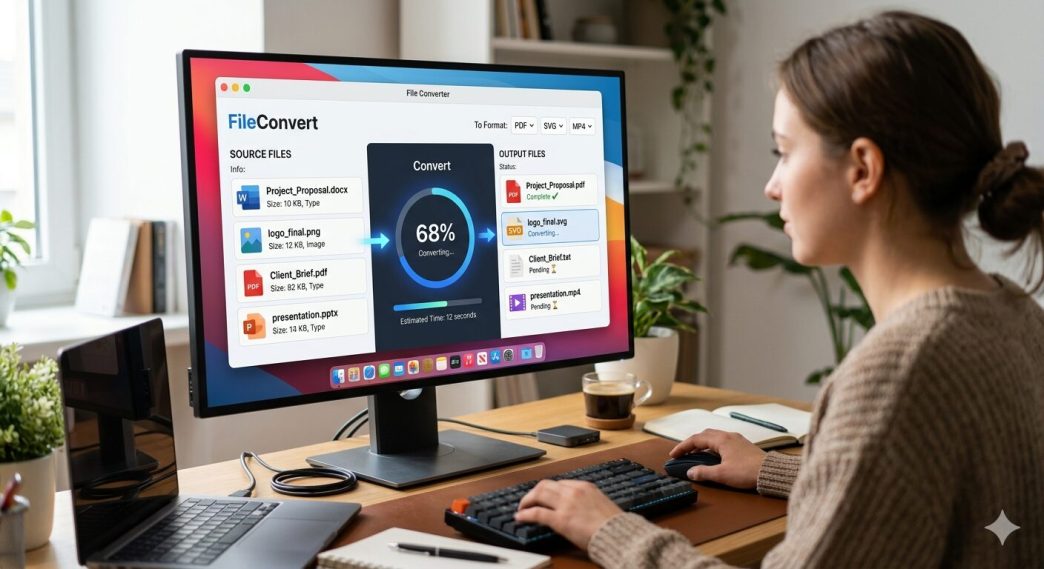
An online file converter is the hero you didn’t know you needed. No software installs. No disk space wars. Just drag, drop, and done.
But with hundreds of tools out there, which ones are actually fast, secure, and free? I tested over 20 converters. Here are the 10 best, ranked by speed, privacy, format support, and ease of use.
1. AhaConvert – Best Overall & Privacy-First Powerhouse
If you only bookmark one tool today, make it AhaConvert. It’s not just another converter — it’s a privacy-focused workhorse trusted by over 1 million users worldwide.
Why it’s #1:
- Supports 300+ formats (video, audio, images, documents, e-books)
- 256-bit SSL encryption during transfer
- Files auto-delete within hours
- Works on any device: Windows, Mac, Linux, iOS, Android
- Batch conversion + advanced settings for pros
Best for: Anyone who cares about security + quality.
Free tier: Generous (no hidden limits).
“AhaConvert offers the most refined advanced options I’ve seen. If you care about output quality, you’ll appreciate the level of control.” – Michael Rodriguez, Freelance Video Editor
2. CloudConvert – The Swiss Army Knife
CloudConvert has been around forever for a reason. It supports over 200 formats and integrates with Google Drive, Dropbox, and OneDrive.
Pros: Fine-tune quality settings (bitrate, resolution, etc.)
Cons: Free tier limited to 25 conversions/day
Best for: Power users who need cloud storage integration
3. Convertio – The Pretty One
Convertio has a beautiful drag-and-drop interface and a Chrome extension. It handles OCR (optical character recognition) for scanned documents.
Pros: Supports files up to 100MB free
Cons: Watermark on free tier for some formats
Best for: Designers and casual users who want a polished experience
4. Zamzar – The Old Reliable
Zamzar has been converting files since 2006. It’s simple, reliable, and supports 1,200+ formats.
Pros: No registration for small files
Cons: Free tier limits file size to 50MB and conversions to 2/hour
Best for: Legacy formats (like old WordPerfect or Flash files)
5. Online-Convert – The Customization King
This one is for control freaks (compliment). You can adjust audio bitrate, video codec, image DPI, and even ebook metadata.
Pros: Deep settings for every format
Cons: Cluttered interface with ads
Best for: Audiophiles and video editors who need specific outputs
6. FreeConvert – The Speed Demon
FreeConvert uses fast servers and supports large files up to 1GB on the free plan. No email required.
Pros: Batch conversion up to 5 files at once
Cons: Wait times during peak hours
Best for: Quick, one-off conversions of big video files
7. 11zon – The No-Nonsense Workhorse
11zon is bare-bones but blazing fast. It focuses on documents, images, and e-books. Perfect when you’re in a hurry.
Pros: No pop-ups, no captchas
Cons: Limited video/audio support
Best for: Students and office workers converting PDFs or Word docs
8. Convert Files – The Minimalist
As simple as it gets. Upload, pick format, enter your email. That’s it.
Pros: No account, no fuss
Cons: Requires email for download link (annoying)
Best for: One-off conversions when other sites are blocked
9. OnlineConvertFree – The Batch King
This one shines when you need to convert 10+ images at once. It handles ZIP uploads and spits out a ZIP of converted files.
Pros: Unlimited parallel conversions
Cons: Ads can be intrusive
Best for: Bulk image or audio conversion
10. Soda PDF – Best for Document Nerds
Soda PDF is technically an online PDF editor, but its converter is excellent for Word, Excel, PPT, and image-to-PDF workflows.
Pros: Edits PDFs after conversion
Cons: Freemium model pushes paid features
Best for: Business users who work with contracts or forms
Quick Comparison Table
| Converter | Formats | Free Limit | Privacy | Best Feature |
| AhaConvert | 300+ | High | 🔒 256-bit SSL | Security + batch |
| CloudConvert | 200+ | 25/day | 🔒 Good | Cloud integration |
| Convertio | 300+ | 100MB/file | ⚠️ Fair | OCR support |
| Zamzar | 1,200+ | 50MB/file | ⚠️ Fair | Legacy formats |
| Online-Convert | 200+ | 100MB/file | ⚠️ Fair | Deep customization |
How to Choose the Right Online File Converter for You
Ask yourself three questions:
- Is my file sensitive? → Choose AhaConvert (auto-delete + encryption).
- How big is the file? → Over 1GB? Try FreeConvert or AhaConvert.
- Do I need advanced settings? → Online-Convert or CloudConvert.
For 90% of people, a good online file converter should be fast, private, and free. That’s exactly why AhaConvert tops this list.
Final Verdict
All 10 tools work. But if you value your privacy and hate surprise limits, start with AhaConvert . It’s the only converter on this list that encrypts your files end-to-end and deletes them within hours — without nagging you to upgrade.
For everything else (OCR, legacy formats, cloud sync), the other nine have your back.
Bookmark this list. You’ll need it before the week ends.