Many work setups are not ideal. Desktops take too much space, and laptops often lack the power for long work hours. This makes it hard for businesses to find the right balance.
A portable work station solves this problem. It gives you a small, clean setup with enough power for daily tasks. Today, many teams use Mini pcs for business to build simple and flexible work systems without extra cost or space.
Why Traditional Work Setups Fail for Modern Work
Most work setups were not built for today’s needs. They either take too much space or do not handle daily work well.
Common issues:
- Desktops take up large desk space
- Laptops slow down during long tasks
- Hard to manage when teams grow
- Too many cables create a messy setup
These problems make work less smooth, especially in small offices or shared spaces.
What Makes a Good Portable Work Station
A good setup should be simple, stable, and easy to manage.
Key requirements:
- Small size that fits any desk
- Stable performance for daily tasks
- Low power use for long hours
- Easy setup without complex steps
- Support for more than one screen
When these points are covered, a portable work station becomes a strong choice for modern work.
Where Mini PCs Fit in Business Work
A Mini pcs for business setup works best where space, cost, and flexibility matter. It gives a clean and simple work setup without extra hardware.
Best fit scenarios:
- Small offices with limited desk space
- Remote or hybrid teams
- Shared desks where users change often
- Clean desk setups with fewer cables
- Multi-screen workstations for better productivity
This type of setup helps teams stay organized and work without clutter.
MINISFORUM for Business Use
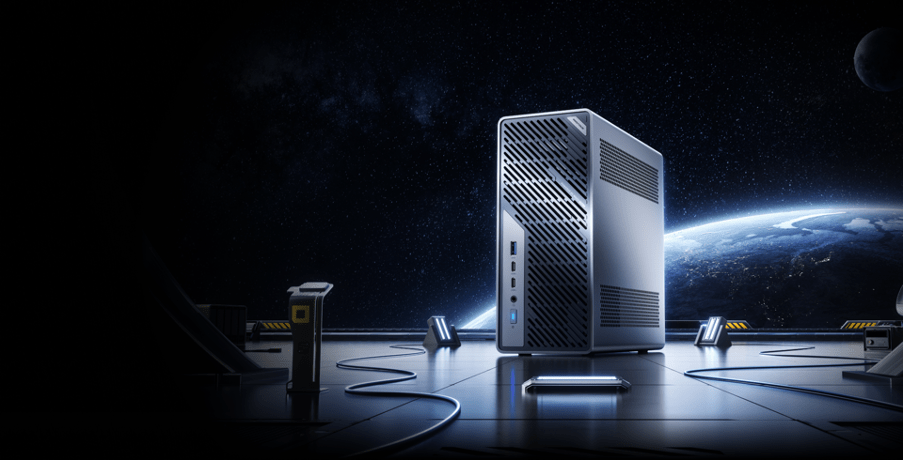
A MINISFORUM system is built for users who want a compact and reliable work setup. It focuses on daily work needs without adding extra complexity.
What you get:
- Compact design that fits easily on any desk
- Reliable CPU performance for office tasks
- Multiple ports for keyboard, mouse, and displays
- Support for dual or triple screen setups
- Easy upgrades for RAM and storage
This makes it a practical option for building a simple and clean business workstation.
Real Work Tasks You Can Run
A portable work station with a Mini PC can handle most daily business tasks without issues.
Daily work:
- Emails and communication tools
- Documents, spreadsheets, and presentations
- Web apps and browser-based tools
Technical work:
- Coding and testing projects
- Running small local servers
- Using development tools
Business operations:
- Data entry and reports
- Dashboards and tracking tools
- Client management systems
This setup is enough for light to medium workloads in most business cases.
Setup Styles (How Businesses Use It)
Different businesses use Mini PCs in different ways. The setup depends on space and workflow.
Common setups:
- Fixed desk setup for daily office use
- Portable carry setup to move between locations
- Hidden setup mounted behind a monitor
- Shared workstation used by multiple team members
These options make Mini pcs for business flexible and easy to adjust based on your work style.
What to Check Before Buying
Before you choose a system, check a few key points. This helps avoid problems later.
Important checks:
- RAM: 16GB is a safe starting point for business work
- Storage: SSD is faster and better for daily use
- Ports: Make sure it supports your devices and screens
- Display support: Check how many monitors you can use
- Network: Stable LAN support is important for office tasks
These checks help you pick the right portable work station for your needs.
Final Thoughts
A portable work station gives you a simple way to handle daily business tasks. It saves space, reduces clutter, and keeps your setup easy to manage.
For many teams, Mini PCs offer the right balance between size and performance. They are not made for heavy workloads, but for everyday business use, they work well and stay efficient.