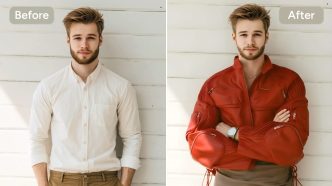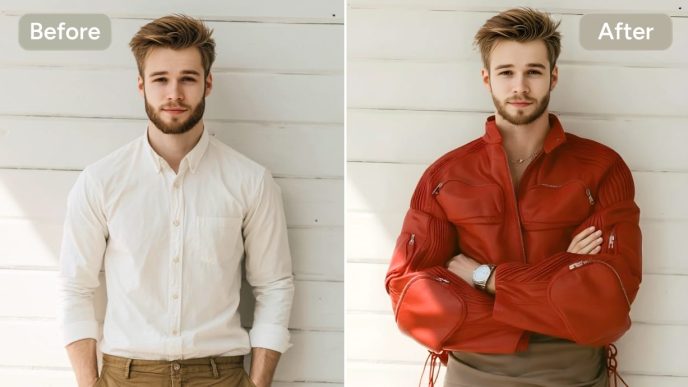

Using a reference image can help turn a vague creative idea into a clear visual direction. Instead of starting with a blank prompt, creators can study an existing image for its composition, lighting, color relationships, camera perspective, or overall atmosphere and then use those characteristics to develop something new.
The key is understanding how to recreate an image with AI without simply duplicating the source. A useful reference should act as a creative guide, not a template for making an identical copy.
This workflow can be useful for content creators, marketers, designers, bloggers, advertisers, and beginners experimenting with generative image technology. The process combines visual analysis, prompt writing, image-to-image generation, and human review to produce an original result.
Inspiration, Visual Analysis, and Image Transformation Are Different
Before beginning, it helps to distinguish three related approaches.
Using an image for inspiration means looking at a reference to understand the general creative direction. You might notice that a product photo uses a minimalist background, soft shadows, and warm lighting. You then create a new scene using those general ideas.
Extracting visual characteristics goes a step further. You identify specific elements such as subject placement, perspective, depth of field, color palette, texture, lighting direction, and atmosphere. These characteristics can be converted into an AI prompt.
Image-to-image transformation uses a reference image as part of the generation process itself. The AI system can use visual information from the input while applying instructions that change the subject, setting, style, or other characteristics.
These approaches can overlap, but they should not be treated as permission to reproduce someone else’s work exactly. The objective is to translate visual ideas into an original concept.
Step 1: Define the Purpose and Format
Start by deciding what the new visual needs to accomplish.
A social media graphic may need a vertical 4:5 format, while a blog header might require a wide horizontal composition. A product concept could benefit from a square image, whereas a video thumbnail may need strong visual contrast and enough empty space for text.
Ask yourself:
- Where will the image be published?
- Who will see it?
- What message should it communicate?
- What aspect ratio is appropriate?
- Will text or branding be added later?
- Does the image need to show a person, product, environment, or abstract concept?
Defining these requirements first prevents the reference image from controlling the entire creative process.
Step 2: Explore Prompt Examples and Choose a Direction
Once the purpose is clear, explore different visual possibilities before writing the final prompt. Looking through an image prompt library can help you understand how creators describe subjects, environments, lighting, composition, and artistic treatments.
Rather than copying an existing prompt, use examples to identify language that communicates the visual direction you want. For example, a creator designing a technology blog illustration might decide on a clean editorial style, cool neutral colors, controlled studio lighting, and a wide composition.
At this stage, focus on the characteristics that support your objective rather than trying to find a prompt that produces a particular existing image.
Step 3: Choose a Legally Appropriate Reference Image
Not every image found online is suitable as an AI reference.
Use images you created yourself, images you have permission to use, properly licensed stock images, public-domain material where appropriate, or other sources whose terms permit the intended use.
Be especially careful with professional photography, illustrations, artwork, commercial campaigns, and images containing recognizable individuals.
A reference can influence your creative thinking without giving you unrestricted rights to reproduce the underlying work. When in doubt, choose a different reference or obtain appropriate permission.
Step 4: Analyze the Reference Image
Before entering the image into an AI system, break it down into its visual components.
Subject
Identify what the image communicates without copying distinctive details.
For example:
A modern electric vehicle parked outside a contemporary building.
This is more useful than attempting to describe the exact make, model, decals, or other distinctive characteristics of the original.
Composition
Look at where the main subject sits in the frame.
Consider:
- Centered or off-center placement
- Foreground and background relationships
- Negative space
- Symmetry
- Leading lines
- Cropping
- Depth
Lighting
Determine whether the scene uses natural daylight, soft studio lighting, dramatic side lighting, backlighting, or another treatment.
Also consider the apparent time of day and shadow intensity.
Color and Texture
Identify broad color relationships rather than copying a distinctive visual identity. You might describe a palette as muted blue, warm beige, and charcoal instead of attempting to reproduce an exact commercial campaign.
Texture can include brushed metal, rough concrete, soft fabric, glossy surfaces, paper grain, or atmospheric haze.
Camera and Perspective
Consider the apparent camera height, viewing angle, focal length, depth of field, and distance from the subject.
A low-angle perspective can make a subject feel imposing, while an overhead view can emphasize layout and geometry.
Atmosphere
Finally, identify the emotional quality of the scene. It might feel calm, energetic, sophisticated, playful, futuristic, documentary, or cinematic.
Step 5: Convert the Visual Elements Into an Editable Prompt
After analyzing the reference, translate your observations into instructions that can be changed independently.
For creators who want to turn a reference into a starting text description, the Image to Prompt Generator can help convert visual information into prompt language that can then be edited and adapted for a new concept.
The important step is editing the resulting description rather than treating it as a final command. Remove details that are too closely tied to the original image and replace them with your own creative decisions.
For example, instead of:
Create the exact same scene with the same person, clothing, background, and composition.
Use something like:
Create an editorial lifestyle photograph of a young creative professional working at a modern desk, viewed from a slightly elevated angle, with warm window light, neutral beige and charcoal tones, subtle depth of field, and an uncluttered contemporary office.
The second prompt describes a new scene while retaining useful visual characteristics such as perspective, lighting, and atmosphere.
Step 6: Remove Distinctive Copyrighted or Identity-Related Details
This is one of the most important parts of the workflow.
If the reference contains a recognizable person, famous character, distinctive artwork, proprietary logo, unique product design, or recognizable commercial campaign, avoid treating those elements as ingredients to reproduce.
Replace them with generic or original alternatives.
For example:
- Replace a recognizable celebrity with an original fictional character.
- Replace a company logo with a neutral geometric symbol.
- Replace a distinctive product with an original product concept.
- Replace a recognizable artwork with a newly described visual treatment.
- Replace distinctive clothing or branding with original wardrobe details.
This approach helps separate the visual idea from the specific protected or identity-related expression found in the reference.
Step 7: Add Your Own Creative Direction
Now introduce elements that clearly belong to your project.
These could include brand colors, a different environment, a new subject, a particular audience, or a specific communication goal.
For example, a reference may show a dramatic product scene in a dark studio. Your version could use the same broad concept of controlled lighting but introduce a bright architectural environment, your own color palette, and an entirely different product category.
This is where the reference stops being the destination and becomes a starting point.
Step 8: Use Image-to-Image Generation for Original Variations
Once the prompt and creative direction are ready, image-to-image generation can help you explore variations based on your reference.
An Image to Image workflow can be useful when you want to preserve certain broad structural qualities while changing subjects, colors, environments, or other visual characteristics.
Experiment with different levels of reference influence where the system provides that control. A stronger influence may preserve more of the original structure, while a lighter influence can give the model more freedom to interpret your instructions.
The goal is not to force the generated image to match the source. Instead, use multiple generations to discover compositions and details that support your own concept.
Step 9: Compare Results and Refine the Prompt
AI-generated images often require several rounds of refinement.
Compare each variation against your original requirements rather than against the reference image alone.
Check:
- Is the main subject clear?
- Does the composition work for the intended format?
- Is there enough negative space?
- Are the colors appropriate?
- Does the lighting support the message?
- Are unwanted objects appearing?
- Does the image contain accidental text or logos?
- Does the result look sufficiently distinct from the reference?
If the composition is good but the lighting is wrong, change the lighting instruction instead of rewriting the entire prompt.
If the subject is too close to the source, introduce a different environment, perspective, pose, color scheme, or object design.
Step 10: Complete a Human Quality and Originality Review
Never treat the first acceptable AI output as automatically finished.
A human review should examine both quality and originality. Look for distorted hands, inconsistent reflections, strange typography, unnatural shadows, duplicated objects, awkward facial features, or other generation errors.
Then consider the relationship between the final image and the reference.
Ask:
If someone saw both images, would the new image clearly communicate its own creative concept?
If the answer is uncertain, make additional changes.
Human judgment is especially important for commercial content because visual originality involves more than changing a few colors or objects.
Practical Examples Across Different Content Types
Social Media Graphics
A creator could use a reference showing a colorful flat-lay composition and develop a new version around different objects, brand colors, and messaging. The final image can preserve the general concept of organized overhead photography without reproducing the source.
Blog Illustrations
For an article about remote work, a reference might provide inspiration for composition and lighting. The creator can develop a new workspace, different characters, and original environmental details.
Product Concepts
Designers can study how a reference presents a product through perspective, shadows, and background treatment, then create a completely different fictional product with its own shape and materials.
Advertising Visuals
Marketers can analyze the emotional qualities of a reference campaign and translate them into a new scene designed around their own product and audience.
Thumbnails
A video creator might notice that a reference thumbnail uses a close-up subject, dramatic lighting, and strong negative space. Those characteristics can inform a new thumbnail without copying its exact subject or layout.
Concept Art
Artists can use references to study environments, architecture, atmospheric conditions, or composition before developing an original fictional world.
A Fictional Example: From Reference to Original Concept
Imagine Maya, a fictional technology blogger, wants a hero image for an article about sustainable home offices.
She finds a legally usable reference showing a modern desk beside a large window. The scene uses soft morning light, warm wood, green plants, and a wide camera angle.
Maya does not ask an AI system to recreate the image exactly.
Instead, she analyzes it:
- Subject: modern home workspace
- Composition: desk positioned slightly off-center
- Lighting: soft morning window light
- Colors: warm wood, muted green, cream
- Texture: natural wood and fabric
- Camera: moderately wide perspective
- Atmosphere: calm and productive
She then changes the concept. Instead of recreating the same office, she asks for a compact apartment workspace designed around sustainable materials, with a recycled desk, energy-efficient monitor, indoor plants, and a city skyline outside the window.
Her prompt might specify:
Original editorial illustration of a compact sustainable home office in a modern apartment, recycled wood desk, energy-efficient computer setup, indoor plants, large city-facing window, soft morning light, warm natural wood and muted green palette, clean wide composition, subtle depth, calm productive mood, realistic editorial photography, no logos, no text, no recognizable people.
The generated results may still share broad characteristics with the reference, such as warm lighting and an airy composition, but the subject, setting, objects, and creative purpose are different.
Maya reviews several variations, changes the camera angle, adjusts the amount of negative space, and removes an unwanted brand logo generated on a device. The final image is then reviewed manually before publication.
Reusable AI Reference Prompt Formula
A structured formula can make this workflow easier:
Subject + Environment + Composition + Lighting + Color Palette + Medium + Mood + Camera Details + Exclusions
For example:
Subject: [original subject]
Environment: [location or setting]
Composition: [framing, placement, negative space]
Lighting: [light source, direction, softness]
Color palette: [dominant colors]
Medium: [photography, illustration, 3D render, painting, etc.]
Mood: [emotional atmosphere]
Camera details: [angle, lens style, depth of field]
Exclusions: [logos, text, recognizable people, unwanted objects]
This format makes individual elements easier to modify during refinement.
Common Mistakes to Avoid
One common mistake is describing the reference too literally. Listing every object, exact position, and distinctive feature can unintentionally push the generation toward imitation.
Another problem is changing only the color palette while keeping the underlying composition and subject almost identical. A meaningful transformation usually involves several creative decisions.
Creators should also avoid relying entirely on automatic prompt extraction. Generated descriptions can contain inaccurate assumptions about objects, people, or artistic details.
Finally, do not skip the final review. AI systems can introduce unexpected visual elements that were not included in the prompt.
Privacy, Copyright, and Responsible Use
Reference-image workflows require additional care when people are involved.
Avoid uploading private photographs of other people without appropriate permission. Be particularly cautious with images containing children, employees, customers, or other identifiable individuals.
For commercial projects, verify that the reference image is appropriate for your intended use. Licensing terms can vary, and permission to view an image online does not necessarily mean permission to reproduce or commercially transform it.
Brand logos and distinctive trademarks should also be handled carefully. If a logo is unnecessary, remove it from the creative direction or request a neutral alternative.
Most importantly, treat AI as a creative development tool rather than a shortcut for duplicating another creator’s work.
The Goal Is Transformation, Not Duplication
Learning how to recreate an image with AI is more useful when “recreate” means rebuilding the visual idea into something new.
A strong workflow starts with a clear purpose, uses a suitable reference, analyzes its visual characteristics, converts those observations into an editable prompt, introduces original creative decisions, and then uses image-to-image generation to explore alternatives.
The reference can help answer questions about composition, lighting, perspective, texture, and mood. Your own decisions should determine the final subject, setting, message, and creative identity.
That balance makes reference-based AI generation more practical for everyday content creation while reducing the temptation to simply reproduce an existing image.
FAQ
Can AI recreate an image exactly?
AI image systems can produce results that share visual characteristics with a reference, but they do not reliably reproduce an image perfectly. Results depend on the model, prompt, reference, settings, and other factors.
What is an AI reference image?
An AI reference image is an existing visual used to communicate characteristics such as composition, subject structure, color, lighting, or atmosphere to an image-generation workflow.
What is a reverse image prompt?
A reverse image prompt is a textual description generated or written from an existing image. It identifies visual characteristics that can then be edited into a new prompt.
Is it legal to use any image as an AI reference?
No. Online availability does not automatically mean an image can be copied, transformed, or commercially reused. Use images you created, have permission to use, or that are appropriately licensed for your intended purpose.
How can I make an AI-generated image more original?
Change meaningful aspects of the concept, including the subject, environment, composition, color palette, perspective, and creative purpose. Also remove distinctive copyrighted or identity-related details and conduct a human originality review before publication.