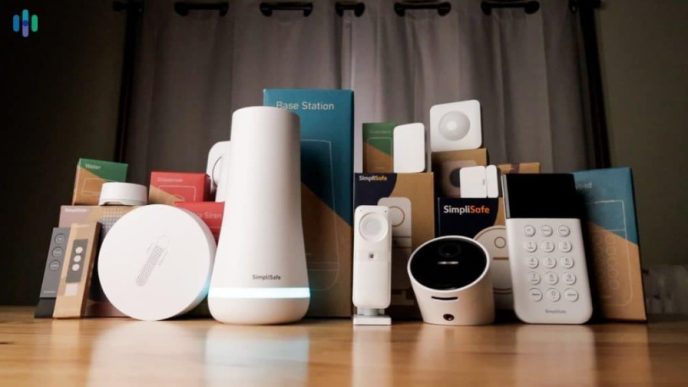
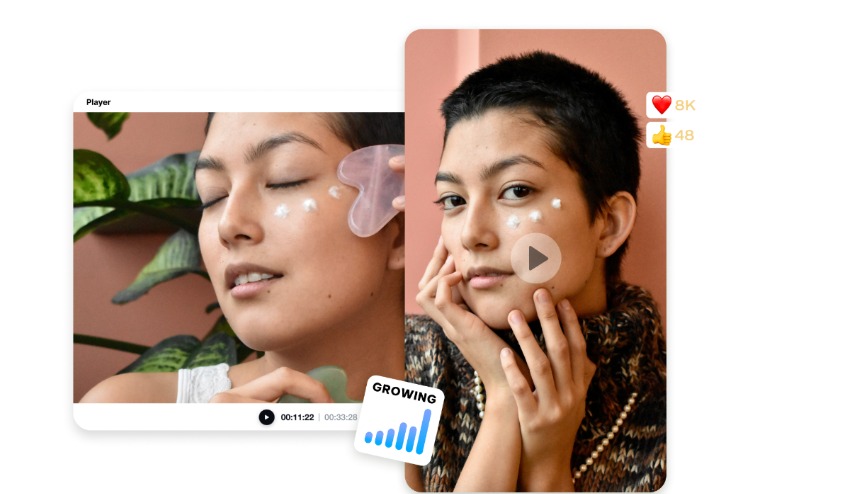
Product advertising is more than just putting an item on the screen. It conveys value by means of imagery, pacing, context, and short messages. Product information, images, and videos can be converted into structured scenes for promotion using AI. Pippit assists you in transforming simple product materials into dynamic video ads by using automated creative elements.
Product highlighting provides advertising with a clear purpose other than product imagery. Dynamic scenes link information to product features that are visible to the user, rather than providing stand-alone specifications. AI can arrange assets provided, adding critical information at appropriate times. Close-ups can show texture and demonstrations can explain practical functions. Text overlays can help to reinforce critical information and should not take the place of visual proof.
What Makes a Product Highlight Dynamic?
Dynamic highlighting uses movement, scene change, close-ups, overlays, voice, pacing, and context. Movement of the camera can highlight shape, and close-ups can show material features. Demonstrations can be used to demonstrate how features are used realistically. Voice can explain practical relevance, as short text can reinforce specifications. When effects dominate over the necessary product information, even an AI movie can get blurry.
How Ad Maker AI Converts Product Assets Into Promotional Scenes
A workflow can start from product links, uploaded images, reference media, or detailed prompts, powered by AI. Pippit can take these inputs and organise sequences of promotions on specific product information. Specific direction can be given on scenes, angles, messages, pacing, language, and direction of the visuals. This is similar to the story studio model where individual product descriptions become story parts. Structures that are generated can be the base for product launches, social teasers, promotional sales, and other campaigns. This workflow can also have a place for the reference assets in the bigger creative direction.
Designing Highlights Around Features, Benefits, and Visual Proof
A specification is a formal description of the content or contents of a product. A relevant visual moment is used to demonstrate the importance of that detail in the persuasive highlight. Featuring introductions, close-ups, demonstrations, and supporting text, Pippit’s ad maker workflow can be paired together. For instance, water resistant can be seen during an appropriate environmental demonstration. A compact design can complement a functional storage or transport solution. Supportive captions should be kept short; voiceovers can be used to add context. Product claims should be consistent with substantiated information and not include any unsubstantiated performance claims.
Steps to create dynamic product highlights using Ad Maker’s AI
Step 1: Add product details and references
- Sign up for Pippit using your Google, TikTok, or Facebook account.
- Open the “More” tab on the left menu and select “Video generator”.
- Choose an AI model such as Dreamina Seedance 1.0, Dreamina Seedance 2.0, Dreamina Seedance 2.0 Fast, Dreamina Seedance 2.0 Mini, or Dreamina Seedance 2.5.
- Enter a detailed prompt describing your product, features, angles, highlights, text, and visual style.
- Select the video length, language, subtitles, and aspect ratio.
- Click “+” to upload product images or videos from your device, phone, Dropbox, or a link. You can also select available assets.
- Add the required details and click “Generate”.
Step 2: Generate dynamic product highlights
- After clicking “Generate”, Pippit creates the video ad from your prompt and reference media.
- The AI handles transitions, pacing, captions, avatars, voice, lyrics, and visual enhancements.
- Review the draft and check how clearly it presents the product features.
Step 3: Polish and export the product ad
- Click “Download” in the top right corner to save the ad. Select “Regenerate” for another version, or click “Edit more” below the video for further customization.
- Edit captions manually and add text. Adjust size, color, alignment, filters, and effects.
- Add background music, remove backgrounds, and fine-tune the visuals.
- When the ad is ready, click “Export” in the top right corner.
- Select “Publish” to post directly to TikTok, Instagram, or Facebook, or choose “Download” to save it with your preferred format, resolution, frame rate, and quality.
Structuring Dynamic Product Highlights Across an Entire Advertisement
A good ad copy typically takes a logical sequence from attention to action. Include an interesting product introduction that puts the product on the screen right away. Start with the best attribute and then give other advantages or uses. Include imagery after each claim that will help the viewers understand what the claim means. Relate the product to a situation, environment, and/or user need. Include promotion information and a call to action when necessary. Scenes generated by Artificial Intelligence should play a role in one story, and not multiple stories.
Six Product Details AI Can Turn Into Visual Highlights
- Core product feature: Make sure to highlight the product’s main feature early on in the product imagery.
- Practical benefit: Link a capability to its beneficial effect by showing or setting context.
- Design detail: Feature materials, shape, finish, texture, construction, or other visible qualities in close-up.
- Product usage: Demonstrate fit to an intended environment, activity, or everyday situation.
- Promotional information: State discounts, launches, offers, or campaign messages in clear, correct language.
- Call to action: Conclude with a clear next step that aligns with the marketing goal of the ad.
Using AI-Generated Scripts for More Focused Product Messaging
AI can structure product features into brief messages, suitable for various advertising contexts. Pippit offers tailored promotional scripts for product teasers, social media teasers, sales promotions, and other marketing requirements. Tone and style may vary depending on the needs of the campaign and the expectations of the audience. Shorter sentences and faster visual transitions can be used for social content. Human review of the wording of the script should be done before it is published. Compare features, specifications, benefits, price, offers, and brand statements with approved information.
Refining AI Product Highlights Before Export
Manual refinement is used to ensure the generated content meets precise brand and product needs. When it is important to present the terminology, spelling, or product names, captions can be corrected. Targeted adjustments of text size, alignment, colors, filters, effects, and music. When cleaner compositions are appropriate to the campaign, visual backgrounds can also be removed. Visual information should be consistent with the real product and not highlight other features that are not correct. Regeneration can be used to recover when the first idea has failed to achieve the desired angle or pacing. The final review should verify readable text, consistent branding, correct claims, appropriate audio, and platform-appropriate formatting.
Conclusion
AI can repurpose product assets and information into structured advertising sequences that offer more variety in visuals. Dynamic highlights help audiences to understand features, benefits, design, usage, offers, and next steps. Automated generation and editing controls enable flexible promotional video creation with Pippit. Clear inputs, logical scene planning, accurate information, and careful refinement are the keys to good results. This balance contributes to transforming raw product material into refined ad copy and keeps creativity in check.