
What are TikTok Watermarks?
TikTok watermarks are an overlay on media files downloaded or sourced from TikTok. The text and logo are an automatic imprint that shows that the content is from the social app. These include photos and videos. And you will usually find usernames and the default sound in the watermarked video/image. The watermark icons often switch across scenes and are fixed at the lower right part of images. Viewers cannot control the TikTok overlay. You can only remove it on videos with third-party apps to share on other pages. Watermark removers are external tools for erasing unwanted elements. Especially if you want to share the file on another social messaging app, such as Instagram or Facebook. Removing these watermarks typically takes only a few minutes with most removers.How Can I Remove TikTok Watermarks from Instagram Reels?
If you are re-sharing TikTok videos on social media, removing the watermark enables a clean view. And it makes them look simple without any side distractions. For Instagram Reels and short-form videos, your viewers may not have to deal with watermarks. The methods below are simple ways to remove TikTok watermarks without back and forth.Use Your Device’s Editor
Mobile devices and computers come with built-in editors. Some have a single or multiple variants. You can use these editors to crop, zoom, and adjust video lengths. If you are using Windows, Microsoft Clipchamp lets you edit videos to your preferences. For your TikTok videos, you can easily remove the watermark before sharing or downloading as Instagram reels. A quick technique for watermarks at the end of your video is to manually crop the video to the desired length. If you have a favourite logo, you can also place it over the watermark area as an overlay.Download Video Editing Apps
Google Play and App stores offer a variety of video editing apps. You can download a video editor if your system app listings does not include one that you can use. If you are a content creator who shares videos across social apps, third-party apps can help remove watermarks from Instagram Reels. Apps like CapCut can detect and remove logos or icons in videos by users’ prompts. With fixed app settings, you can navigate the tweaks in a few steps. Simply upload your video file and select the watermark remover. The app automatically scans and processes a watermark-free video for downloads. Aside from the Capcut app, other mobile apps are also handy to remove watermarks without distorting the reels.Use Web-Based Watermark Remover
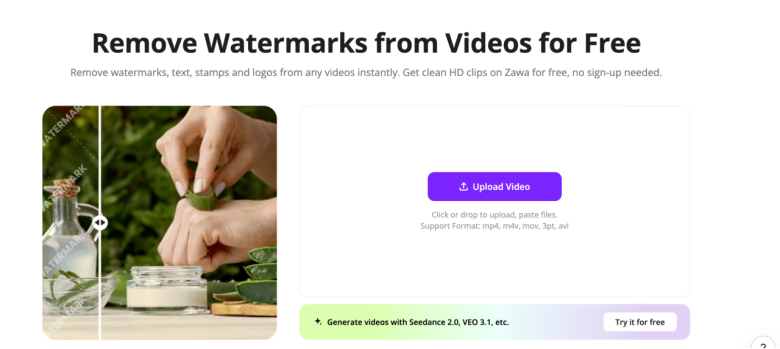
One of the tools to remove watermarks from videos is to use an online watermark remover. Aside from offline mobile apps, websites support video editing. You can find a suitable preference for your TikTok video. Their free versions allow simple edits. And the premium plans come with more advanced features. Online video watermark removers like the Zawa AI are a plus for TikTokers. You can erase watermarks from videos in a few minutes with a quick user sign-up and files upload. Even better, you do not have to worry about the multiple clicks of manual editing. The AI uses advanced AI technology to auto-detect and fix overlays, including subtitles.What are the Best Watermarks Removers for TikTok?
Removing TikTok watermarks requires using video or image editing tools. And the choice of the tool to use can be a hassle if you are new to the process. Especially when you want clean videos without blurry traces. These software tools below are some options you can explore and consider.SnapTik
Snaptik is one of the best watermark removers for TikTok videos. In contrast to most online tools that remove overlays only after saving your video from the source, it directly downloads without a watermark. Users can easily copy and paste the video link on the tool.
SaveTik
Need high-resolution and watermark-free exports? SaveTik is a go-to option. The software features an intuitive interface that is easy for new users to relate with. It supports both online and mobile modes for video editing, with processing time of a few minutes.Zawa
Zawa AI is an ideal watermark remover to erase overlays. The AI auto-scans and fixes video frames without distorting the original quality. With a free 5-second preview, you can check watermark-free results, even without signing up.