If you have ever searched your own name and found an old profile, outdated phone number, previous address, or information connected to an account you forgot years ago, you are not alone. Personal details can remain visible online through old social accounts, shopping websites, public directories, business registrations, forum posts, and data-broker platforms.
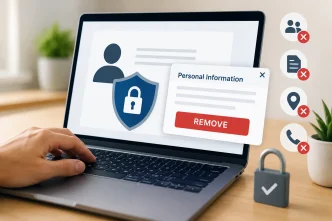
For most people, the goal is not to erase every record or disappear from the internet. It is to understand what information is publicly visible, remove details that no longer need to be available, correct inaccurate listings, and make it harder for strangers to build a profile from scattered online data.
How Your Personal Data Appears Online
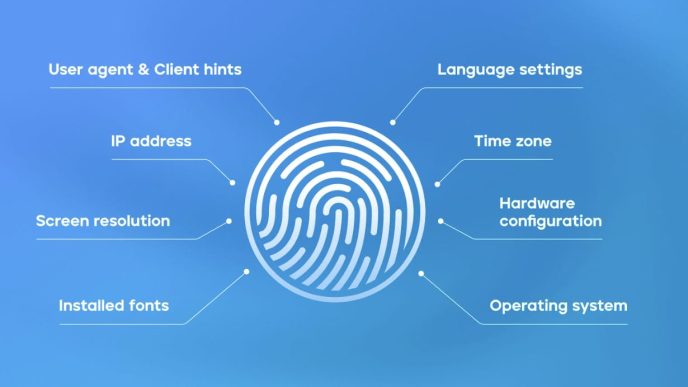
There is no single database that contains everything about a person. Instead, data brokers, directory sites, marketing companies, and search engines may collect information from public records, commercial sources, online profiles, and browsing activity.
Some data brokers compile information from public records, commercial sources, and online activity to create consumer profiles. Access and available details vary by provider, jurisdiction, and the purpose of the search.
When information from multiple sources is combined, it can make a person easier to identify or profile. The accuracy and visibility of these details vary, but outdated or excessive information can still create privacy and security concerns.
Common sources of personal information include:
- Public court filings, property records, business registrations, and other legally available records
- Old social-media accounts, forums, review sites, and online profiles
- Data-broker and people-search websites
- Historical data breaches involving usernames, passwords, or contact information
- Tracking technologies that collect browsing, location, or purchasing activity
Leaving old accounts unmanaged or accepting unnecessary app permissions can also increase exposure. Reviewing the privacy risks behind smartphones, apps, and location tracking can help you understand how mobile devices and apps contribute to a larger digital footprint.
Finding Exposed Profiles and Public Listings
An email address is often connected to many online accounts, making it an important part of a personal privacy audit. If you use the same email address across shopping sites, social platforms, newsletters, and online services, it may be easier for data brokers or directory sites to associate different profiles with the same person.
During a personal privacy audit, you may want to check whether your own contact details appear in public-facing directories or people-search databases. If you need to verify a contact for a legitimate and respectful purpose, use public information carefully and avoid collecting or sharing sensitive details. A public-records lookup may help you find someone by email, but results should never be treated as proof of identity and should not be used for harassment, stalking, discrimination, or high-stakes decisions.
Reviewing your public-facing information periodically can help you spot outdated profiles, exposed contact details, and accounts you no longer use. It is a practical part of maintaining a healthier digital footprint, alongside strong account security and careful privacy settings. Guidance from the National Institute of Standards and Technology (NIST) Cybersecurity Framework also emphasizes managing cybersecurity risks through ongoing awareness, safeguards, and regular review.
How to Reduce Your Personal Information Online
Once you identify websites exposing unnecessary personal information, work through them systematically. Different platforms have different removal policies, so keeping a simple record of your requests can make the process easier.
| Step | What to Do | Expected Privacy Benefit |
|---|---|---|
| Close unused accounts | Delete or deactivate old forums, shopping accounts, and apps | Reduces future exposure from dormant profiles |
| Opt out of data brokers | Use each site’s official removal or opt-out process | Can reduce visibility on people-search and directory sites |
| Review browser privacy | Limit third-party cookies and remove unnecessary extensions | Reduces some cross-site tracking |
| Update public profiles | Remove outdated contact details, addresses, and old employment information | Limits inaccurate or unnecessary public information |
| Request corrections | Contact website owners when listings contain incorrect details | Helps reduce misinformation and mistaken identity issues |
Focus first on the largest data-broker and directory sites that appear when you search your name. Work through major platforms one at a time, keep a record of each request, and revisit them periodically because listings can reappear or opt-out policies can change.
Consumer privacy guidance from the Federal Trade Commission can also help you understand available opt-out rights, data deletion options, and steps to take when personal information is being used inaccurately or unfairly.
Data Hygiene for Long-Term Privacy
Reducing your online footprint is not a one-time task. Data brokers may collect new information over time, and a profile removed today can reappear if new public records, account registrations, or data-sharing practices create another trail.
Use these habits to limit future exposure:
Review App Permissions
Check which apps can access your location, contacts, microphone, camera, calendar, and photos. Remove permissions that are not necessary for the app to work properly. Limiting background access can reduce unnecessary data collection.
Use Email Aliases for Nonessential Accounts
For forums, newsletters, online stores, and reward programs, consider using email aliases instead of your primary address. This can make it easier to identify where unwanted marketing messages or data exposure originated.
Secure Important Accounts
Use unique passwords, multi-factor authentication, and passkeys where available. Using passkeys, unique passwords, and multi-factor authentication can greatly reduce the risk of credential-stuffing attacks, especially when the same password has been reused across multiple services.
Check Your Digital Footprint Regularly
Search your name, old usernames, and business name periodically to see what is publicly visible. For a privacy-aware approach, read our guide on how to find people on Google safely and respectfully.
Frequently Asked Questions
Can I delete all of my public records online?
Not always. Some records are legally published by government agencies or courts and may remain accessible. However, you can often remove outdated profiles, opt out of data-broker sites, close unused accounts, and request corrections where information is inaccurate.
How do I find out which websites have my personal information?
Start by searching your name, old usernames, and business name. Then review people-search directories, old social profiles, forum accounts, and websites where you previously created an account.
How long does it take for data-broker removals to work?
Removal times vary by website. Some requests are processed within days, while others may take several weeks. Keep a record of your requests and check again later because listings can reappear.
Can I ask Google to remove my personal information?
Google may remove certain sensitive personal information from search results in eligible cases. Removing a result from Google does not necessarily remove the content from the original website, so you may also need to contact the publisher directly.
Final Thoughts
You may not be able to remove every public record online, but you can reduce unnecessary exposure by closing unused accounts, opting out of data-broker sites, correcting inaccurate listings, and reviewing privacy settings regularly.
A privacy-aware approach helps protect your personal information without relying on unrealistic promises of complete online anonymity. The most effective strategy is ongoing: monitor what is public, remove what you can, and limit what you share going forward.