Getting stuck on the “iPhone Locked to Owner” screen is one of those situations that instantly turns your device into a brick. It usually happens when the device is still linked to a previous Apple ID, triggering Apple’s iCloud Activation Lock.
If you don’t have access to that Apple ID, things can get tricky. That’s exactly why many users start looking for iPhone unlocking tools for iCloud Activation Lock, something that actually works in real situations, not just theory. In this guide, we’ll break down the top 4 iPhone unlocking tools that can help remove Activation Lock, based on usability, success rate, and real-world performance.
What to Look for in an Activation Lock Removal Tool
Before jumping into the list, it’s worth knowing what actually matters when choosing a tool. Reliable iPhone unlocking software usually focuses on:
- Compatibility with the latest iOS versions
- Ease of use (especially for beginners)
- Stable success rate across different lock scenarios
- Support for multiple locks (Activation Lock, Apple ID, passcode, etc.)
#1 MagFone iPhone Unlocker (Best Overall Choice)
If you just want something that works without overcomplicating things, MagFone iPhone Unlocker is usually the easiest place to start. It’s built for real-world scenarios, whether your iPhone is locked to owner, disabled, or stuck behind an Apple ID you can’t access.
Why it stands out
- Clean, beginner-friendly interface
- Handles multiple lock types in one tool
- Consistently achieves high success across a variety of lock situations.
- Works smoothly with newer iOS versions
- Straightforward process with minimal manual steps
- Better customer service with the highest user satisfaction.
How to Bypass iCloud Activation Lock Using MagFone iPhone Unlocker
If you’re specifically trying to figure out how to bypass iCloud Activation Lock, the process with a dedicated tool is actually much simpler than most people expect.
Step 1: Install and launch the program, choose “Remove iCloud Activation Lock”
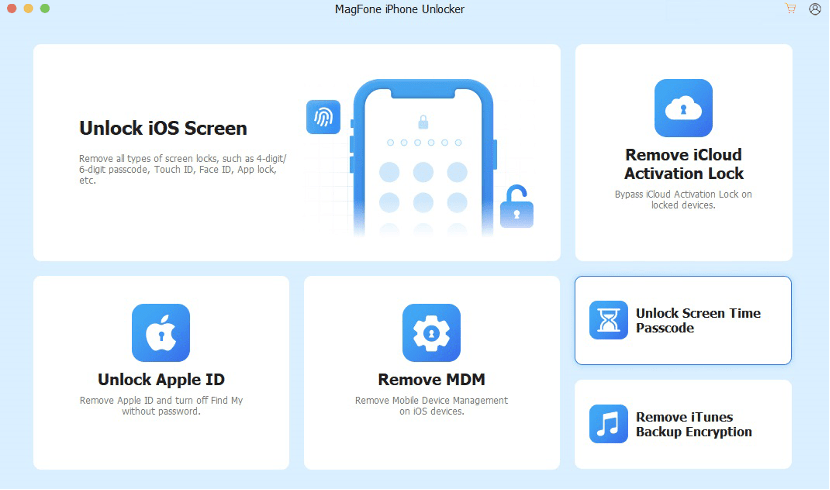
Download and open MagFone iPhone Unlocker on your computer, then connect your iPhone using a USB cable. From the main interface, select the option designed for Activation Lock removal.
Step 2: Follow on-screen instructions to jailbreak iOS
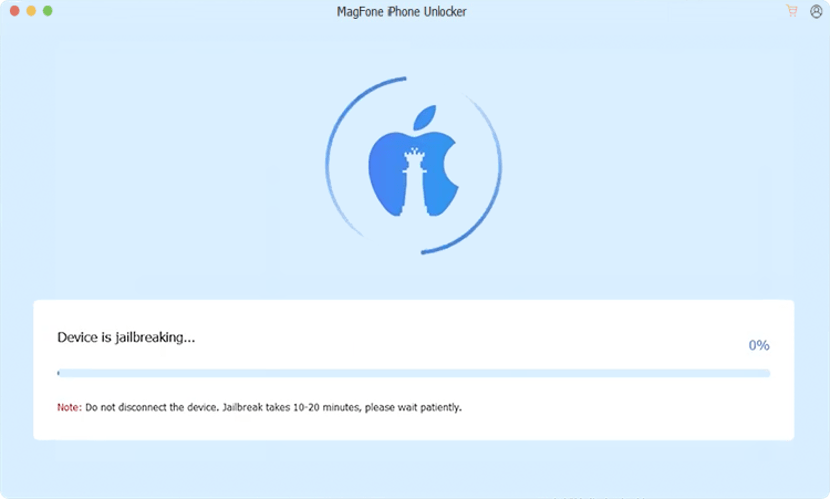
You’ll be guided to put your device into Recovery Mode or DFU mode. Just follow the prompts shown in the software to jailbreak your iPhone.
Step 3: Start the unlocking process
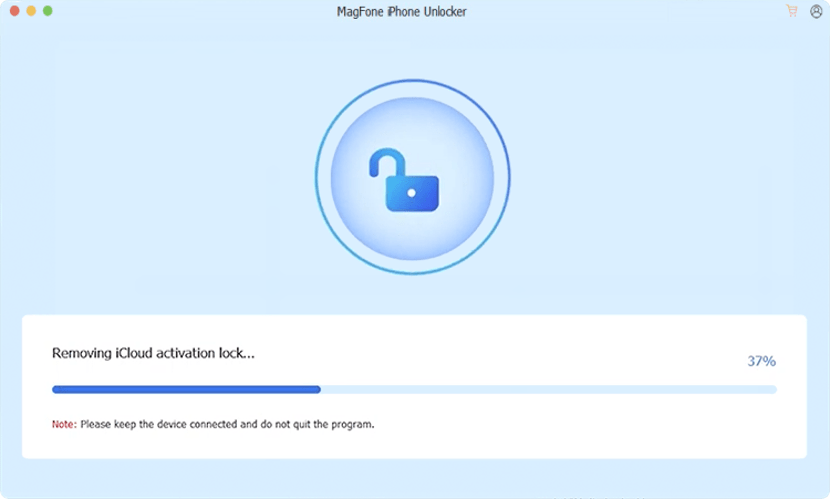
Once everything is set, start the removal process. The tool will handle the technical part automatically. After completion, your iPhone will restart, and you can set it up as a new device without the previous Apple ID.
For most users, this approach is much easier than trying manual methods, especially if you’re not familiar with iOS recovery processes.
#2 Tenorshare 4uKey
Tenorshare 4uKey is one of the most widely recognized tools in this space and frequently appears in unlocking software comparisons.
Pros
- Supports passcode, Apple ID, and Activation Lock removal
- Works across many iPhone models and iOS versions
- Regular updates
Cons
- Interface can feel slightly complex for beginners
- Full functionality requires higher-tier pricing
#3 iMyFone LockWiper
iMyFone LockWiper is often recommended for users dealing with second-hand iPhones or forgotten credentials.
Pros
- Good compatibility across devices
- Step-by-step unlocking process
- Covers multiple lock types
Cons
- Performance may vary depending on iOS version
- Some features don’t work in all scenarios
#4 Dr.Fone – Screen Unlock (iOS)
Wondershare Dr.Fone is more of an all-in-one toolkit rather than a dedicated unlocking solution.
Pros
- Trusted brand with a wide feature set
- Clean and polished interface
- Supports multiple iOS functions beyond unlocking
Cons
- Higher price compared to most tools
- Not specifically optimized just for Activation Lock
Which Tool Should You Choose?
Here’s a simple way to decide based on your situation:
- Want the easiest and most straightforward option → MagFone iPhone Unlocker
- Prefer a well-known brand with more features → Tenorshare 4uKey
- Looking for a balanced option → iMyFone LockWiper
- Need an all-in-one toolkit → Dr.Fone
Important Note About Activation Lock
iCloud Activation Lock is designed to protect user data and prevent unauthorized access. There’s no official one-click free solution that works in every situation. Also, unlocking tools should only be used on devices you legally own.
FAQs About iCloud Activation Lock Removal
- Can I remove iCloud Activation Lock without the Apple ID?
In some cases, yes. If you don’t have access to the original Apple ID, using a professional unlocking tool is often the most practical option. However, success may vary depending on the device and iOS version.
- What is the easiest way to fix an iPhone locked to owner?
The easiest way is usually to use a dedicated iPhone unlocking tool. Compared to manual methods, these tools simplify the process and don’t require advanced technical knowledge.
- Can I bypass iCloud Activation Lock for free?
There are limited free methods, such as contacting the previous owner or Apple Support. However, most reliable solutions involve paid tools due to the security nature of Activation Lock.
- Is it safe to use iPhone unlocking software?
It is generally safe if you choose reputable tools and only use them on devices you legally own. Avoid unknown or suspicious software that may pose security risks.
- Does removing Activation Lock erase data?
Yes, in most cases, the process will reset the device and erase all existing data. It’s always recommended to back up your data if possible.
Final Thoughts
Removing iCloud Activation Lock can feel overwhelming at first, especially if you don’t have the original Apple ID. But with the right tool, the process becomes much more manageable.
While all the options above have their strengths, choosing a tool that’s easy to use and consistently reliable will save you the most time. If you’re not sure where to start, going with a simple and user-friendly solution like MagFone iPhone Unlocker is usually the safest bet.