Selecting the right edition of Microsoft Office can be a daunting task, particularly because a number of different editions and subscription options are available. There are some that prefer the option to use Microsoft 365 and others that are looking for just an effective, cost-free set of desktop applications without an added monthly payment.
This is where Microsoft Office 2024 Home and Business steps in. For those that want to use the familiar Office applications for their day-to-day work, communication, documents, spreadsheets, presentations and their email without needing to pay for an ongoing subscription to the software.
What Is Microsoft Office 2024 Home and Business?
Microsoft Office 2024 Home and Business is a standalone version of the Microsoft productivity suite. This edition will be sold at a single price; Microsoft 365 is subscription-based.
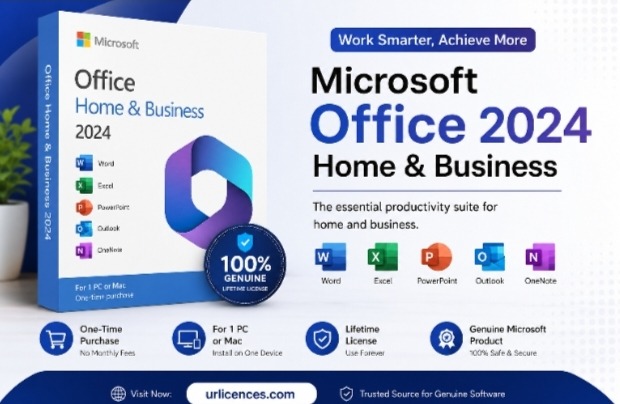
Officially, Microsoft has Word, Excel, PowerPoint, Outlook and OneNote classic desktop versions. It is intended for use on one PC or Mac and compatible with Windows and macOS (as applicable).
It can be simple for those who are already familiar with the traditional Office environment and don’t require a subscription with always-new benefits.
You buy the licence, you install the application and you activate it and you use the desktop.
Why Choose Office Home and Business 2024?
The primary draw of Office Home and Business 2024 is straightforward: they desire the desktop version of Office without the monthly subscription fee.
The small business owner, for instance, may use Word for most of the day, Excel for generating lists of contacts, PowerPoint to show project timelines, and Outlook to handle e-mail. If those are the applications they need, then a standalone Office licence might be more cost-effective than paying for features that not even they will make use of. Microsoft also describes Office Home and Business 2024 as a solution for families and small businesses that want classic Office applications and email.
There are several practical reasons to consider it:
- One-time purchase: There is no regular Microsoft 365 subscription required for the Office license itself.
- Classic desktop applications: Word, Excel, PowerPoint, Outlook, and OneNote are included.
- PC and Mac support: The edition is available for compatible Windows PCs and Macs.
- Suitable for work: It is intended for home and business use.
- Familiar software: Users can continue working with the Office applications they already know.
What Applications Are Included?
One of the most important things to check before purchasing any software license is exactly what you are getting.
With Microsoft Office 2024 Home and Business, the core desktop applications include:
Microsoft Word
Word remains one of the most widely used applications for creating documents. It can be used for business letters, reports, contracts, proposals, resumes, assignments, and many other types of written work.
Microsoft Excel
Excel can be used for spreadsheets, calculations, budgets, financial records, data organisation and business reporting. It can be used by small businesses for various tasks such as expense tracking, customer information management, and more.
Microsoft PowerPoint
PowerPoint offers tools to help you create presentations. It is a useful desktop solution for creating a business proposal, training materials, school presentation or sales pitch.
Microsoft Outlook
This is especially beneficial for those who handle their work email and calendars. One of the key differences between the Home and Business editions of Office and some other Office editions is its inclusion.
Microsoft OneNote
OneNote can be used to take notes, organize information, make lists, and to gather project-related information together.
Office 2024 Home and Business vs Microsoft 365
This is definitely one of the most common inquiries customers have.
It is licensing that’s the primary difference.
Office Home and Business 2024 is a one-time purchase. Microsoft 365 is a subscription service, which may come with extra services and benefits based on the subscription.
The product information for Office Home and Business 2024 from Microsoft states it is a one-time purchase for one PC or Mac.
This doesn’t necessarily mean that one is better than the other. It is dependent upon the way you work.
If you want to know which Office version you’ll be using and you primarily need Office on the desktop, Office 2024 might be appealing.
A Microsoft 365 plan might be a good choice if you want cloud storage, subscription benefits, access on multiple devices and Microsoft’s full suite of Microsoft 365 products.
What matters is to compare what you really need and not just by the name of the product.
Is Office 2024 Home and Business Good for Small Businesses?
For many small businesses, the answer can be yes.
A small company may not need a complicated software setup. Employees might primarily use Word for documents, Excel for financial information, PowerPoint for presentations, and Outlook for business communication.
In that situation, Microsoft Office 2024 Home and Business provides the core applications needed for everyday productivity.
It can also be easier to budget for a one-time software purchase when the business does not want another recurring subscription expense.
However, companies with several employees should look carefully at Microsoft’s licensing terms and the number of devices they need before making a purchase.
Can You Use Office 2024 on a Mac?
Yes. Microsoft lists Office Home and Business 2024 as compatible with both PC and Mac, provided the device meets the applicable requirements.
This makes the edition useful for households and businesses where different employees or family members work within either the Windows or Apple ecosystem.
For Mac users specifically, it is still worth checking the current macOS requirements before buying. Software compatibility can change as operating systems are updated, so checking the requirements before installation is always a sensible step.
What Is an Office 2024 Product Key?
Depending on how a Microsoft Office 2024 product key was purchased, it can be a redeem or activation key.
Typically, you have to log in using a Microsoft account and enter the corresponding product key into Microsoft’s setup program. Microsoft’s support documentation contains detailed instructions for redeeming and activating Office Home and Business 2024.
When buying a digital copy, make sure to store the product key and buying details securely. Not saving the activation information makes future installation or account recovery more challenging.
Where Should You Buy Microsoft Office 2024?
Buyers should pay attention to the seller rather than simply choosing the cheapest Office 2024 listing they can find.
A legitimate software purchase should clearly explain:
- Which Office edition you are buying
- Whether it is a one-time purchase or subscription
- Which operating systems are supported
- How activation works
- How the product key is delivered
- What support is available if activation fails
- What refund or replacement policy applies
If you are comparing options online, review the product description carefully before completing the purchase.
For buyers specifically looking for Microsoft Office 2024 Home and Business, check the seller’s licensing information, compatibility details, delivery method, and activation instructions before ordering.
Is a Lifetime Office 2024 License Really a Subscription?
The wording can be confusing.
When sellers use terms such as “lifetime license,” they generally mean that the purchased Office edition does not require a recurring subscription payment for continued use of that licensed version.
That does not mean you receive every future version of Microsoft Office forever.
For example, buying Office 2024 does not automatically mean that you will receive a future Office 2027 or another later edition at no additional cost.
Think of it as continued access to the specific licensed product, subject to the license terms.
How to Get Started With Office 2024
Once you have purchased a legitimate license, the setup process is relatively straightforward.
First, make sure your computer meets the current system requirements. Then follow the activation instructions supplied with your purchase and use your Microsoft account where required.
Microsoft’s own support documentation explains the redemption process for Office Home and Business 2024, including signing into a Microsoft account, redeeming a product key, and confirming that the Office license appears in the account.
After activation, open Word, Excel, PowerPoint, or another included application to confirm that the software is properly licensed.
Who Should Consider Microsoft Office 2024 Home and Business?
This edition can be a practical choice for several types of users.
Small business owners may appreciate having the essential Office applications without adding another recurring software subscription.
Freelancers and remote workers can use Word, Excel, PowerPoint, and Outlook for their everyday professional tasks.
Home users who occasionally need professional-quality documents, spreadsheets, presentations, or email tools may also find the standalone model appealing.
It can also suit people who simply prefer traditional desktop software and do not need every feature included in a Microsoft 365 subscription.
Final Thoughts
Microsoft Office 2024 Home and Business is an easy-to-use version of the Office suite that still enables everyone to enjoy the same desktop productivity apps without having to rely on an Office subscription.
It includes Word, Excel, PowerPoint, Outlook and OneNote, so that users can work with many of the applications they use on a day-to-day basis with individuals, freelance, families and small businesses. Microsoft states that the edition is for one licensed PC/Mac and will be a one time purchase only.
Ultimately, it is up to your needs. For those primarily looking to use a traditional Office installation for work and home, a stand-alone Office 2024 license might be an option. Microsoft 365 might be a better option if you require access to the cloud, additional subscription perks or multi-device support.
Compare the license terms, compatibility, the method of activation and the information on the seller before purchase. A little research will save you from buying an incorrect Office version.
Frequently Asked Questions
Is Microsoft Office 2024 Home and Business a one-time purchase?
Yes. Microsoft describes Office Home and Business 2024 as a one-time purchase rather than a recurring Microsoft 365 subscription. It is intended for installation on one PC or Mac.
What is included in Office Home and Business 2024?
The edition includes classic desktop versions of Word, Excel, PowerPoint, Outlook, and OneNote.
Can I use Office Home and Business 2024 on Mac?
Yes. Microsoft lists the product as compatible with Mac as well as Windows, subject to the applicable system requirements.
Does Office 2024 require a Microsoft 365 subscription?
No. Office Home and Business 2024 is sold as a standalone, one-time purchase. Microsoft 365 is a separate subscription-based product family.
What is a Microsoft Office 2024 product key?
It is the license key used during the product redemption or activation process. Microsoft provides official instructions for redeeming Office Home and Business 2024 through a Microsoft account.
Is Office 2024 suitable for small businesses?
It can be. The included applications cover common business requirements such as document creation, spreadsheets, presentations, email, and note-taking. Microsoft’s own training material specifically identifies small businesses and individual professionals as potential users of Office Home and Business 2024.
Should I choose Office 2024 or Microsoft 365?
It depends on what you need. Office 2024 is better suited to users looking for a standalone Office purchase, while Microsoft 365 may be more appropriate for people who want subscription-based services, cloud features, and broader ongoing benefits.
How do I activate Office Home and Business 2024?
The exact steps depend on how your license was purchased. Microsoft provides a product-key redemption process that involves signing into a Microsoft account and redeeming the Office license before completing activation.
Can I use Office 2024 without an internet connection?
The desktop applications are designed for local use, but internet access may be required for downloading, installing, redeeming, and activating the software. After setup, many everyday Office tasks can be performed locally.