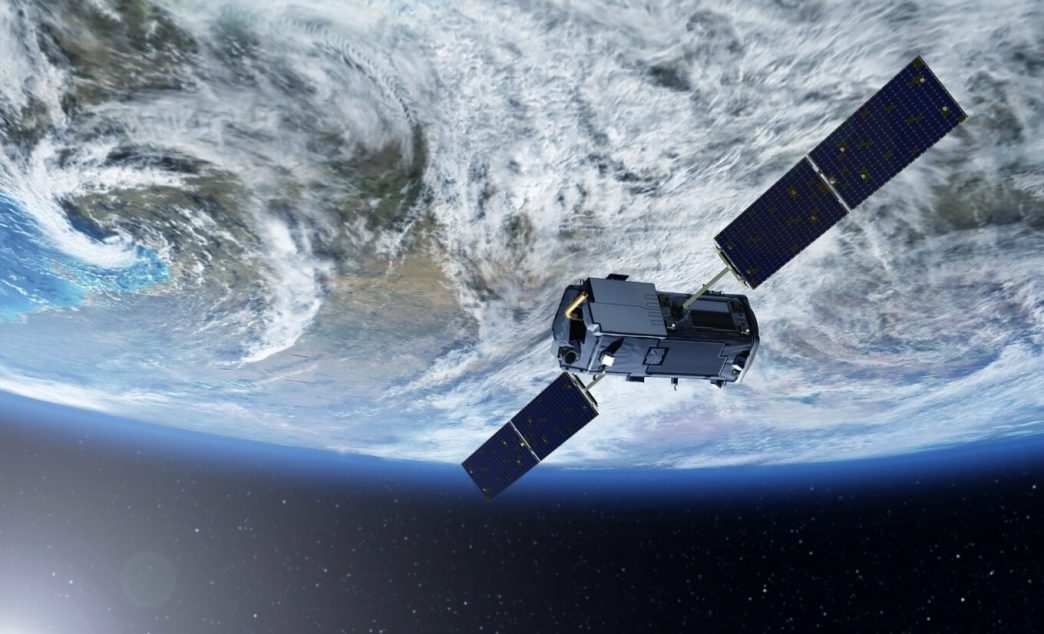
Ten years ago, a decent satellite image was a hassle to get. You needed a government contract, a research grant, or the patience to wait out a procurement office. Not anymore. These days, a few commercial platforms have put orbital data within reach of farmers, city planners, environmental groups, and reporters. Two names come up over and over: LandViewer and Planet. Both pull pictures from space, both come with genuine analytical tools, and both have loyal users in farming, disaster response, and land management.
Here is the question: which one suits the work you’re actually doing? Get that wrong, and a five-minute job swallows your whole afternoon. Unless you’ve got an enterprise budget and a team of developers on hand, LandViewer and Planet are the reliable sources of high-resolution images and advanced analytics in two clicks. But which one suits you best? Let’s figure that out.
Part I: LandViewer — The Professional’s Google Earth
Let’s imagine agronomists working with thousands of hectares. By lunchtime, they need to assess crop health across dozens of fields, compare this season’s growth with last year’s, and prepare a report for their manager’s desk. They need to point, look, and send.
That’s the job LandViewer was built for. It is a geospatial platform that makes satellite and spatial data genuinely easy to reach. It consolidates feeds from many satellites into one clean web interface and delivers optical, SAR, and terrain data for both live and historical work, no specialist setup required.
A few things separate it from the pack:
- Many sources, one window. You’re not chained to a single constellation. LandViewer draws on Sentinel-2, Landsat, MODIS, BlackSky, and other commercial high-resolution feeds, and it can task eight satellites at 0.3 m to 0.8 m — among them Beijing-3A, SuperView, and the KOMPSAT family.
- Analysis that’s already there. Over 20 ready-made indices are available — NDVI, EVI, SAVI, and others, covering vegetation, water, and built-up areas. The platform has a split-screen comparison view, backed by time-lapse playback, time-series tracking, clustering, and 3D terrain models.
- Pricing you can test. The free tier hands you medium-resolution scenes — up to ten a month — and paid plans open at roughly $49.99 a month. Pricing is flexible: you can choose archive images or pay individually for high-resolution images. For more details, just get in touch with the sales team, and they will help.
Who benefits: agriculture consultants, urban planners, infrastructure inspectors, mining experts, and anyone who wants a visual answer now and has no interest in writing code to get it.
Part II: Planet — The Developer’s Data Engine
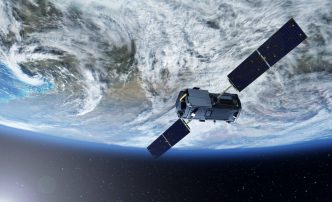
And what about the Planet? Formerly Planet Labs, the company runs a commercial satellite constellation — hundreds of small Dove satellites that photograph the Earth’s landmass on a near-daily basis. What makes it a good choice:
- Frequency. The Dove fleet delivers near-daily global coverage at 3.7-meter resolution across 8 spectral bands.
- API-first by design. The Data API lets developers search the full catalog and pull individual scenes. The Analytics API serves up automated detections and classifications driven by computer vision and machine learning.
- Enterprise pricing. Planet sells annual subscriptions priced on area under management — monitoring starts at a 0.01 km² minimum, with packages in 50, 150, and 300 km² tiers. Tasking is per km²: $6 for archive, $12 for flexible, and $40 for assured collection with priority.
Who it’s for: GIS analysts, software developers, data scientists, and enterprise teams standing up custom monitoring systems. Norway’s NICFI program is the strongest documented case. Through Norway’s International Climate and Forests Initiative, Planet imagery of the global tropics was made publicly available for forest monitoring.
Part III: The Head-to-Head Comparison
Lined up point by point, the split is clean — these platforms answer different questions.
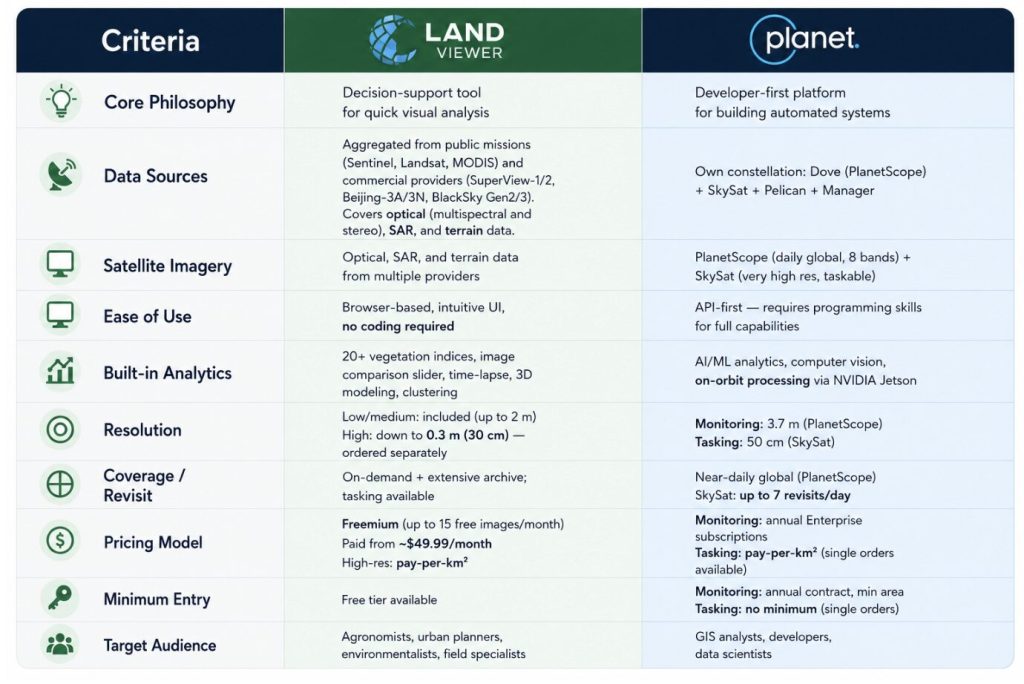
- Core philosophy. LandViewer is a perfect decision-support tool for quick visual analysis. Planet is a developer-first platform for building automated systems.
- Data sources. LandViewer collects data from Sentinel, Landsat, MODIS and other commercial providers like SuperView-1/2, Beijing-3A/3N, BlackSky Gen2/3. They cover optical, SAR, and terrain data. Planet flies its own constellation: Dove (PlanetScope), SkySat, Pelican, and Tanager.
- Satellite imagery. LandViewer serves optical, SAR, hyperspectral, and terrain data from multiple providers. Planet offers PlanetScope (daily global, 8 bands) plus SkySat (very high-res, taskable).
- Ease of use. LandViewer is browser-based with an intuitive UI and no coding required. Planet is API-first, so unlocking its full range takes programming skills.
- Built-in analytics. LandViewer ships 20+ vegetation indices, AI/ML analytics, time-lapse, time-series, and clustering. Planet brings computer vision and on-orbit processing via NVIDIA Jetson.
- Resolution. LandViewer includes low/medium imagery (up to 10 m) and offers high-res down to 0.3 m (30 cm), ordered separately. Planet runs 3.7 m for monitoring (PlanetScope) and 50 cm for tasking (SkySat).
- Coverage and revisit. LandViewer combines global on-demand access with a large archive, even in the most remote areas, tasking, and satellite view with daily revisit up to 15 times a day. Planet delivers near-daily global coverage, with SkySat capable of up to 7 revisits per day.
- Pricing. LandViewer is freemium — up to 10 free images a month, paid plans from $49.99, high-res on a pay-per-km² basis. Planet sells annual enterprise subscriptions for monitoring, with pay-per-km² tasking.
The Bottom Line
Both platforms give you satellite intelligence that was out of reach for most people a decade ago. The difference is who they’re built for.
LandViewer is for people who need an answer, not a coding project. Open it in a browser, type a location, and see what’s happening on the ground — crop stress, storm damage, construction progress. No contract, no developer, no setup.
Planet is for the people building the tools everyone else uses: huge data volumes, trained models, automated alerts. It’s not something you casually open — it’s something you wire into your own software.