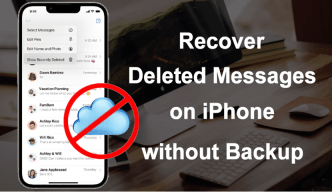
Accidentally deleting important messages on an iPhone is more common than most people think. Maybe you removed an entire conversation by mistake, lost text messages after an iOS update, or cleared chats while trying to free up storage. Whatever the reason, losing messages can be stressful, especially if they contain work details, personal memories, verification codes, or important information you still need.
Fortunately, erased messages may still be recoverable in many situations. Even if you don’t have an iCloud or iTunes backup, there are still several ways how to recover deleted messages on iPhone. In this guide, we’ll walk through the most effective methods and explain what actually works.
Can You Recover Deleted Messages on iPhone Without Backup?
Yes, in many cases you can. When messages are deleted from an iPhone, they are not immediately erased from the device’s storage. Rather than being erased immediately, the storage sector is flagged by the operating system as free space for future data. Recovery remains possible until new files overwrite the deleted information.
That’s why acting quickly is important. The more you continue using the iPhone after deleting messages, the lower the chances of successful recovery.
Method 1: Check the Recently Deleted Folder
If your iPhone is running a newer version of iOS, Apple includes a Recently Deleted section in the Messages app. Open the Messages app, tap Edit or Filters in the top corner. Select Recently Deleted, and choose the messages you want to restore, tap Recover.
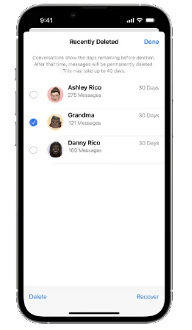
This method is simple and completely free, but there’s a limitation. Deleted messages are only stored there for around 30 days before being permanently removed. If the conversation no longer appears, you’ll need another solution.
Method 2: Recover Deleted Messages from iCloud Backup
If iCloud Backup was turned on before the messages were deleted, they may still exist within an earlier backup file stored in iCloud. To restore messages using iCloud, you need go to Settings > General > Transfer or Reset iPhone, tap Erase All Content and Settings. Restart the device, choose Restore from iCloud Backup during setup.
However, this method also has drawbacks. For users without a recent backup, this option may not help much.
- It restores the entire device, not just messages
- Current data may be overwritten
- You need an existing backup
- The deleted messages must already exist in that backup
Method 3: Recover Deleted Messages on iPhone Without Backup
How to recover permanently deleted text messages on iPhone? If the messages are permanently deleted and no backup exists, many users turn to dedicated recovery software. One option is MagFone iPhone Data Recovery, which is designed to scan iPhones for deleted data, including text messages, iMessages, WhatsApp chats, photos, contacts, and more.
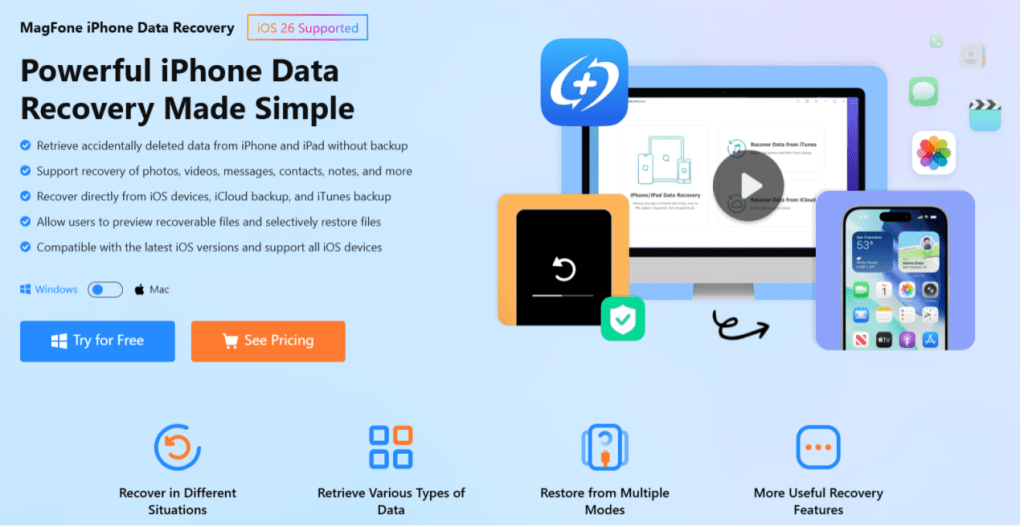
What makes this approach useful is that it doesn’t always require an existing backup file. Instead, the software scans the device directly for recoverable data fragments. Here are the steps of how to recover deleted messages using MagFone iPhone Data Recovery.
Step 1: Download and install MagFone iPhone Data Recovery on your computer. Connect the iPhone to the computer.
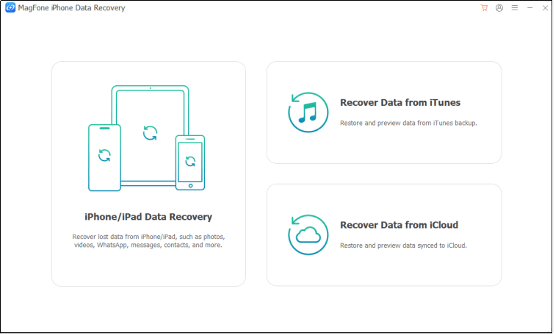
Step 2: Choose the option to recover data from the iOS device. The software will scan the device for deleted messages and other recoverable files.
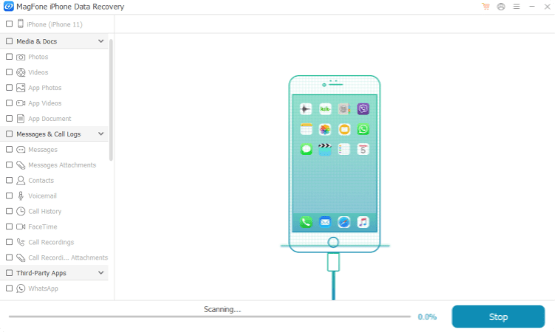
Step 3: Once the scan finishes, you can preview deleted conversations before restoring them. This is helpful if you only want to recover specific chats instead of restoring the entire device, for example you just looking for how to recover deleted text messages on iPhone. Select the messages you want and save them back to your computer or device.
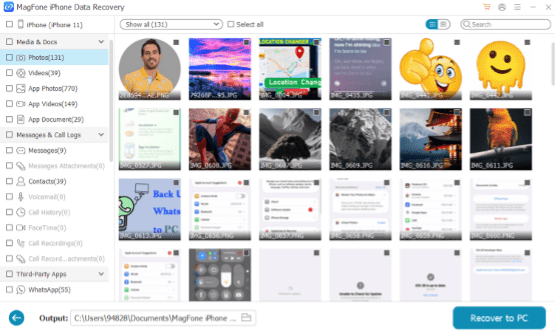
For many users, this is easier than resetting the iPhone or dealing with complicated iCloud restore processes.
What Causes Messages to Disappear on iPhone?
There are several reasons messages may suddenly go missing:
- Accidental deletion
- iOS update issues
- Sync problems with iCloud
- Factory reset
- Storage cleanup apps
- Restoring an older backup
- Turning off Messages in iCloud
Sometimes people only notice their conversations are missing several days after they disappeared.
Can Permanently Deleted Messages Be Recovered?
Possibly. Recovery depends on whether the deleted data has already been overwritten by new files. If you want the best chance of recovery, you need to stop using the device immediately, avoid installing new apps, don’t record videos or download large files, and attempt recovery as soon as possible.
The longer the phone continues operating normally, the harder recovery becomes.
Are Free Recovery Methods Reliable?
There are many free message recovery tutorials online, but not all of them work consistently. Some methods rely entirely on old backups, while others recommend risky third-party apps with poor security.
Users often encounter fake recovery tools, malware, corrupted downloads, failed scans, and incomplete recovery. That’s why many people prefer established recovery software with better device compatibility and regular updates.
Final Thoughts
Losing important text messages on an iPhone can feel overwhelming, especially when no backup is available. Fortunately, deleted messages are not always permanently gone. Depending on the situation, you may still be able to recover deleted messages on iPhone using built-in iOS features, iCloud backups, or specialized recovery tools.
For users who don’t have a backup and want a more direct solution, MagFone iPhone Data Recovery provides a practical way to scan for and restore deleted messages without resetting the entire device. Most importantly, consider enabling regular iCloud backups going forward. A simple backup today can save a lot of stress later.