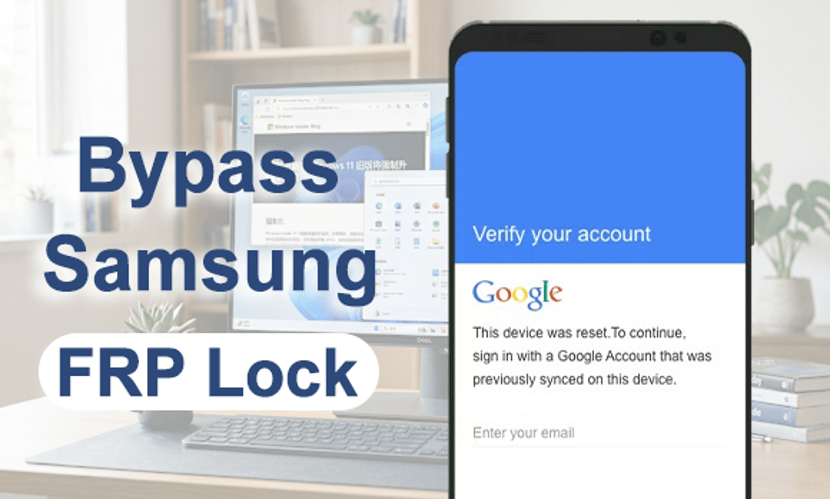
Factory Reset Protection, better known as FRP. It is a great feature to help us protect devices security from unauthorized access after a factory reset. But what should we do if we forget Google account credentials, or purchase a second-hand Samsung phone that’s still linked to the previous owner. At that point, it’s common to search for terms like “How to bypass Samsung FRP lock” or “How to remove Google verification on Samsung.” Fortunately, there are several ways to deal with FRP lock on Samsung phones.
Why FRP Appears on Samsung Phones
FRP can also lock out legitimate users in situations such as:
- Forgetting the Google account password
- Buying a second-hand Samsung phone
- Resetting the device without removing the account first
- Not using the phone for a long time
When this happens, the device becomes stuck on the Google verification screen, which is why many users search for solutions to bypass Samsung FRP lock after reset.
Official Ways to Remove Samsung FRP Lock
Before trying third-party Samsung FRP bypass tool, it’s always worth checking Google’s official account recovery options.
Method 1: Recover Your Google Account
If you remember part of your account information, visit Google Account Recovery and try resetting your password. Once your account is recovered, wait about 24 to 72 hours before signing in again on the Samsung device. Google sometimes temporarily blocks login attempts after password changes for security reasons.
Method 2: Contact the Previous Owner
If you purchased a second-hand Samsung phone, the simplest solution is to ask the previous owner to remove the device from their Google account remotely. They can do this through Google Find My Device or their Google account settings.
Unfortunately, these official methods don’t always work quickly, especially if the original account details are unavailable.
How to Bypass FRP on Samsung with MagFone Android Unlocker
For users who want a more direct and beginner-friendly option, MagFone Android Unlocker offers a practical solution. The software is designed to help users remove different types of Android locks, including Samsung FRP lock after reset. One reason many people prefer dedicated unlocking software is that it simplifies a process that would otherwise require complicated manual steps.
Instead of dealing with risky online tricks or confusing FRP bypass methods, the software guides users through the Remove Samsung FRP Lock process step by step.
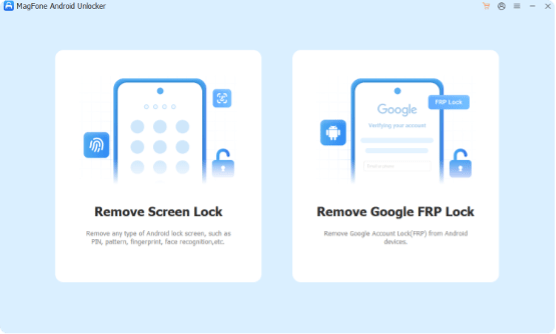
Step 1: Install and run MagFone Android Unlocker on your Windows PC or Mac. Use a USB cable to connect the locked Samsung device to the computer. From the main interface, select the option to remove Google FRP lock.
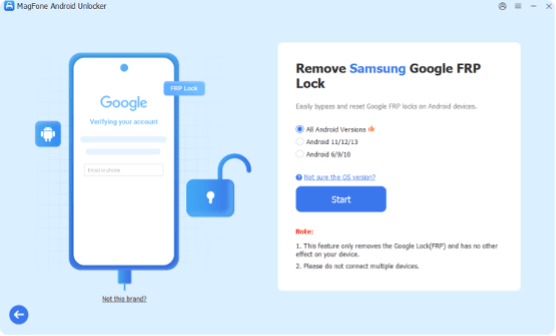
Step 2: Let the program recognize your phone automatically, or pick the brand yourself, then proceed by selecting “All Android Versions.”
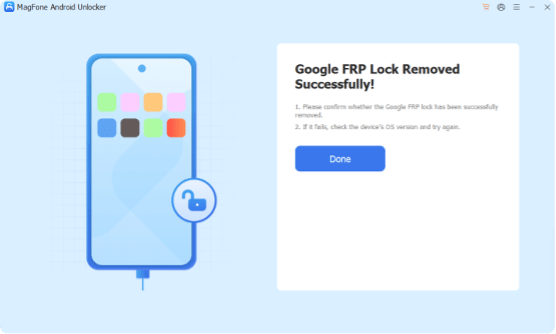
Step 3: The software will guide you through putting the Samsung phone into the required mode for FRP removal. After several minutes, the FRP lock will be removed, allowing access to the device again.
Compared to manual FRP bypass tutorials found online, this approach is much easier for average users who simply want to unlock their phones without technical complications.
Why Online FRP Tricks Often Fail
There are many YouTube videos and unofficial tutorials claiming to bypass Samsung FRP lock for free. While some methods may work temporarily, they often come with problems:
- Complicated steps
- Security risks
- Compatibility issues
- Broken download links
- Malware concerns
- Outdated Android methods
Samsung regularly updates Android security patches, which means older FRP bypass tricks often stop working. That’s why many users prefer stable desktop tools that receive updates for newer Samsung devices and Android versions.
Frequently Asked Questions (FAQ)
- Can I bypass Samsung FRP lock without a Google account?
Yes, but it depends on the situation. If you still have access to the original Google account, recovery is the safest option. If not, many users turn to dedicated tools like MagFone Android Unlocker to remove the FRP lock and regain access to their device.
- Why is my Samsung phone asking for Google verification after reset?
This happens because Factory Reset Protection (FRP) is enabled automatically when a Google account is added to the device. After a reset, Samsung requires the same Google account login to verify ownership and prevent unauthorized access.
- Is it possible to unlock a Samsung phone after forgetting the password?
Yes. If the issue is only screen lock (PIN, pattern, or password), there are several methods to unlock the device. However, if the phone has also triggered FRP after a reset, you will need to complete Google verification or use a reliable unlocking solution.
- What should I do if I bought a second-hand Samsung phone with FRP lock?
The best option is to contact the previous owner and ask them to remove the device from their Google account. If that’s not possible, you may need to use a professional tool such as MagFone Android Unlocker
to help remove the lock and set up the phone again.
- Will bypassing FRP delete my data?
Yes. Most FRP removal or bypass methods involve resetting the device, which will erase all existing data. That’s why it’s always recommended to back up important files whenever possible before performing any unlock process.
Final Thoughts
Getting stuck on the Google verification screen after a reset can be frustrating, especially when you urgently need access to your Samsung phone. Fortunately, there are still practical ways to bypass Samsung FRP lock safely.
Official account recovery options should always be your first step. But if those methods fail or become too time-consuming, tools like MagFone Android Unlocker can provide a much simpler solution for removing FRP lock and restoring access to your device.