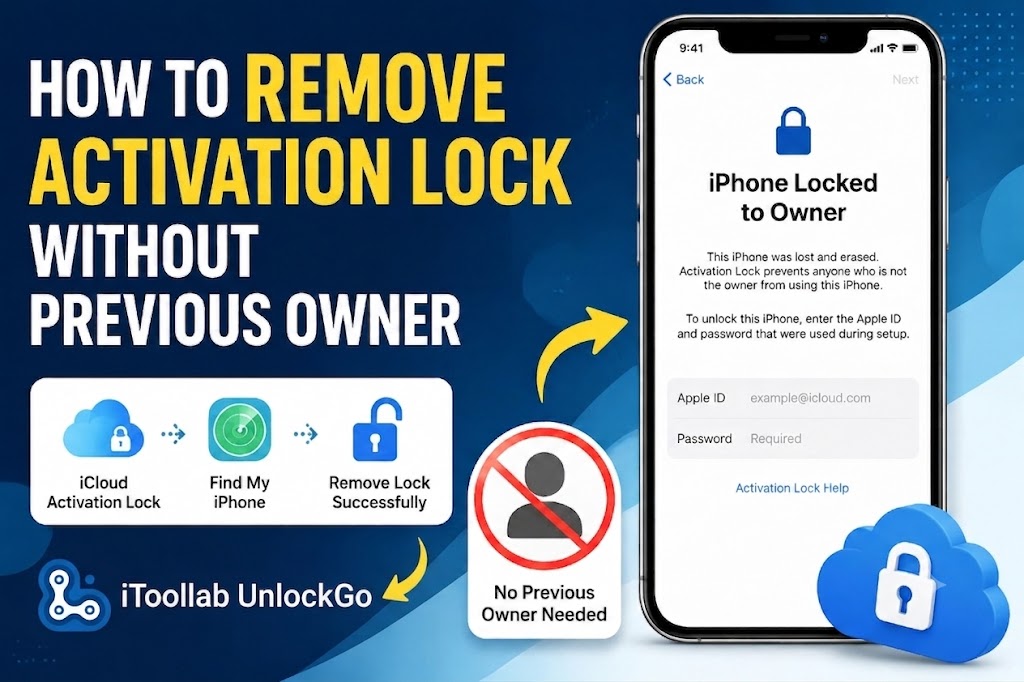
Buying a second-hand iPhone can be a great deal, but it can become frustrating when you see the “iPhone Locked to Owner” screen during setup. This means iCloud Activation Lock is enabled, and the device is still linked to the previous owner’s Apple ID.
If you cannot contact the previous owner, forgot the account details, or received a device without the original login information, you may be wondering what options are available—and how to remove Activation Lock without the previous owner.
This guide explains the official solutions and available options to help you regain access to your iPhone.
What Is iPhone Activation Lock?
Activation Lock is a security feature connected to Find My iPhone. When enabled, the iPhone is linked to an Apple ID, and the account credentials are required before the device can be activated after a reset.
You may encounter Activation Lock in situations like:
- Bought a used iPhone: The previous owner forgot to remove the device from their Apple account.
- Received a second-hand device: The seller is unavailable or cannot be contacted.
- Inherited an iPhone: The original owner did not sign out before giving away the device.
- Forgot your own Apple ID details: You cannot complete device activation.
How to Remove Activation Lock Without the Previous Owner?
Method 1: Ask the Previous Owner to Remove the Device Remotely
The easiest solution is to contact the previous owner and ask them to remove the iPhone from their Apple account. They do not need to share their Apple ID password.
The previous owner can:
- Sign in to iCloud Find My.
- Select the locked iPhone from the device list.
- Choose Erase iPhone.
- Select Remove from Account.
- Restart the iPhone and complete setup.
Once removed, the Activation Lock will no longer appear.
Method 2: Contact Apple Support
If you cannot reach the previous owner but legally own the device, Apple may help remove Activation Lock.
You may need:
- Original purchase receipt
- Device serial number or IMEI
- Proof that you purchased the device
Without valid ownership documents, Apple generally cannot remove the lock.
Method 3: Remove Activation Lock with iToolab UnlockGo
If you cannot contact the previous owner and do not have the required account information, a specialized iPhone Unlocker tool may provide another option for supported devices.
iToolab UnlockGo iPhone Unlocker offers a guided process to help users remove iCloud Activation Lock without password on iPhone and iPad.
Key Features of iToolab UnlockGo
- Remove iCloud Activation Lock
- Unlock iPhone Locked to Owner
- No jailbreak required
- No Apple ID password required
- Simple step-by-step unlocking process
- Supports iPhone/iPad/iPod touch models depending on iOS version
- Works on Windows and Mac
How to Remove Activation Lock Using iToolab UnlockGo
Step 1: Download and Install UnlockGo
Download and launch iToolab UnlockGo on your Windows PC or Mac.
Select: Unlock iCloud Activation Lock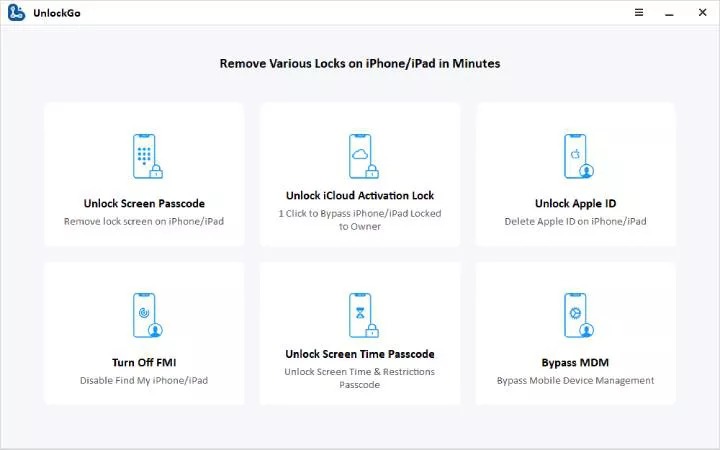
Step 2: Connect Your iPhone
Connect your locked iPhone to the computer using a USB cable.
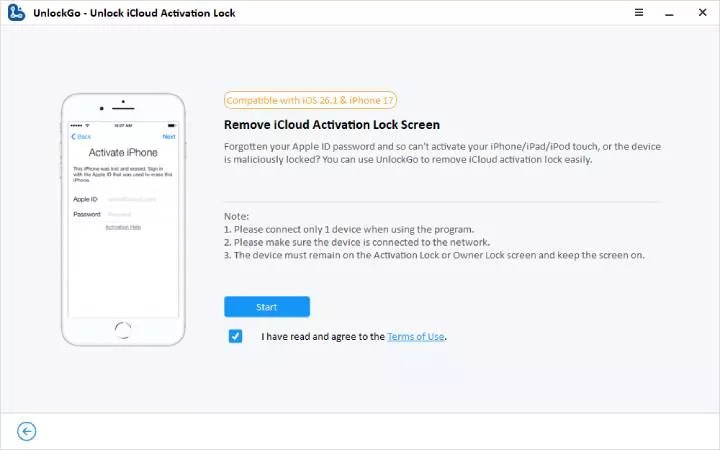
Step 3: Start the Removal Process
Follow the instructions shown in UnlockGo and click Start to begin.
During the process, the iPhone may restart several times.
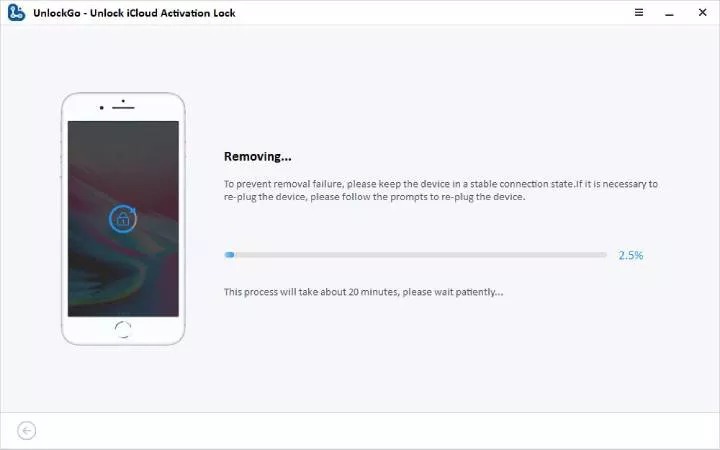
Step 4: Complete iPhone Setup
After the process finishes successfully, your iPhone will enter the setup screen, allowing you to continue device setup.
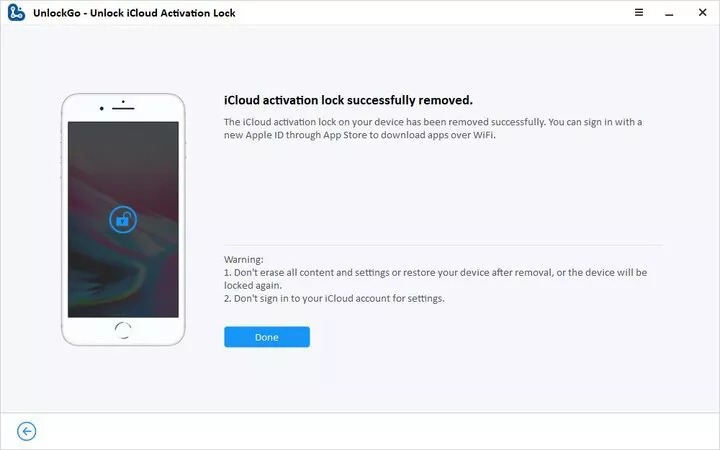
Note: Keep your iPhone connected to the computer throughout the entire process.
FAQ: iPhone Locked to Owner How to Unlock Free
Q1 Does factory reset remove Activation Lock?
No. Factory resetting an iPhone does not remove Activation Lock. The device remains linked to the original Apple ID until it is removed from the account.
Q2 Does iToolab UnlockGo require jailbreak?
No. iToolab UnlockGo removes Activation Lock without requiring jailbreak on supported devices.
Q3: Is Activation Lock the same as a forgotten screen passcode?
No. A screen passcode protects access to the device locally, while Activation Lock is connected to Apple’s Find My security system and the linked Apple ID.
Final Thoughts
Removing Activation Lock without the previous owner can be challenging, especially if you do not have the original Apple ID information or proof of purchase.
The best solution is always to ask the previous owner to remove the device from their account. If that is not possible, Apple Support and third-party iPhone Unlockers like iToolab UnlockGo may provide alternative solutions for your devices.
Before purchasing a used iPhone, always check that Find My iPhone is disabled and Activation Lock has been removed to avoid activation issues later.