The math stopped making sense somewhere around the third subscription. A hundred dollars a month for image generation here, another fifty for video there, a separate bill for the music library, and suddenly you’re spending more on AI tools than you used to spend on actual production gear. The worst part isn’t even the cost—it’s the cognitive overhead. Remembering which tool does what. Logging into five different dashboards. Exporting from one, importing into another, praying the file formats play nice. That fractured reality is exactly what Nanobanana maker appears to have been built to dismantle.
The Consolidation Thesis: One Subscription, All the Models
The platform’s core proposition is disarmingly simple: one payment, one dashboard, and access to what it calls the world’s best AI models under a single roof. According to the site, this includes Nano Banana for image generation and editing, Gemini Veo for video creation, plus integrated music and audio generation tools. No per-model charges. No hidden fees. Just a flat subscription that covers everything from still images to full video exports with sound.
This isn’t merely a bundling exercise. The platform’s architecture appears designed around the premise that creative work is inherently sequential—you generate an image, then you animate it, then you add audio, then you export. By keeping all those stages on a single page without requiring tab-switching or refreshes, the platform aims to eliminate the friction that normally kills creative momentum. In practice, this means you can start with a text prompt, produce a visual, turn that visual into a video clip, layer in background music, and export the finished piece—all without leaving the same interface.
The Prompt Gallery: A Living Library of Creative Possibilities
One of the platform’s more practical features is the prompt gallery, which the site presents as a curated collection of pre-written instructions that users can click to try instantly in the editor. This isn’t just a gimmick—it’s a functional learning tool that demonstrates what the system can actually do.
The gallery covers an unusually wide range of use cases. Professional headshot generation, for instance, comes with a detailed prompt that specifies everything from attire (“business suit/blazer, crisp collar visible”) to framing (“face takes up 60% of frame”) to lighting (“even, professional lighting, no harsh shadows”). The level of specificity suggests the platform has been tuned to understand and execute on detailed professional requirements, not just vague artistic directions.
Other gallery entries reveal the system’s range. The 3D figurine transformation prompt describes turning a photo into a character figure with a printed box, a computer showing Blender modeling, and a PVC base with “crystal-clear, translucent texture”. The YouTube thumbnail generator prompt specifies face consistency, composition (person on the left, pointing right), a bold yellow arrow, and pop-style text overlay. The pet meme generator turns animal photos into “ugly-cute” line drawings with handwritten text. The breadth here is notable—this isn’t a platform that does one thing well. It’s a platform that does many things reasonably well, all from the same prompt-based interface.
Testing the Creative Suite: What Actually Happens When You Generate
Image Editing and Transformation
The image tools, powered by what the site describes as Google Gemini Flash integration, combine fast generation with prompt-based editing and professional-grade enhancement. In practice, the system handles several distinct transformation types.
Background replacement works through what the site calls “smart edge detection and natural blending” with automatic lighting and shadow adjustment. The results appear to depend heavily on the complexity of the original image—simple subjects on clean backgrounds transform cleanly, while complex scenes with multiple subjects or intricate lighting may require more specific prompting.
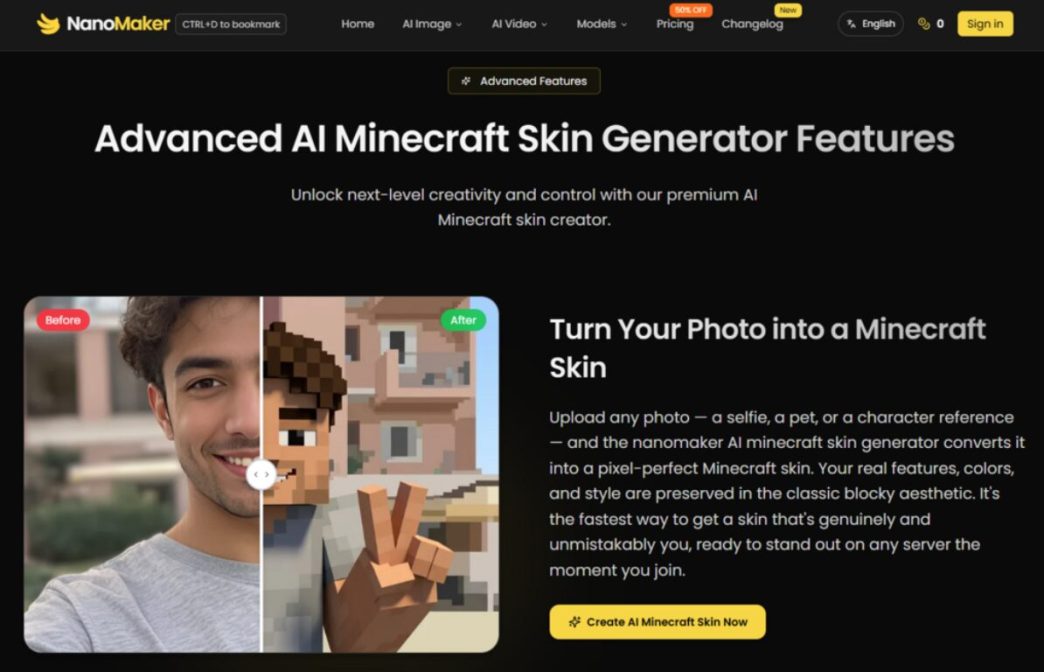
Artistic style transformation covers a spectrum from watercolor and oil painting to anime and cyberpunk aesthetics. The platform emphasizes that it preserves the original subject’s identity and composition while applying new visual languages. In practice, this means your subject remains recognizable even as the rendering style shifts dramatically—a useful property for anyone who needs multiple visual treatments of the same person or product.
The age transformation feature generates younger or older versions of portraits while keeping facial features recognizable. The platform claims to retain subject identity and realism, though extreme age shifts may produce results that feel more interpretive than photorealistic.
Video and Audio Integration
The video capabilities, powered by Gemini Veo, allow users to turn images into videos. The platform’s workflow positions this as a natural extension of the image generation process—create a still, then animate it, then add music. This sequential flow is where the all-in-one architecture arguably delivers its clearest value. The alternative—generating an image in one tool, exporting it, importing it into a video tool, exporting that, then importing into an audio tool—is a multi-step ordeal that the platform collapses into a single uninterrupted process.
Character Consistency: The Make-or-Break Feature
The platform repeatedly emphasizes “perfect character consistency and scene blending” as a core capability. This matters because one of the persistent frustrations with AI-generated content is identity drift—the same subject looking different in every frame or every edit. The platform’s prompts explicitly instruct the system to preserve facial features, identity, gender, and age across transformations. The LinkedIn profile photo prompt, for example, specifies “Keep the person’s facial features and identity exactly the same”. The YouTube thumbnail prompt similarly insists on face consistency: “Do not alter facial structure, skin tone, or identity”.
This emphasis on consistency suggests the platform has been optimized for applications where subject recognition matters—brand content, product visuals, client work, and any context where the person or product needs to remain identifiable across multiple outputs.
The Practical Economics: What the Subscription Actually Covers
The pricing structure is transparent, if slightly complex due to the credit system. The free tier offers 6 credits upon first sign-in. Paid plans start at $4.9 per month (billed annually) for 3,000 credits per year, which translates to approximately 600 images or 176 videos. The Standard plan at $7.9 per month offers 12,000 credits annually—roughly 2,400 images or 705 videos. The Professional plan at $19.9 per month provides 45,000 credits per year, covering about 9,000 images or 2,647 videos.
The “usage varies by model and generation type” caveat means the per-credit cost isn’t uniform across all features. Different types of generation—images, videos, songs, audios—consume different amounts of credits. The platform also offers unused credit rollover and a 50% discount on certain plans, with a commercial use license included at all paid tiers.
Where the Platform Fits in a Creator’s Workflow
The site organizes its target users into several categories, and the use cases feel grounded in actual creative workflows rather than aspirational marketing.
For marketers and businesses, the platform promises ad visuals, product demo videos, and branded content from a single source—no design team required. The ability to produce consistent brand assets quickly has clear value for campaign testing and iteration.
For content creators and YouTubers, the thumbnail generator is a standout feature, optimized for click-through rates with specific design elements like bold arrows, pop-style text, and high-contrast backgrounds. The platform also offers custom graphics and B-roll footage generation.
For e-commerce sellers, the background replacement and lighting adjustment tools transform simple product snapshots into professional lifestyle shots without expensive studio sessions.
For social media managers, the platform promises scroll-stopping content optimized for Instagram, TikTok, and Facebook, with the ability to maintain brand consistency while producing fresh content daily.
Realistic Limitations: What the Platform Doesn’t Claim
The platform doesn’t claim to replace professional design software or high-end production workflows. The results may vary depending on prompt quality and image complexity. Complex scenes with multiple subjects or intricate lighting may require multiple generation attempts. The free tier’s 6 credits provide enough to test basic functionality but not sufficient for serious production work.
The credit system means different generation types consume different amounts of credits, and the exact per-generation costs aren’t spelled out in a simple formula. Users who need pixel-perfect consistency across a series may find that results vary between generations from the same prompt.
A Practical Assessment
NanoMaker appears to deliver on its core promise: consolidating multiple AI creative tools under a single subscription with a unified workflow. The platform’s value proposition hinges on workflow efficiency and cost consolidation rather than claiming superior output quality over specialized competitors. For individual creators, small teams, and anyone currently maintaining three or four separate AI subscriptions, the all-in-one approach represents a compelling alternative. The free tier provides enough runway to test whether the workflow suits your needs, and the paid plans scale from casual use to professional volume. The platform won’t magically make your content go viral, but it might just make the process of creating it feel less like managing a software portfolio and more like, well, making things.