
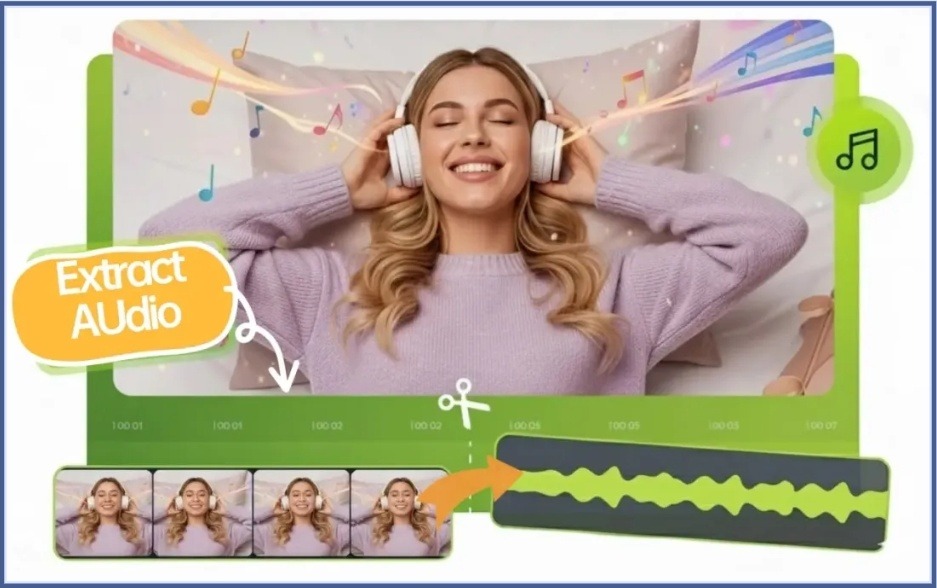
Video content is everywhere, from online courses and webinars to interviews and podcasts. But there are numerous cases when you will be satisfied only with the audio part of a video. Perhaps you would like to listen to a lecture on your way to work, save an interview in the form of a podcast, or store a speech but not a huge video file.
Extract audio from video in the past used to involve downloading software and mastering the usage of complex editing tools. To most users, that procedure was a time-wasting exercise that was not necessary to carry out a simple task.
Nowadays, it is much easier to get audio out of video directly in a web browser using online tools. It only takes a few clicks to separate the audio track, select the desired format, and download it without having to install any programs. This non-complicated process simplifies the extraction of audio for students, content creators, professionals and ordinary users.
No Software Required: How Browser-Based Audio Extraction Works
Audio extraction tools are simply made via browser-based tools that make the process ts easy as possible. Users can do all this online without having to download software, using their web browser.
It typically begins with uploading a video file. The tool will automatically create a separation between the audio track and the video once uploaded. The user may then decide on which file format to download it in, like MP3, WAV, M4A or FLAC.
One of the strongest pros of a sound extractor in the form of a browser is convenience. All this takes place on the internet, and with that, you need not fear updating software, storage capacity or compatibility failures. The workflow is easy and available, regardless of the desktop computer, laptop, tablet, or smartphone.
The web-based ones are a quick and convenient substitute for the traditional editing software, and they can be used by those users who do not require more than a few extracts of the audio.
Step-by-Step Guide to Convert Video Files Into Audio
The procedure of transforming a video into an audio file is simple and can even be done within a few minutes.
Step 1: Select Your Video File
Select the video that you wish to convert. This could be a lecture recording, interview, webinar, podcast recording, or personal video.
Step 2: Upload the File
Drag the video to the extractor. Most websites allow the typical video types, and the procedure is rapid and straightforward.
Step 3: Choose an Audio Format
Select the format that best fits your needs. Most of the users like MP3 since it has a nice compromise between quality and file size.
Step 4: Start the Extraction Process
The tool will extract the audio track from the video and make it ready to download.
Step 5: Download the Audio File
When you are done processing, the file can be downloaded and then used instantly. A lot of individuals prefer to compress videos into mp3 files via the Internet since they are able to save space on the hard disk and audio files are readily available.
Practical Use Cases for Extracted Audio
Audio extraction finds application in numerous daily life scenarios and in the workplace.
Podcast Production
In most cases, the interviews are recorded via video calls by podcasters. Removing the audio would enable them to release the conversation in the form of a podcast episode without the video file.
Online Learning
Lectures are usually recorded by students who then convert them into audio files to listen to on their way to school, during a workout or as they study.
Content Repurposing
Video producers often convert video content into sound to access users on various platforms. One video can be turned into a podcast episode, audio clip, or download.
Webinars and Business Meetings
Webinars, presentations and meeting recordings can be saved as audio files to be referred to in the future by professionals. Large video files are sometimes difficult to store, share, and review as compared to audio files.
These real-life examples demonstrate why audio extraction is now an important tool that can be used in personal and professional life.
Why Browser-Based Tools Are Replacing Traditional Software
The editing software of traditional media may be an asset,y et in most instances it may exceed what users require to perform simple audio extraction tasks.
Most of the programs need to be downloaded, installed, updated, and the user needs to learn some form of a learning curve just to perform a simple conversion. To a person who just desires the audio of a video, this additional work can be aggravating.
A much easier solution can be provided by browser-based tools. Within minutes, users are able to upload a file, remove the audio and download the output. No need to install huge applications or to spend time trying complicated interfaces.
Accessibility is another factor that has contributed to their increase in popularity. These tools are online and therefore can be accessed by users using various devices at the convenience of any time. This flexibility makes them ideal for students, creators, remote workers, and anyone looking for a quick and efficient workflow.
With the continued enhancement of online tools, browser-based solutions are increasingly being adopted by more users in performing daily media editing tasks.
Conclusion
It is no longer necessary to have complex software or technical skills to extract audio from video. Recent web technologies have made it easier, with users able to cut audio tracks straight off the web page, in a few clicks.
You can save time and storage space by being able to remove audio from video when it comes to making podcasts, storing lecture recordings and repurposing content, as well as keeping valuable presentations. With the convenience of a browser-based sound extractor and the option to convert video to mp3 online, users can quickly access the audio content they need without the hassle of traditional software.