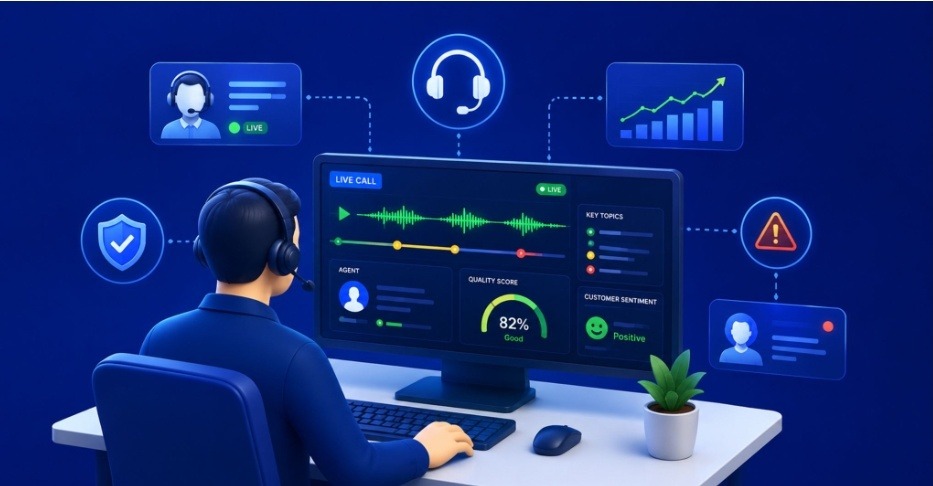
Today, contact centers use live call monitoring to identify problems early and prevent them from getting worse.
- A customer starts to sound upset.
- The agent begins to interrupt them.
- Hold times start to get long.
If these issues are only found after the call, it’s too late. The customer may already be thinking of leaving.
Live call monitoring is really helpful because it lets supervisors and artificial intelligence systems see what is happening during conversations as they are taking place. Here’s a technical breakdown of how modern call center solutions architect this capability.
What is Live Call Monitoring in a Contact Center?
Live call monitoring is the real-time observation and intervention layer. It sits atop active agent-customer voice sessions. This enables supervisors and AI engines to detect, coach, or override calls before quality issues escalate.
Core operational modes:
-
Listen-only mode
Passive audio observation, no injection into the RTP stream
-
Whisper coaching
Supervisor audio was injected into the agent’s leg only; the customer’s leg was untouched
-
Barge-in mode
Full three-way conference, supervisor joins both legs
-
Take-over mode
The supervisor replaces the agent on the customer’s leg
-
AI co-listening
Speech-to-text and sentiment engines analyze 100% of audio in parallel
The architecture matters: each mode requires distinct media handling at the SBC or media server layer.
How do Supervisors Decide Which Live Calls to Monitor When Volume is High?
When concurrent call volume exceeds supervisors’ capacity, modern systems use signal-based prioritization to surface high-risk calls rather than forcing supervisors to browse a static agent list.
Common prioritization signals:
- Real-time sentiment scoring — Negative trend across 3+ utterances triggers alert
- Silence detection — Dead air beyond a configurable threshold (typically 5–8 seconds)
- Keyword and phrase triggers — “Supervisor,” “cancel,” “lawsuit,” “refund.”
- Agent risk profile — Tenure under 90 days, recent QA score below threshold
- Customer value tier — CRM-linked LTV, account status, or SLA tier
- Talk-time anomalies — Calls exceeding 1.5× the queue’s average AHT
- Compliance flags — Missing disclosures, regulated phrases not detected
The system pushes alerts; supervisors triage. This inverts the older “scan and pick” model.
What Features Should a Live Call Monitoring System Have?
A production-grade live call monitoring stack should combine numerous things. Such as real-time audio access, AI analysis, contextual data, and secure media handling.
Missing any one layer reduces the system to a passive observation tool.
Required technical capabilities:
- SIPREC-based media forking for standards-compliant call replication to monitoring servers
- Sub-second audio latency on whisper and barge-in (target <300ms end-to-end)
- Real-time STT pipeline with speaker diarization (separate agent and customer transcripts)
- Sentiment analysis engine running on streaming audio, not post-call batches
- Keyword spotting with configurable trigger lists per queue or campaign
- Screen monitoring sync showing the agent’s desktop alongside live audio
- CRM/CTI integration helps show customer details in the monitoring panel.
- TLS for signaling, SRTP for media, non-negotiable for HIPAA, PCI-DSS, GDPR scope
- Controls based on function limit who can listen, whisper, or bargain.
- Audit logs capturing every monitoring action for compliance review
- Multi-tenant isolation for BPOs running multiple client environments
Can We Really Monitor Every Interaction Live, or Do We Still Have To Sample Them?
100% of interactions, but it’s not realistic for people to supervise that many.
Most experienced call centers use a mix in which AI listens to everything, and people only review the calls it flags.
Coverage architecture in practice:
- AI Layer — 100% of calls analyzed via streaming STT, sentiment, and keyword engines
- Alert Layer — flagged calls pushed to supervisor dashboards in real time
- Human Layer — supervisors monitor 5–15% of live calls, weighted toward flagged ones
- Sample Layer — random sampling continues for QA calibration and AI model validation
Sampling doesn’t disappear in this model. This is the control group to see whether the AI flags the right things.
How Live Call Monitoring Works With Your Existing UCaaS, CCaaS, or CRM Platforms?
Live call monitoring is composed of three architectural layers: the media plane, the signaling plane, and the data plane, each governed by different protocols, APIs, and security boundaries. A good integration checks all three boxes. Miss any one and you create blind spots that appear as latency, lost context, or compliance gaps.
Media Plane Integration:
This is where the audio from the active call is replicated into the monitoring system without disrupting the customer-agent stream.
-
SIPREC (RFC 7865 / RFC 7866)
The IETF standard for session recording. The SBC or media server acts as the Session Recording Client (SRC), forking RTP streams to a Session Recording Server (SRS). Supports separate streams per participant for clean diarization.
-
Media Forking at the SBC
Most production deployments handle edge replication, keeping the original call path untouched and isolating monitoring traffic on a dedicated leg.
-
SRTP for Forked Media
Encryption must persist through the fork. Decrypting at the SBC and re-encrypting toward the SRS is standard practice for compliance-bound deployments.
-
Codec Transparency
The monitoring server should accept the same codecs (Opus, G.711, G.722) as the live call, avoiding transcoding that adds latency and degrades sentiment analysis accuracy.
Signaling Plane Integration
This is how supervisor actions (whisper, barge, take-over) get injected into an in-progress call without dropping or renegotiating the customer leg.
-
SIP REFER with Replaces header (RFC 3891)
Used for supervisor take-over, swapping the agent leg out of the dialog.
-
SIP INVITE with re-INVITE
Handles barge-in by upgrading the two-party call into a three-party conference at the media server.
-
B2BUA logic at the SBC
Back-to-Back user agent behavior allows the SBC to manipulate call legs independently, which is essential for whisper mode, where audio mixing occurs only on the agent leg.
-
Conference Bridge Orchestration
Asterisk ConfBridge, FreeSWITCH mod_conference, or Kamailio-routed bridges handle the actual mixing when supervisor audio joins the session.
Data Plane Integration
This is where customer context, real-time events, and analytics flow between the monitoring system and the surrounding business platforms (CRM, UCaaS, CCaaS, BI tools).
-
REST APIs
Salesforce Service Cloud, HubSpot, Zoho, and Zendesk expose endpoints for writing call events, sentiment scores, and supervisor actions directly to the customer record.
-
WebSocket Streams
Push real-time transcripts, sentiment deltas, and keyword hits to supervisor dashboards with sub-second latency.
-
CTI screen-pop via TAPI or vendor SDKs
Surfaces customer history, open tickets, and account tier the moment a supervisor joins a monitored call.
-
Webhooks
Outbound notifications are triggered when certain criteria are met. For example, negative customer sentiment, compliance token, or AHT anomaly will trigger a Slack notification, execute workflow rules, and create a ticket.
-
Event-driven Middleware
In high-volume implementations, the message broker will watch for events and publish them to the analytics, QA, and workforce management systems.
Platform-Specific Integration Paths
-
UCaaS Platforms
Tend to have recording and monitoring APIs, SIP trunking, and a compliance posting. Seamless integration could incur an SBC interconnect for media access.
-
CCaaS Platforms
Provide real-time event streams and APIs for agent state and supervisor consoles. Monitoring solutions can be developed around these.
-
CRM Platforms
Integration tends to be two-way. CRM data can assist the supervisor in decision-making, whereas monitoring data can update the customer record.
-
WebRTC Supervisor Consoles
A browser-based monitoring client/panel that connects directly to the media server. This eliminates the need for a soft phone for supervisors working remotely.
The integration depth determines whether live call monitoring is integrated into the operational workflow or remains a standalone tool that supervisors forget to open. The planes of media, signals, and data become tightly integrated, making monitoring a real-time quality system rather than an advanced call recorder.
What are the frequent blunders contact centers make while implementing Live Monitoring?
The most impactful blunders are operational and cultural rather than technical.
Deploying the platform is the easy part. Building the workflows and trust around it is where most rollouts stall.
Common rollout failures:
- Framing monitoring as surveillance instead of coaching, killing agent buy-in
- No supervisor training on whisper technique, barge-in etiquette, or alert triage
- Over-tuning alert thresholds so supervisors get notification fatigue and disable them
- Skipping the legal review on consent requirements per jurisdiction
- No feedback loop between live monitoring insights and training curriculum
- Treating AI flags as ground truth without human calibration cycles
- Ignoring agent input on which interventions help vs. which break their flow
- Under-provisioning media servers causes latency spikes that degrade call quality
In a Nutshell
Live call monitoring isn’t a feature you bolt onto a contact center. It’s an architecture decision involving SIP signaling, media forking, AI pipelines, CRM integration, and supervisor workflow design. Get any layer wrong and the system either misses the calls that matter or buries supervisors in noise.
This is the work Ecosmob has been doing for decades, engineering call center solutions on Asterisk, FreeSWITCH, Kamailio, and custom SBC stacks for telecom carriers, CPaaS providers, and enterprise contact centers globally. From SIPREC-compliant recording infrastructure to AI-augmented supervisor consoles, the goal is the same: give contact centers the technical foundation to catch issues. At the same time, they’re still recoverable, not after they’ve already cost a customer.