
If you’ve ever tried generating AI video from a text prompt alone, you already know the problem. The idea in your head is clear. The output? Not always.
Maybe the character looks different from scene to scene. Maybe the style shifts halfway through. Maybe the product or background isn’t even close to what you wanted. That’s exactly why more creators are turning to reference AI video workflows.
Instead of relying only on words or images, you guide the model with visual references. The result is a more controlled, more consistent, and often more usable video output.
What Is Reference to Video AI?
Reference to video AI is a method of generating video with the help of one or more visual references, such as images, frames, character designs, product photos, or style samples.
In simple terms, you’re not asking the AI to imagine everything from scratch. You’re giving it visual anchors.
Those references help the model better understand what should stay consistent, including:
character appearance
clothing and colors
product shape and details
background style
lighting and mood
camera composition
This is why creating AI video from references has become the trend. It gives creators more control over the final result and reduces the randomness that often comes with prompt-only generation.
Why References Matter in AI Video Generation
AI video tools are improving fast, but they still interpret prompts in different ways. A short text description can leave too much room for variation.
That can be frustrating if you need precision.
For example, if you are creating a product promo, brand video, or character-based clip, consistency matters. You do not want the product to change shape. You do not want the character’s face to shift every few seconds. And you definitely do not want the visual style to drift away from your brand.
That is where AI reference to video generator becomes valuable. Pollo AI helps turn AI video creation from a guessing game into a guided process.
Common Types of References You Can Use
Not all references serve the same purpose. Depending on the tool, you may be able to upload different assets to guide the output.
Character References
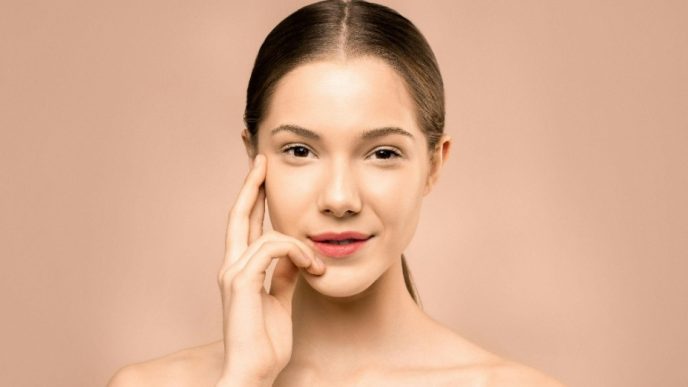
These are useful when you want the same person or avatar to appear consistently across scenes. A character image can help preserve facial structure, hairstyle, clothing, or overall vibe.
Product References
For ecommerce, ads, or demos, product images are especially important. If you want to create AI video from references for a product campaign, high-quality product shots can help the AI maintain shape, color, and design details.
Style References
Sometimes the goal is not object consistency but aesthetic consistency. A style reference can guide the AI toward a cinematic, anime, realistic, luxury, or editorial look.
Scene or Composition References
These references help with layout, framing, perspective, and environment. They are useful when you want the video to resemble a certain shot design or visual structure.
Where AI Images Fit Into the Workflow
Before you generate video, you often need a strong visual starting point. That is where AI image tools come in.
An AI image generator can help you create concept art, character designs, product-style visuals, or scene references before moving into video. This is especially useful if you do not already have polished source images.
For example, if you need a specific visual style or want to prototype a campaign look, an AI image tool can help you build the exact references you need first. Platforms like Pollo AI and Gencraft AI can be useful for generating creative image references that later support a more controlled reference to video workflow.
In many cases, better image references lead to better video outputs.
How to Create AI Video From References More Effectively
Using references is not just about uploading an image and hoping for the best. A few smart choices can dramatically improve results.
1. Start With Strong Reference Images
The quality of your input affects the quality of your output.
Use clean, high-resolution images with clear subjects and minimal distractions. If the image is blurry, cluttered, or poorly lit, the AI may struggle to interpret what matters most.
When possible, use references that clearly show the exact details you want preserved.
2. Be Specific With Your Prompt
Even in a reference to video AI workflow, text still matters.
Your reference image tells the model what something looks like. Your prompt tells it what should happen. So be clear about motion, camera angle, mood, timing, and environment.
The more specific the instruction, the more controlled the result.
3. Use References for What Must Stay Consistent
Not every detail needs a reference. Focus on the parts that matter most.
If you are making a fashion ad, the clothing and model may be the priority. If you are creating a product video, the product itself should be the main reference. If you are building a branded clip, visual style may matter more than exact background details.
This helps the AI understand what should remain stable and what can be flexible.
4. Test Short Clips First
Before generating a full sequence, test a shorter version.
This saves time and helps you catch issues early. If the character drifts, the product changes, or the style feels off, you can adjust the reference or prompt before committing to a longer render.
Best Use Cases for Reference to Video AI
This workflow is especially useful when consistency and control matter.
Popular use cases include:
product marketing videos
character-based storytelling
brand campaigns
social media ads
fashion and beauty visuals
concept trailers
animated explainers
If your goal is not just “make a video” but “make this specific video,” references become much more important.
Final Thoughts
AI video generation is exciting, but control is still the real challenge. That is why reference to video AI is becoming such an important workflow for creators, marketers, and brands.
When you create AI video from references, you give the model something concrete to follow. That leads to more consistency, stronger visual alignment, and better results overall.
The process is simple in theory: start with good references, write a clear prompt, test small, and iterate. But the impact is huge. Instead of leaving everything to chance, you shape the output with intention. And that extra control is often what separates a rough draft from something you can actually use.