I used to think short-form video was mostly about speed. Open the camera, capture something interesting, cut out the boring parts, add music, post it, and move on. That still works sometimes, but the content environment has changed. Viewers are used to cleaner edits, faster hooks, better transitions, and visual ideas that feel slightly more polished than a raw phone clip.
Over the past few months, I have been testing different AI video workflows for social media clips, product demos, small creator campaigns, and a few internal content experiments. One thing became clear quite quickly: AI video tools are not useful because they “replace creativity.” They are useful because they remove some of the slow, repetitive work between having an idea and publishing something watchable.
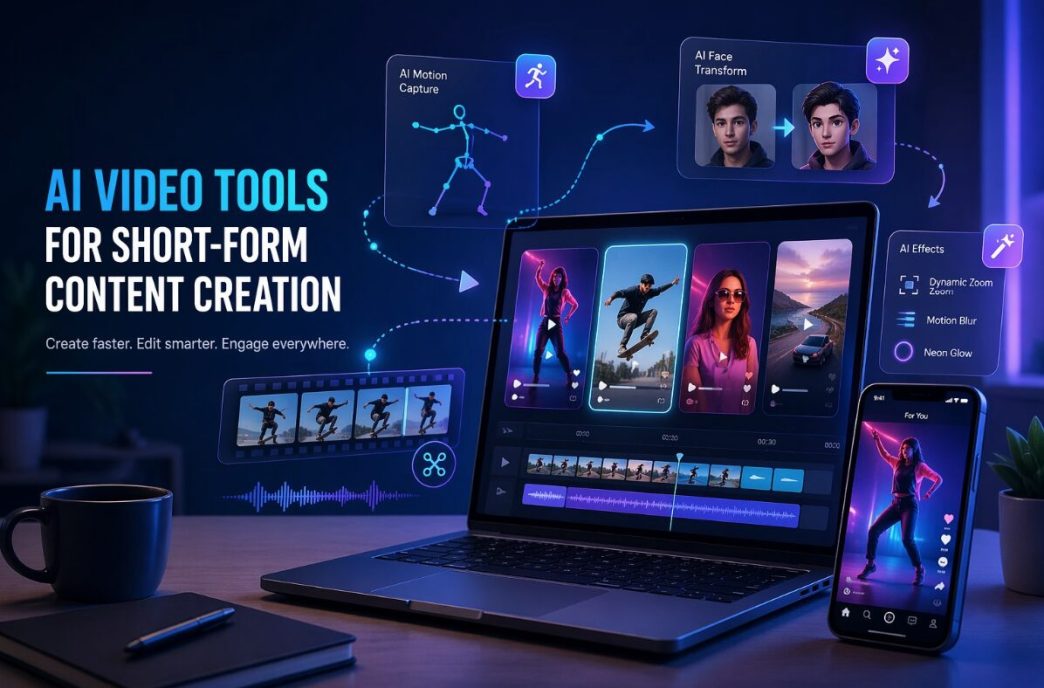
One area where this became obvious for me was motion-based content. A simple product photo or portrait can feel flat on TikTok, Instagram Reels, or YouTube Shorts. But when I tested tools built around movement, including AI dance effects, I noticed how quickly a static idea could become something more shareable. Not every result was perfect, and I would not post every generated clip without checking it carefully, but the workflow itself was much faster than planning a full shoot.
AI Video Works Best When You Give It a Clear Job
The mistake I see many people make is treating AI video like a magic button. They upload an image, type a vague prompt, and expect a finished campaign asset. That rarely ends well. The better approach, at least from my own testing, is to give the tool one clear task.
For example, I had better results when I used AI to create a short movement clip, test a visual hook, or prepare a first draft for editing. I had weaker results when I expected the tool to understand brand tone, audience context, pacing, and final platform format all at once.
Here is the simple way I now separate AI video use cases:
| Content Goal | Where AI Helps Most | What Still Needs Human Review |
| Social media hook | Motion, style, fast visual variation | Whether the first 2 seconds feel natural |
| Product teaser | Turning static visuals into short clips | Accuracy of product details |
| Creator content | Fun effects and repeatable formats | Personal taste and audience fit |
| Brand campaign draft | Early concept testing | Messaging, compliance, and final polish |
| Meme-style content | Speed and remix potential | Tone, timing, and cultural context |
That last column matters. AI can make a clip quickly, but it does not know whether your audience will find it funny, awkward, confusing, or off-brand.
The Best Results Come From Small, Repeatable Workflows
My most reliable workflow is not complicated. I start with one strong visual, decide what type of reaction I want from the viewer, generate two or three versions, then edit the best one manually. That manual edit might only take ten minutes, but it makes a big difference.
I usually check five things before using the final clip:
- Does the movement look believable enough?
- Is the face or subject still recognizable?
- Does the clip make sense without a long caption?
- Is there any strange distortion near hands, eyes, or background edges?
- Would I still post this if the AI label were visible?
That final question sounds simple, but it is useful. If the only reason I like a clip is because I know it was generated by AI, then it probably is not strong enough for viewers.
Face-Based AI Needs More Care Than People Think
Some AI effects are playful and low-risk. Others need more caution. Anything involving faces should be handled with a stronger sense of responsibility, especially if real people are involved.
I tested face swap workflows mainly for entertainment-style edits, concept drafts, and controlled creative tests. The technology is impressive, but I would not treat it casually. The practical rule I use is simple: only use faces when I have permission, when the purpose is clear, and when the result will not mislead people.
That may sound obvious, but social platforms are full of content that blurs the line between joke, edit, and deception. For brands, creators, and agencies, this matters even more. A funny clip can become a reputation problem if the subject did not approve the use, or if the final result suggests something that never happened.
AI Video Is Becoming a Production Layer, Not Just a Toy
The most useful shift I have seen is that AI video is moving from novelty effects into everyday production support. A small team can now test more ideas before spending money on a shoot. A creator can create variations without starting from zero every time. A marketer can turn a still asset into a motion test before asking a designer or editor for a polished version.
That does not mean traditional editing disappears. In my experience, the opposite happens. The more AI clips I generate, the more important editing judgment becomes. Someone still has to decide what fits the message, what feels authentic, and what should be thrown away.
A good AI-assisted video workflow feels less like outsourcing creativity and more like having a rough-cut machine beside you. It gives you material. You still make the call.
What I Would Tell a Small Team Starting Now
If I were advising a small business, creator, or media team trying AI video for the first time, I would not suggest building a huge process. I would start with one campaign, one content format, and one measurable goal.
For example, take five existing images and turn them into short video variations. Post the strongest two. Compare retention, saves, comments, and click behavior against your normal content. The goal is not to prove AI is better. The goal is to learn where it saves time without lowering quality.
I would also keep a small internal checklist:
| Question | Why It Matters |
| Is the subject used with permission? | Prevents ethical and legal issues |
| Does the clip match the platform format? | Avoids wasted output |
| Is the visual quality good enough at full size? | Small previews can hide flaws |
| Does it support the message? | Keeps the content from becoming a gimmick |
| Can we repeat this workflow? | Makes it useful beyond one experiment |
Final Thoughts
AI video tools are not a shortcut to good content. They are a shortcut to more attempts. That distinction matters.
The teams that benefit most will not be the ones generating the most clips. They will be the ones testing ideas faster, editing with better taste, and using AI only where it improves the final viewer experience. From my own testing, the sweet spot is clear: let AI help with movement, variation, and first drafts, but keep human judgment in charge of story, trust, and timing.
That is where AI video starts to feel less like a trend and more like a practical part of modern content production.