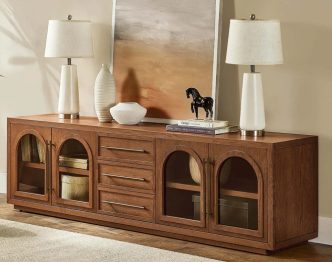
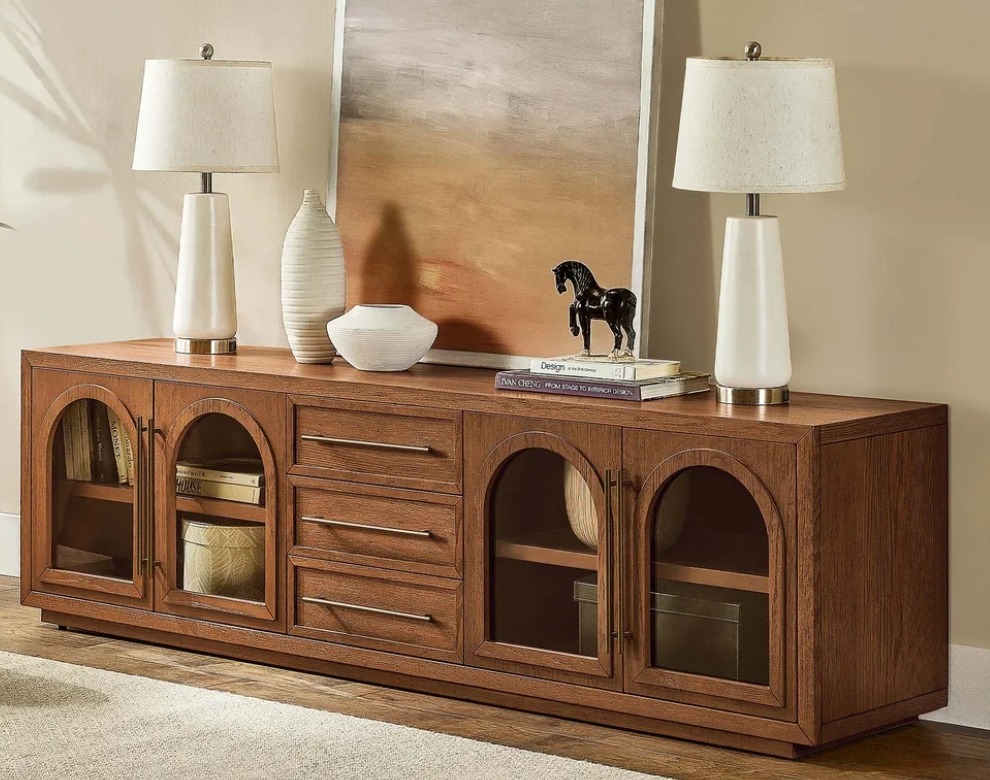
A functional media console should support the way a household watches, plays, studies, and resets the room. A dining room sideboard can handle a different set of routines nearby, giving shared spaces two useful storage points instead of one crowded surface.
Begin with the objects that appear every day. The dining room sideboard may hold school supplies, placemats, or games, while the screen cabinet manages devices, controllers, and cables. Storage works when those categories stay narrow and visible.
A functional media console also needs safe television support, ventilation, and suitable access. Plan those requirements before adding baskets, labels, or decorative objects that may block doors and equipment.
Follow the Day From Morning to Night
List what enters the room during breakfast, homework, television time, and cleanup. A functional media console should not become the default home for mail, chargers, craft tools, and every remote. Give each routine one defined storage zone.
Use the dining room sideboard for tasks closer to the table. Everyday linens, serving tools, board games, or a small homework kit can live there if doors and drawers remain easy to reach while chairs are occupied.
- Record what lands on each surface.
- Group objects by activity, not size.
- Remove categories used in another room.
Design the Screen Zone Around Real Use
Start with the television, active devices, sound equipment, and the controls people touch most. The cabinet must fit the equipment physically and support the room’s viewing pattern. Decorative storage decisions come after these working requirements.
Choose Access for Frequent Devices
A functional media console should keep remotes, controllers, and commonly used accessories near the front. Reserve deeper or less accessible storage for spare cables and occasional items. Avoid stacking equipment in ways that block controls or ventilation.
Plan Cables Before Closing Doors
Map power, network, and signal routes with the cabinet empty. Keep cords away from hinges, sharp edges, and crowded plugs. Follow each device maker’s clearance instructions instead of assuming closed storage remains safe because the doors have gaps.
Support Household Safety
Use furniture designed for the television’s size and weight. Current safety guidance recommends anchoring televisions and furniture, especially where children live or visit. Keep tempting objects off high surfaces and store heavier items in lower compartments where the design allows.
Leave Room for Change
Devices, game systems, and speakers change over time. Adjustable shelves and open cable paths may make a functional media console easier to update. Avoid permanent modifications unless the furniture maker confirms they are safe and compatible with the construction.
Divide Storage by Routine
The functional media console should own entertainment tasks, while the dining room sideboard supports eating, homework, hosting, or games. A visible division reduces searching and keeps family members from returning objects to whichever cabinet has an empty drawer.
Build an Entertainment Kit
Keep controllers, headphones, remotes, and charging leads in separate shallow zones. Labels may help during the first weeks, but the arrangement should remain obvious without them. Place items where a child or adult can return them safely after use.
Build a Table Kit
Store napkins, placemats, coasters, pencils, or a current board game near the table. A dining room sideboard works best when the top stays available for serving or an active project instead of carrying permanent decorative clutter.
Create One Short-Term Inbox
Choose a tray or drawer for items that need another destination, then empty it on a schedule. Do not spread temporary storage across both cabinets. One bounded inbox makes unfinished decisions visible and prevents the screen wall from collecting household overflow.
| Routine | Primary Storage | Reset Signal |
|---|---|---|
| Television | Remotes and devices near screen | Controls returned |
| Gaming | Controllers and headsets together | Cables coiled loosely |
| Meals | Linens and serving tools near table | Top cleared |
| Homework | Small portable supply kit | Kit closed and stored |
Make Resetting Easier Than Leaving Clutter
Storage succeeds when putting something away requires one simple action. The functional media console and dining room sideboard should open easily, reveal clear categories, and avoid containers so deep that frequently used objects disappear beneath each other.
Use Shallow Zones for Small Objects
A shallow tray keeps remotes visible and prevents small adapters from mixing with large equipment. In a dining room sideboard, drawer dividers may separate napkin rings, pencils, or game pieces without turning one drawer into many tiny categories.
Keep one empty hand available during the reset. If a door must be held while balancing several objects, the system will likely be skipped. A functional media console should support quick return paths from the sofa, not demand a sorting session.
Set a Two-Minute Closing Routine
Return remotes, collect cups, close the homework kit, and clear the dining cabinet’s landing area. The dining room sideboard should be ready for the next meal without moving decor. Short routines are easier to repeat and reveal categories that need adjustment.
Test the System With Every User
Ask each household member to find and return the objects they use. A functional media console arranged for one person may confuse everyone else. Observe the process without correcting it immediately; hesitation shows where labels, placement, or categories remain unclear.
Watch the Busiest Evening
Run the system during homework, cooking, and television time instead of testing an empty room. The dining room sideboard should support the table without blocking circulation, and the screen cabinet should keep devices accessible without exposing loose cords.
Review what remains on top after the reset. If the functional media console still carries mail or school items, move their destination closer to the route where they enter. Storage should intercept habits instead of relying on repeated reminders.
Adjust One Category at a Time
Change only the drawer or shelf causing friction and test it for several days. Large reorganizations hide which improvement worked. The dining room sideboard may need fewer categories, while the entertainment cabinet may need a wider tray or clearer cable separation.
- Let each person complete the reset.
- Note where someone pauses or opens twice.
- Revise one shelf before changing another.
Keep the System Flexible
Family routines change with school schedules, new devices, and different ways of using shared rooms. Review cabinet roles when clutter returns instead of adding more containers immediately. A category may have outgrown its location or stopped serving the household.
The best arrangement keeps safety and equipment needs fixed while allowing storage to evolve. When objects have obvious homes near their activities, the living area recovers quickly and both cabinets earn their floor space every day. A monthly review keeps small changes from becoming another complete reorganization.