AI coding tools have changed the way people create small web pages. A marketer can ask for a landing page draft, a teacher can generate a classroom activity, a founder can create a quick product mockup, and a student can build a simple interactive demo. The result is often a single block of HTML, CSS, and JavaScript that looks useful in the chat window or local preview. The next question is usually more practical: how do you send that page to someone else?
For experienced developers, the answer might be obvious. They may open a repository, push code to GitHub, connect a deployment platform, configure a project, and wait for a live preview URL. But many people using AI to create HTML are not trying to manage a production website. They only need to show one page to a client, teammate, teacher, friend, or stakeholder. For that group, a full deployment workflow can feel larger than the task itself.
The gap between generated code and a shareable page
AI tools can produce HTML quickly, but HTML is still code. If you paste it into a message, the recipient sees source text instead of a rendered page. If you send it as an attachment, the recipient has to download a file, trust it, open it in a browser, and hope that any images or styles still work. If you ask a non-technical reviewer to set up a local file or run a project, the review often stops before it starts.
This is why a lightweight preview workflow matters. Before something becomes a real website, it may only need to be seen. A one-page pricing mockup, an AI-generated calculator, a small quiz, a portfolio draft, or a newsletter concept does not always need version control and hosting infrastructure. It needs a browser link.
When a quick HTML preview is enough
A quick HTML preview is especially useful during early feedback. Product teams can review a single screen without waiting for a sprint. Agencies can send rough page concepts before investing in a full build. Teachers can open student projects without asking students to publish them on separate platforms. Solo founders can test a message, layout, or offer with a small group before deciding whether the page deserves a permanent home.
The same applies to AI-generated code. A prompt may produce a polished landing page, but it can also include placeholder copy, broken links, weak contrast, or extra scripts. Seeing the page in a browser makes those issues easier to catch. It also helps reviewers respond to the actual experience instead of reading a code block and imagining the result.
A simpler way to move from HTML to link
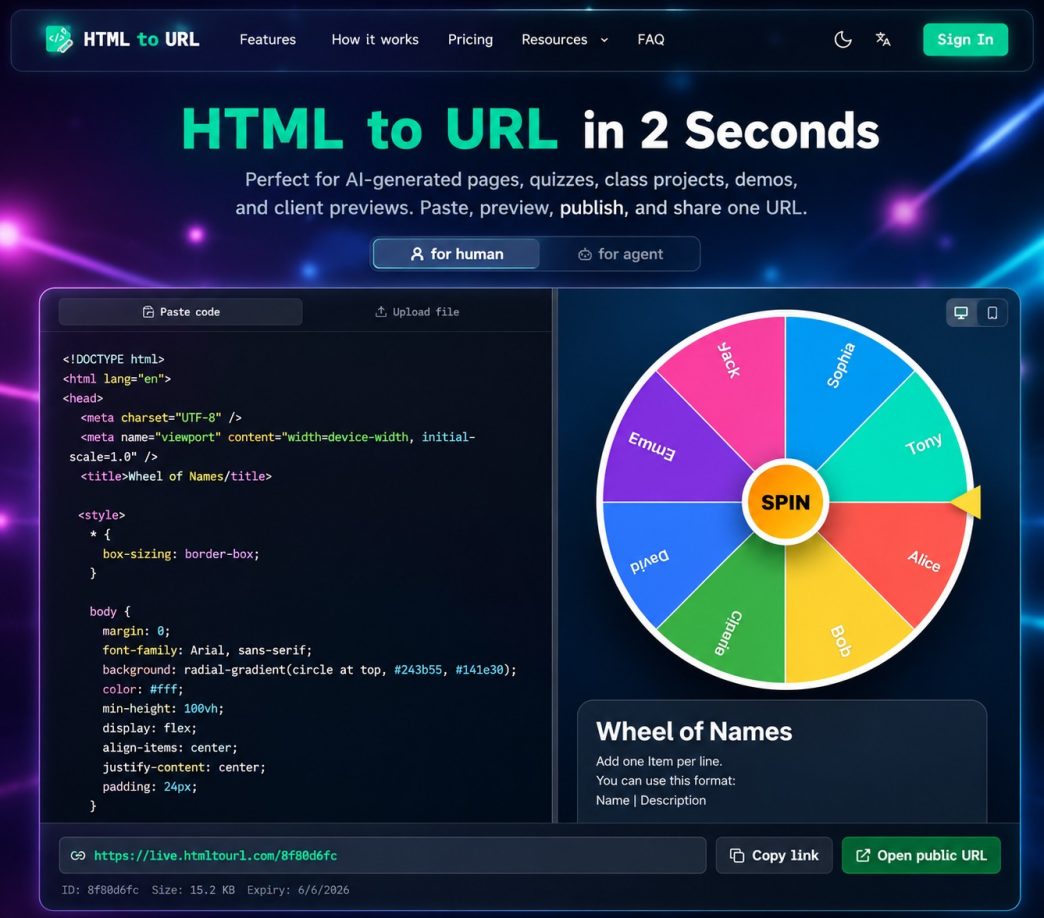
The simplest workflow is: paste the HTML, preview the rendered page, then generate a URL that anyone can open. A tool built for this job lets users share an AI-generated HTML page without creating a repository, configuring a host, or learning a deployment platform. It turns the code into a short review loop: create, inspect, share, and revise.
This does not replace professional hosting. If a page needs authentication, analytics, backend logic, multiple routes, a custom domain, or long-term reliability, it should move into a normal web development workflow. But many AI-created pages are not ready for that stage. They are drafts, demos, experiments, or temporary previews. For those cases, a fast HTML-to-link workflow is often more appropriate than a full deployment pipeline.
What to check before sharing
Even when the process is simple, the page still deserves a careful review. Remove private notes, API keys, customer details, internal URLs, and unreleased claims before creating a public link. Check that the page looks right on different screen sizes, that buttons are not misleading, and that external assets load from reachable URLs. If the HTML came from an AI assistant, read the copy closely. AI can write confidently even when the details need correction.
It is also worth deciding how long the page should remain public. Some previews are useful for only a few days. Others may need to stay available during a client review or class submission. Treat the link as a public artifact and share it with the same care you would use for a document, prototype, or screenshot.
The bottom line
AI has made it easier for non-developers to create useful web page drafts. The remaining challenge is not always coding; it is sharing the result in a form other people can open. For a single HTML page, the fastest path is often not a deployment platform. It is a preview-first workflow that turns generated code into a browser-ready link.
That small shift makes AI-generated HTML more useful. Instead of leaving the page trapped in a chat response or local file, users can show the work, collect feedback, and decide what deserves to become a real website later.