Servers walking back and forth to a fixed terminal — that workflow is bleeding you money. A portable pos system puts the full order-and-pay workflow in the server’s hand, right at the table, cutting the round-trip that kills table turns during peak hours. How many covers are you losing because your staff is standing in line at a stationary terminal? That’s the question most operators don’t want to calculate. The shift to handheld POS systems for restaurants isn’t a trend anymore — it’s an operational baseline in 2026.
What “Tableside” Actually Means in Practice
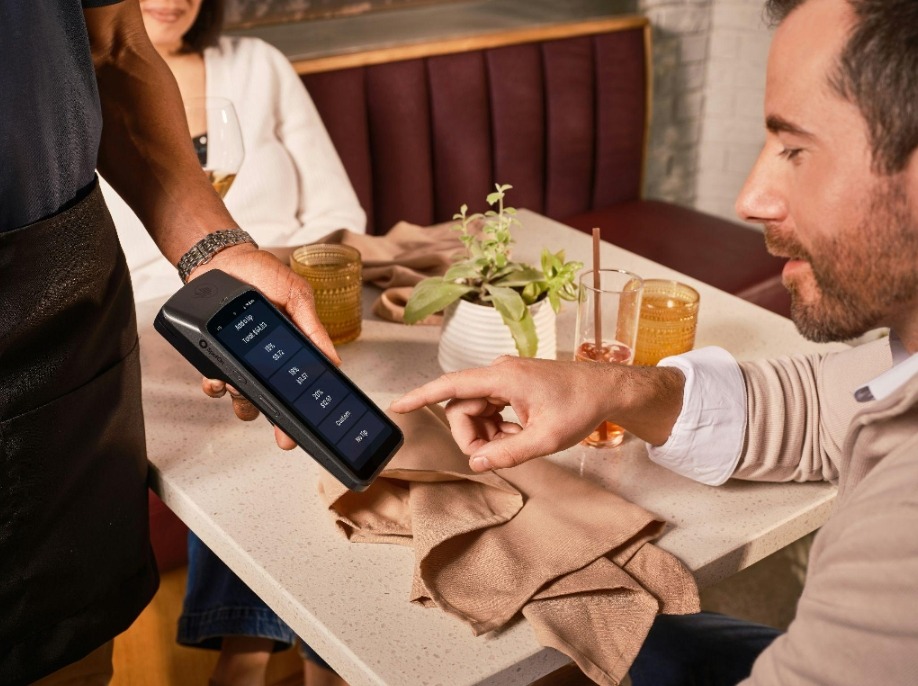
Forget the marketing language. Tableside ordering means the server opens the ticket, takes the order, fires it to the kitchen display, and closes the check — all without leaving the guest. That’s it. No paper dupe. No shouted mods that get lost. No second trip to the terminal to process a card.
The difference between a handheld POS and a traditional fixed terminal isn’t just mobility. It’s where errors enter the system. With fixed terminals, the gap between “what the guest said” and “what gets typed in” is measured in steps and distractions. With a handheld, the server confirms the order in front of the guest. The guest catches the mistake before the ticket fires. Order accuracy improves because the feedback loop closes at the table, not in the kitchen.
During a Saturday dinner rush, that difference compounds fast. One misread modifier on a steak can trigger a re-fire, a delay, a comp, and a bad review — all from one missed step at a terminal thirty feet away.
How the Hardware Actually Works
Most restaurant-grade handheld POS devices run on Android, connect over Wi-Fi, and carry an integrated payment reader — EMV chip, NFC contactless, and magstripe in one unit. The server doesn’t carry a separate card reader. The device handles the full payment flow: dip, tap, or swipe, signature or PIN, digital receipt to email or SMS.
Here’s where it breaks for some operators: Wi-Fi dead zones kill the workflow. If your dining room has coverage gaps near the bar or the patio, the device either lags or drops. Before you deploy any handheld system, walk the space with a signal meter. Fix the network first. The POS hardware is the easy part.
Check these before your first shift goes live:
Wi-Fi signal strength at every table — not just the host stand
Battery life under real-load conditions, not just spec-sheet estimates
Kitchen display integration confirmed with a live test fire
Split-check workflow tested with a multi-seat table before peak hours
Offline fallback behavior — does the device queue orders or freeze?
That last point matters more than most vendors admit. If your internet goes down mid-service, you need to know whether the device keeps taking orders locally or becomes a brick. Test the offline mode before you trust it with a full dining room.
The Average Check Problem (and How Handheld Fixes It)
Servers who carry handhelds upsell more. That’s not a sales pitch — it’s a workflow observation. When a server is standing at the table, device in hand, suggesting a second round or a dessert is natural. When they have to walk to a terminal, print a check, walk back, and then process an add-on — that sequence rarely happens. The friction kills the upsell.
Tableside payment also removes the “check limbo” problem. You know the one: guest asks for the check, server prints it, guest waits, server picks up the card, server walks to the terminal, processes, walks back. That sequence can run five to eight minutes. With a handheld, it collapses to under two — guest taps or dips right there, gets a digital receipt, done. Table turns faster. The next cover sits sooner.
I’ve talked to operators who added handhelds to half their floor staff and saw their bar attachment rate climb within the first two weeks — not because the menu changed, but because the server was present long enough to ask the question.
Staff Management and the Shift-Close Workflow
At 10pm close, the handheld either saves you thirty minutes or costs you an hour — depending on how the system handles end-of-day reconciliation. Verify that each device settles independently or syncs to a central batch automatically. If a server forgets to close their device, you want the system to catch it, not leave an open batch overnight.
Edge case worth knowing: if a server voids a check after the kitchen has already started the ticket, the handheld POS should flag the void and prompt a manager override. Some systems don’t. The ticket gets voided on the POS side, but the kitchen display still shows the order running. Result: food gets made, plated, and then wasted. Check how your system handles post-fire voids before day one.
Another edge case: duplicate authorization. Guest taps twice — NFC sometimes triggers on contact and then on hold. A well-configured handheld pos should detect the duplicate auth and suppress the second charge before it processes. If yours doesn’t, you’ll be issuing refunds manually and explaining it to guests. That’s a configuration check, not a hardware problem — but you need to confirm it.
Choosing the Right Handheld POS for Your Operation
The hardware decision depends on your floor layout, your ticket volume, and how your kitchen is set up. A fast-casual counter-service spot has different needs than a full-service dining room with forty tables. Ask these questions before you commit:
Does the device integrate natively with your existing kitchen display system, or does it require a middleware layer?
What’s the battery replacement or swap protocol mid-shift?
How does the vendor handle PCI compliance — is it device-level encryption or are you routing through a separate gateway?
What’s the support response time when a device fails during Friday dinner service?
Can you add devices as you scale, or are you locked to a license count?
PCI compliance is not optional and not negotiable. Any device processing card payments needs to meet current PCI DSS requirements. If a vendor glosses over this question, that’s a red flag. Ask for documentation.
Scalability matters more than operators expect on day one. You might start with two handhelds on the floor. If the system works, you’ll want to expand. Find out now whether adding devices means a new contract negotiation or a simple provisioning step.
Where the Technology Is Heading in 2026
NFC contactless is now table stakes — no serious handheld ships without it. The direction in 2026 is toward tighter kitchen integration, where the handheld doesn’t just fire a ticket but tracks course timing and alerts the server when a course is running long. Some systems are building in loyalty and CRM touchpoints directly at the payment step — guest pays, device prompts for loyalty lookup, points post automatically.
The operators who get the most out of handheld POS aren’t the ones with the newest hardware — they’re the ones whose staff actually knows how to use it. Training matters. A device that sits in a server’s apron pocket because they don’t trust it is just expensive equipment collecting grease.
Run a proper rollout: train on a slow shift, not a Friday night. Let servers practice split checks and voids before they face a twelve-top with separate checks and a time pressure. The hardware is ready. The question is whether your team is.
FAQ: Handheld POS for Restaurants
Do handheld POS devices work if the internet drops?
Most modern units support offline queuing — they store orders locally and sync when connectivity restores. Confirm this with your vendor and test it before going live.
Can one device handle split checks?
Yes, but the UX varies by platform. Some systems split cleanly by seat; others require manual item reassignment. Test the split-check flow before peak service.
How long does a typical battery last per shift?
Battery life varies by device and usage intensity. Ask your vendor for real-world shift data, not just spec-sheet numbers, and confirm whether spare batteries or charging docks are part of the deployment.
What happens if a device is dropped or damaged mid-shift?
Have a backup device staged and provisioned. Don’t assume the vendor will swap hardware same-day — they usually can’t. Own your contingency plan.