
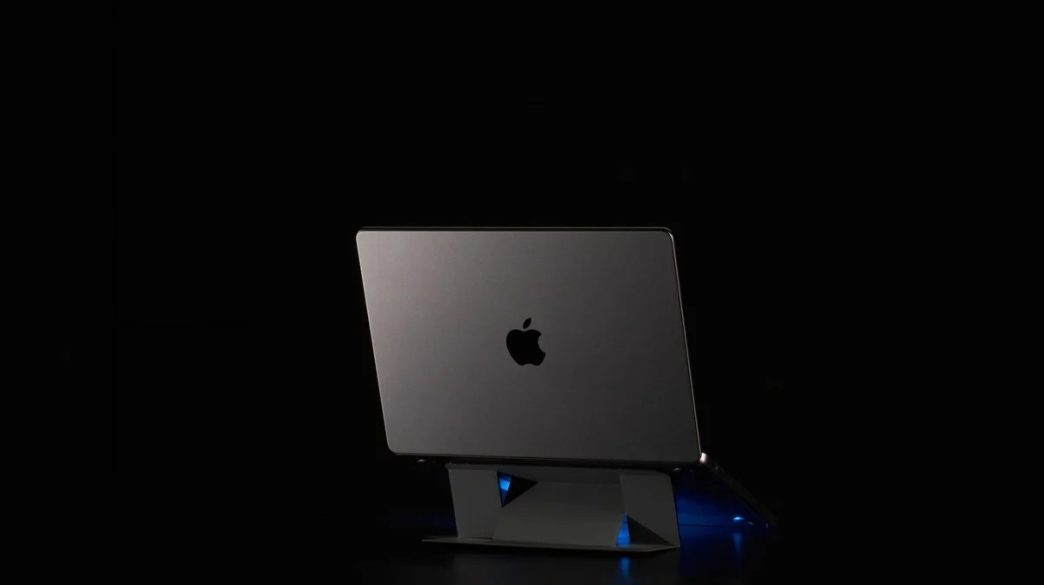
If you have ever finished a full day of work at a laptop and noticed your neck aching, your shoulders pulling forward, or a general sense of physical fatigue that seems disproportionate to what you actually did, the laptop is probably at least partially responsible. Not because laptops are poorly designed, but because they were not designed for hours of stationary use at a desk. The screen sits too low, the keyboard is too close to the screen, and the whole arrangement encourages a posture that accumulates strain quietly over the course of a day.
A laptop stand is the most direct solution to that problem, and it is one of those purchases that tends to produce an immediate and noticeable improvement rather than a gradual one. The change in screen height alone is enough for most people to feel the difference within the first hour of use. Understanding what to look for before buying one, and what separates a stand that genuinely improves a setup from one that just raises the laptop a few centimeters, is worth some time.
The Ergonomic Case for Raising Your Screen
The ideal monitor position for sustained computer work places the top of the screen at or just below eye level, with the screen roughly an arm’s length away. A laptop sitting flat on a desk places the screen significantly below that, typically requiring a downward head tilt of fifteen to thirty degrees depending on the desk height and the user’s seated position.
That downward tilt is more consequential than it sounds. The human head weighs roughly five kilograms in a neutral position. As the neck tilts forward, the effective load on the cervical spine increases substantially, reaching multiples of the head’s actual weight at significant angles. Sustained exposure to that load over a working day, repeated across weeks and months, produces the kind of cumulative strain that becomes a chronic problem rather than a temporary discomfort.
Raising the laptop screen to the correct height with a laptop stand addresses this directly. It does not require an expensive ergonomic chair or a full desk replacement. It is a single adjustment that corrects the most significant postural problem created by laptop use at a desk, and it costs a fraction of what addressing the resulting physical problems tends to cost if left uncorrected.
What the Laptop Stand Market Actually Looks Like
The laptop stand market spans a wide range of designs, price points, and intended use cases. At one end are fixed-height stands that raise the laptop to a single predetermined angle. These are simple, usually inexpensive, and effective if the fixed height happens to match the user’s ergonomic requirements. The problem is that the correct screen height varies between people based on seated height, chair adjustment, and desk height, and a fixed stand that works perfectly for one person may be slightly off for another.
Adjustable stands offer more flexibility but introduce more mechanical complexity. The quality of the adjustment mechanism determines how useful the flexibility actually is. A stand that adjusts smoothly and holds its position reliably across a range of heights is genuinely more useful than a fixed one. A stand that adjusts in theory but drifts or requires tools to change is barely better than a fixed height and significantly more expensive.
Portable stands designed for travel are a distinct category that prioritizes pack size and weight over the robustness of a desk-based option. For anyone who works from different locations regularly, a laptop stand that folds flat and fits into a laptop bag without adding meaningful weight is a different product from one designed to live permanently on a desk, and the trade-offs involved are different.
The Features That Separate Useful Stands From Average Ones
Stability is the foundational requirement. A laptop stand that wobbles during typing is not a usable product regardless of its other qualities. Stability comes from a combination of base width, build material, non-slip feet, and the geometry of how the stand contacts the desk surface. Aluminum stands with rubberized feet consistently outperform plastic alternatives in this regard, both in initial stability and in how that stability holds up over time.
Airflow is a feature that matters more than most people anticipate when buying a stand. Raising the laptop off the desk surface improves passive cooling by allowing air to circulate underneath the device. For laptops that run warm under sustained load, this improvement in thermal management can meaningfully affect sustained performance as well as long-term hardware health. A stand that raises the laptop while also improving airflow delivers two benefits for the price of one.
Cable management is a detail that affects the overall desk experience more than it affects the stand’s primary function. A stand that incorporates cable routing or keeps the laptop positioned in a way that allows cables to be managed cleanly contributes to a desk setup that functions better and looks better simultaneously. It is not a reason to buy a stand on its own, but it is a meaningful differentiator between stands that are otherwise similar.
The Portable Stand Case: Working From Anywhere
The growth of remote and hybrid work has created a genuine market for laptop stands that travel. Working from a coffee shop, a coworking space, a hotel room, or anywhere other than a fixed desk creates the same ergonomic problems as working from a desk, often in worse physical environments. A portable laptop stand that can be set up in under a minute and stowed in a bag in under thirty seconds extends the ergonomic benefit of raised screen height to every work environment rather than just the home office.
The challenge with portable stands is that the properties that make them portable, light weight, compact fold, slim profile, are in tension with the properties that make stands effective: stability, height range, and robustness. The better portable stands manage that tension through intelligent design rather than simply making a smaller version of a desk stand. Hinged designs, interlocking components, and precision tolerances allow some portable stands to achieve stability and height range that their pack size does not suggest.
For frequent travelers and remote workers, a well-designed portable laptop stand is one of the higher-value additions to a work kit. It is the kind of accessory that gets used every working day in every location and whose absence is felt immediately when it is left behind.
What MOFT Does Differently in This Category

MOFT has earned a strong reputation for laptop stands by focusing on the thing that matters most in this category: making them truly easy to carry without sacrificing the support that makes them useful. The designs fold down slim enough to slip into a laptop sleeve or bag without becoming a burden, which makes them feel practical for everyday movement rather than portable only in theory. Just as importantly, they are built to stay dependable over time. Regular folding and unfolding can quickly expose weak construction in cheaper stands, but MOFT’s designs feel made for repeated daily use. For people who work across different spaces and need a stand that performs just as well on the go as it does at a desk, that balance of portability, durability, and real functionality is what makes the brand stand out.
Setting Up a Laptop Stand Correctly
A laptop stand is only as useful as the setup built around it. Raising the screen creates an immediate ergonomic benefit but also creates a new requirement: an external keyboard and mouse, or at minimum an external keyboard, become necessary for comfortable typing. Using the laptop’s built-in keyboard while the screen is at the correct height requires the same forward arm reach and shoulder position that was problematic before the stand was added, just with the added problem of looking up at the screen rather than down.
The correct setup places the laptop on the stand at eye level, with an external keyboard at a height that allows the elbows to sit at roughly ninety degrees and the wrists to remain neutral during typing. That combination, stand plus external keyboard, is the complete ergonomic solution. A stand alone is an improvement. A stand with the right keyboard setup is a transformation.
Desk organization around the stand matters too. A stand that raises the laptop creates space underneath it that can be used for cable routing, a small hub, or simply clearing the desk surface. Taking advantage of that space rather than ignoring it produces a cleaner and more functional setup than one where the stand is simply dropped into an existing arrangement without adjusting anything else.
The Takeaway
A laptop stand is not a luxury accessory for people who take their desk setup too seriously. It is a practical response to a genuine physical problem created by the design of laptops for use cases they were not originally optimized for. The improvement in posture, screen position, and thermal performance is immediate and cumulative in a way that compounds positively over time. For anyone who spends significant hours at a laptop and has not yet addressed the screen height problem, it is one of the higher-return investments available in the desk setup category, requiring no expertise to implement and delivering noticeable results from the first day of use.