

AI is making three-dimensional content easier to create.
A small game studio can produce early props without waiting for a long modeling cycle. An ecommerce team can test an interactive product view. An education startup can turn an illustration into a spatial teaching aid. A creator can experiment with AR objects, virtual exhibitions, or animated product visuals.
This wider access creates real opportunities, especially in mobile-first markets where smartphones are often the main way people use the internet.
But easier asset creation does not automatically lead to better mobile experiences.
A model may look impressive on a designer’s desktop and still perform poorly on an ordinary phone. It may take too long to load, consume too much data, drain the battery, or fail completely on an unstable connection.
For developers and digital businesses, the challenge is no longer only how to create 3D content.
It is how to make that content useful on the devices and networks people actually have.
The Opportunity Is Growing Faster Than Access Conditions
Interactive 3D can improve several mobile experiences:
- Customers can rotate a product before buying it.
- Students can inspect an object that is difficult to explain with a flat image.
- Game players can enter more convincing virtual environments.
- AR users can place furniture or equipment in a real space.
- Sales teams can demonstrate products remotely.
- Museums and cultural projects can share digital objects with wider audiences.
These use cases are valuable because they make information more visual and easier to explore.
However, mobile audiences are not technically uniform.
Some users have recent flagship phones and fast Wi-Fi. Others rely on mid-range or older devices, limited data plans, shared connections, or networks that change quality throughout the day.
A feature that works perfectly under ideal conditions may exclude a large part of the intended audience.
That is why mobile 3D should be evaluated through more than visual quality.
Teams also need to ask:
- How large is the model file?
- How much data does the full experience consume?
- How long does it take to become usable?
- What happens on a slower phone?
- Can the page still work if the model fails?
- Does the interaction justify the technical cost?
AI Solves the First Asset Problem, Not the Entire Delivery Problem
Traditional 3D creation may involve concept design, modeling, UV work, materials, textures, optimization, and several rounds of feedback.
AI can shorten the first part of that process.
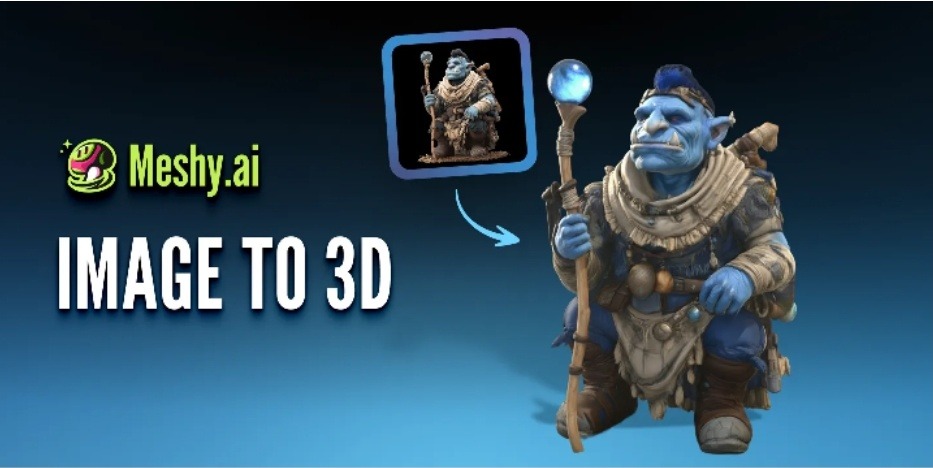
A product photograph, design image, illustration, or concept render can become the starting point for an image to 3D workflow. This allows teams using platforms such as Meshy to generate an early textured model without beginning with a completely manual build.
That is useful for fast experimentation.
But the first generated model is not necessarily ready for a mobile application or website.
It may contain:
- More polygons than the user can see
- Textures that are too large for mobile delivery
- Several materials where one would be enough
- Hidden geometry that still increases file size
- Small details that do not survive on a phone screen
- Incorrect scale or orientation
- Complex surfaces that reduce frame rate
- Features that only look good from one angle
Generation speed and delivery efficiency are different problems.
AI can help a team obtain the asset. The team still has to prepare it for real users.
Mobile Use Cases Need Different Priorities
There is no single definition of a “good” 3D model.
The correct balance depends on what the user is trying to do.
Product exploration
An ecommerce customer needs to understand shape, size, material, and important features.
The model should look recognisable and rotate smoothly, but it may not need complex animation, realistic surroundings, or extremely detailed geometry.
Education and training
A learning model should make structure and relationships clear.
Labels, simple controls, and a stable frame rate may be more useful than highly realistic materials. If the model is part of a lesson, the application should also avoid forcing the learner to download everything at once.
Mobile games
Games need a consistent visual style and reliable performance.
One highly detailed asset is less valuable if it prevents the scene from maintaining a usable frame rate. Reusable textures, controlled polygon counts, and clear art direction matter more than making every object photorealistic.
AR placement
An AR product needs correct scale, orientation, and stable placement.
A lightweight model that sits correctly in the environment may provide a better experience than a highly detailed model that loads slowly or causes the application to struggle.
Marketing content
Not every marketing idea requires a live 3D object.
If users only need to see a rotation or material change, a short video or image sequence may communicate the idea more reliably and with a smaller technical burden.
The best format is not always the most interactive one.
It is the one that helps the user complete the intended task.
Six Rules for Building Lighter Mobile 3D Experiences
1. Start with one useful model
A common mistake is loading several objects as soon as the page opens.
Begin with the model that provides the clearest value. Additional objects can appear later or load only when the user selects them.
This reduces the initial technical burden and makes it easier to judge whether 3D is improving the experience.
2. Remove detail users cannot see
A mobile screen does not reveal every small surface.
Hidden geometry, internal structures, tiny decorative parts, and complex rear surfaces may add file weight without helping the user.
Simplification should not remove important product information, but it should question every detail that consumes resources.
3. Set realistic texture limits
High-resolution textures can make an asset look good at close range, but they also increase downloads and memory use.
Not every model needs several large texture maps.
Texture resolution should reflect:
- The physical screen size
- The expected viewing distance
- How closely users can zoom
- The importance of the material detail
- The memory limits of the target device
A texture that looks slightly sharper on a development monitor may provide no visible benefit on a typical phone.
4. Load 3D only when the user asks for it
A product page can show a normal image first and load the 3D model after the user selects “View in 3D.”
This keeps the main content available quickly and avoids using data for visitors who never open the feature.
Lazy loading is especially useful when the same page contains several models or when users may be browsing on a limited connection.
5. Keep a two-dimensional fallback
A 3D experience should not become the only way to access essential information.
Users should still be able to see:
- Product images
- Dimensions
- Written descriptions
- Instructions
- Pricing and purchase controls
- Important educational content
If the model fails, loads too slowly, or is unsupported by the device, the page should remain useful.
Accessibility includes technical accessibility.
6. Test on everyday hardware
Testing only on development computers and premium phones creates false confidence.
Teams should include:
- Mid-range Android phones
- Older devices still used by the target audience
- Slower mobile networks
- Limited memory conditions
- Different browsers
- Devices with lower battery levels
The most important test is not whether the experience can run.
It is whether it remains comfortable to use.
A Mobile Experience Should Be Designed, Not Merely Compressed
Supporting lower-bandwidth users does not mean delivering a visibly poor product.
It means designing around actual needs.
A furniture shopper may only need one clear model, not a complete virtual room. An education application can load one learning object per chapter instead of downloading an entire library. A game can use a coherent stylised look rather than depending on heavy photorealistic textures.
A product page may show images first, then offer an optional interactive view. A digital exhibition can provide preview images and load individual objects only when a visitor chooses to explore them.
These decisions are more effective than taking a heavy desktop experience and trying to compress it at the last minute.
Good mobile 3D begins with restraint.
It asks what the user needs to understand, then delivers only the content required to support that understanding.
The Viewer Is Part of the Product
The model itself is only one part of the experience.
Camera controls, touch gestures, loading feedback, labels, reset buttons, and error handling all affect whether the user understands what to do.
Before integrating a model into a full application, teams can inspect it through an online 3D viewer and check how the asset appears from different angles.

The next step is testing it inside the real interface.
Useful questions include:
- Is rotation easy with one finger?
- Does zooming interfere with page scrolling?
- Is the model centred when it loads?
- Can users reset the camera?
- Is the loading state clear?
- Does the object remain visible on a small screen?
- Are buttons large enough to tap?
- Does the experience still work in portrait orientation?
A technically optimized model can still fail if the interaction is confusing.
Performance Should Be Measured as a User Outcome
Teams often measure how many models they created or how quickly generation was completed.
Those numbers say little about whether the mobile experience works.
More useful indicators include:
- Model loading success rate
- Median loading time on mobile connections
- Frame rate on mid-range devices
- Percentage of users who open the 3D feature
- Exit rate while the model is loading
- Data consumed per experience
- Interaction completion rate
- Static fallback usage
- Battery or memory problems reported by users
- Whether 3D improves understanding, learning, or purchase confidence
The final metric is especially important.
A 3D feature can attract attention without improving the product. If users open it once and then abandon the page, the experience may be visually interesting but commercially weak.
Innovation should be measured by usefulness, not novelty alone.
Accuracy Still Needs Human Attention
Optimization cannot become an excuse for misrepresenting the object.
Generated models may include:
- Incorrect hidden surfaces
- Missing product parts
- Distorted text or logos
- Simplified materials
- Inaccurate proportions
- Estimated dimensions
- Unnatural rear geometry
Reducing polygon counts and texture sizes can introduce additional mistakes if important structures are removed.
Real products should be checked against photographs, measurements, technical references, or approved design files. AR models need correct scale. Medical, engineering, safety, and manufacturing uses require professional validation.
The goal is not to create the smallest possible file.
It is to create the lightest file that still communicates the necessary information accurately.
Design for the Device Users Have
AI has lowered the barrier to creating 3D assets, but successful mobile delivery still requires deliberate choices.
Teams need to decide what users actually need to see, which details can be removed, when the model should load, and what happens when the device cannot support it.
The strongest mobile 3D experience is not the one that looks best on a demonstration laptop.
It is the one that remains clear, responsive, and useful on the devices and networks used by the intended audience.
FAQs
Can AI-generated 3D models run on ordinary smartphones?
Yes, but the model will often need optimization. Reducing geometry, compressing textures, simplifying materials, and limiting the number of simultaneous assets can improve performance on ordinary devices.
Is a 3D model always better than a product video?
No. If users do not need to rotate, inspect, or interact with the object, a video or image sequence may load more reliably and communicate the same information.
Which 3D format works well for mobile websites?
GLB and glTF are commonly used for web-based 3D because they can package geometry, materials, textures, and animation efficiently. Actual performance still depends on the complexity of the asset and the implementation.
Should a website load the 3D model immediately?
Usually not. Loading the model after the user requests it can improve the initial page speed and avoid consuming data for visitors who never use the feature.