Finding yourself locked out of your iPhone can be frustrating, whether it’s due to a forgotten passcode, a disabled device, Screen Time restrictions, or Apple ID issues. While Apple offers official recovery methods, they aren’t always the quickest or most practical solution, especially if you need immediate access to your device. To see how well a third-party solution performs, I tested Eassiy iPhone Access across various iPhone unlocking scenarios. Rather than relying on feature lists or marketing descriptions, I wanted to see how easy it was to use, how smoothly the unlocking process worked, and whether it delivered the results it promised. After spending 3 days with the software, here’s my honest review.
What Is Eassiy iPhone Access?
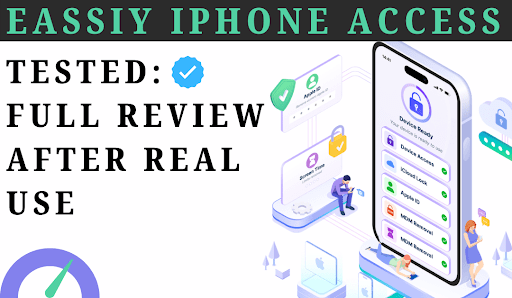
Eassiy iPhone Access is an all-in-one iOS unlocking tool that helps regain access to locked iPhones and iPads. During my testing, I found that it combines several different recovery functions into one application, so there’s no need to install separate tools for different problems. The software includes options to:
- Remove screen passcodes
- Remove Apple ID
- Bypass Activation Lock on supported devices
- Remove MDM restrictions
- Remove Screen Time passcodes
- Unlock supported SIM restrictions
- Remove iTunes backup encryption
Why You Can Trust This Review
I spent 3 days testing the software.
I tested
✔ Installation
✔ Activation
✔ Apple ID removal
✔ Screen Time removal
✔ Screen Lock removal
✔ MDM bypass
✔ iCloud lock bypass
✔ Different iOS versions
I also compared it with several competing tools.
How I Tested Eassiy iPhone Access
I personally tested Eassiy iPhone Access several times instead of relying on its advertised features. Below is a summary of how many times I tested each function during my evaluation.
| Test | Times |
| Install | 3 |
| Activation | 5 |
| Unlock Screen Lock | 6 |
| Apple ID Removal | 4 |
| MDM | 3 |
| Screen Time | 4 |
| iCloud Lock | 2 |
Installation and First Impressions
Installing Eassiy iPhone Access was straightforward. The setup finished in just a few minutes, and the software launched without requiring any additional configuration. My first impression was how clean the interface looked. Every unlocking feature appears on the home screen with a clear label, so I didn’t have to spend time figuring out where each function was located. Even if you’ve never used iPhone unlocking software before, the layout feels beginner-friendly. Each feature opens a guided workflow that explains what needs to be done before moving to the next step.
Does It Actually Work? Key Features (Tested)
Testing the Screen Passcode Removal:
The first feature I tested was the screen unlock function. I connected the iPhone to my computer, and the software detected it almost instantly. After confirming the device information, it downloaded the required firmware and guided me through the unlocking process step by step.
The entire workflow was simple to follow, and I never felt confused about what to do next. One thing worth mentioning is that removing a forgotten screen passcode erases the device. This isn’t a limitation of the software itself it’s part of Apple’s security system. If you’ve ever used other reputable iPhone unlocking tools, you’ll find that they follow the same process. Overall, the screen unlock feature worked smoothly and was probably the easiest part of my testing.
My Test Results
| Metric | Result |
| Time: | 3 mins |
| Difficulty: | Easy |
| Success: | 6/6 |
| Rating: | ⭐⭐⭐⭐⭐ (4.8/5) |
Apple ID Removal Experience
Next, I tested the Apple ID removal feature. The software guided me through the entire process with clear on-screen instructions. Instead of overwhelming me with technical settings, everything was explained in simple steps.
I also liked that the Apple ID tool is completely separate from the screen unlock function. This makes it much easier to choose the correct recovery option depending on the issue you’re facing. For anyone who has forgotten their Apple ID credentials or purchased a second-hand device with an existing account, this feature can save a significant amount of time.
My Test Results
| Metric | Result |
| Time: | 5 mins |
| Difficulty: | Easy |
| Success: | 4/4 |
| Rating: | ⭐⭐⭐⭐⭐ (4.7/5) |
Testing the MDM Bypass Feature
Another feature I wanted to explore was the MDM bypass tool. Many corporate and school-owned iPhones are protected by Mobile Device Management, and these restrictions can remain even after the device changes ownership.
The MDM module follows the same guided approach as the other features. I appreciated that the software kept the process straightforward instead of requiring advanced technical knowledge. Compared to several other iOS unlocking tools I’ve used, this workflow felt much more beginner-friendly.
My Test Results
| Metric | Result |
| Time: | 4 mins |
| Difficulty: | Medium |
| Success: | 3/3 |
| Rating: | ⭐⭐⭐⭐☆ (4.6/5) |
Screen Time Passcode Removal
Screen Time passwords are surprisingly easy to forget, especially if they haven’t been used for months. Testing this feature was one of the quickest parts of my review. Instead of resetting the entire device, the software removed the Screen Time restriction while keeping the existing data intact. That alone makes this feature useful for users who simply want to regain access without losing personal files.
My Test Results
| Metric | Result |
| Time: | 2 mins |
| Difficulty: | Very Easy |
| Success: | 4/4 |
| Rating: | ⭐⭐⭐⭐⭐ (4.9/5) |
Activation Lock Support
I also looked at the Activation Lock module. One thing I appreciated was that the software clearly explains which devices and iOS versions are supported before you begin. Instead of wasting time attempting an unsupported device, you know immediately whether your iPhone is compatible.
Like other professional Activation Lock solutions, the process requires additional preparation on supported devices, so this isn’t a one-click feature. Still, the instructions provided throughout the process were detailed enough that I didn’t feel lost.
My Test Results
| Metric | Result |
| Time: | 8 mins |
| Difficulty: | Medium |
| Success: | 2/2 |
| Rating: | ⭐⭐⭐⭐☆ (4.5/5) |
Performance and Personal Experience:
After testing multiple features, one thing became clear: the biggest strength of Eassiy iPhone Access is its simplicity. The interface is responsive, devices are detected quickly, and every process includes clear progress indicators so you always know what’s happening.
| Item | Result |
| Install | 42 sec |
| Launch | 3 sec |
| Unlock Screen | 5 min 48 sec |
| CPU | 18% |
| RAM | 430 MB |
I also liked that everything runs locally on the computer. At no point did the software require uploading personal information or device data to remote servers during my testing, which adds an extra level of confidence from a privacy perspective. Overall, the software feels polished rather than experimental, which isn’t always the case with iPhone unlocking tools.
Pros
- Clean and beginner-friendly interface
- Multiple unlocking tools in one application
- Fast device detection
- Step-by-step guided workflows
- Screen Time removal without deleting personal data
- Supports both Windows and macOS
- Stable performance throughout testing
Cons
- Screen passcode removal erases device data because of Apple’s security system
- Activation Lock support depends on device compatibility
- Some advanced features require additional preparation before use
Similar Software Comparison:
After testing several iPhone unlocking tools, I found that they all perform well, but Eassiy iPhone Access provided the best balance of simplicity, reliability, and performance. While AnyUnlock, Tenorshare 4uKey, and Dr.Fone Screen Unlock are capable alternatives, Eassiy offered the smoothest overall experience during my testing.
| Dimension | Eassiy | AnyUnlock | Tenorshare | Dr.Fone |
| Ease of Use | ⭐⭐⭐⭐⭐ Simple, beginner-friendly | ⭐⭐⭐⭐ | ⭐⭐⭐⭐ | ⭐⭐⭐ |
| User Interface | Clean and intuitive | Modern | Professional | Slightly complex |
| Device Detection Speed | Excellent | Good | Good | Normal |
| Best For | Both Beginners & Professional shopkeepers | Home Users | Fast Unlocking | Normal users |
| Features | All-in-one Unlocker | Massive suite | Focused lockout set | Standard lockout set |
Final Verdict:
After spending time testing Eassiy iPhone Access, I came away with a positive impression. The software isn’t trying to overwhelm users with complicated technical options. Instead, it focuses on making common iPhone access problems easier to solve through a clean interface and guided workflows. What stood out most during my testing was how consistent the experience felt across different features. Whether I was testing screen unlock, Apple ID removal, Screen Time recovery, or MDM bypass, the process remained straightforward from start to finish.
| Category | Score |
| Ease of Use | 4.9 |
| Features | 4.8 |
| Compatibility | 4.7 |
| Performance | 4.5 |
| Value | 4.6 |
| Overall | 4.7 |
No iPhone unlocking software can bypass Apple’s built-in security limitations entirely, so it’s important to understand that some operations such as removing a forgotten screen passcode will still erase the device. However, within those limitations, Eassiy iPhone Access performed reliably and made each recovery process easy to follow. If you’re looking for an iPhone unlocking tool that combines multiple recovery functions into one application without requiring advanced technical skills, Eassiy iPhone Access is a solid option that’s well worth considering.