Buying software can feel like a small leap of faith. You read the reviews, compare feature lists, watch a slick demo, and still wonder, “Is this actually right for me?” That doubt is completely fair, especially when the software touches your security, workflow, budget, or daily routine.
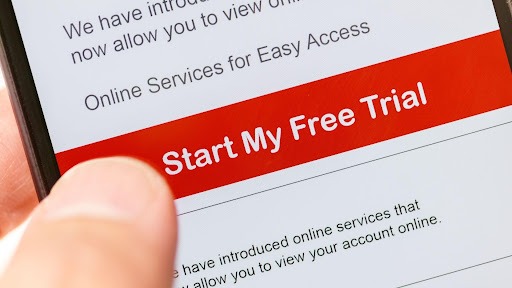
A trial takes away much of that guesswork. For regular users, free software trials create a safer way to test value before paying, while software trial advantages help you make a decision that feels practical, calm, and informed.
The Surprising Value Users Gain from Free Software Trials
A free trial turns a sales promise into a real experience. You are no longer judging from screenshots or marketing copy. You get to see how the software behaves when it is sitting on your device, handling your files, and fitting into your day.
Trials convert two to three times more sign-ups to paid; freemium builds a roughly 40% larger top-of-funnel.
Real-World Experience Without Financial Commitment
Before you spend money, you want evidence. With free software trials, you can test premium features in your own environment, not in some perfect demo setup.
That matters more than people think. A review might say an app is fast, but your older laptop may disagree. A tool may look simple in a video, but feel awkward once you use it after a long workday. Tiny frustrations rarely show up on sales pages, but they show up quickly in real life.
Better Comparisons Before You Choose
Trying premium tools without paying upfront helps you avoid buyer’s remorse. It also helps you catch compatibility problems early, before they become your problem.
If you are comparing security tools, it is worth taking the time to download Bitdefender trials along with other options during the same week. That way, you can judge setup, protection, account management, and support under similar conditions instead of relying on memory or guesswork.
Why Firsthand Testing Beats Guesswork
A polished product page can tell you what a tool is supposed to do. It cannot tell you how the dashboard feels after the fifth login, or whether the alerts are helpful instead of annoying.
The strongest benefits of software trials usually appear during ordinary use. You learn what saves time, what gets in the way, and what you would honestly keep using.
Must-Know Benefits of Software Trials for Users
Once you have spent time inside the product, the decision becomes less abstract. You are not asking, “Does this sound good?” You are asking, “Did this actually help me?” That is where the real benefits of software trials become obvious.
Assessing Core Features and Hidden Functions
A trial helps you move beyond broad claims. You can test speed, usability, integrations, privacy controls, notifications, reporting, and those little settings that never make it into advertisements.
This is where software trial decision making becomes much more grounded. You are not hoping the software fits your workflow. You are watching it either earn its place or fall short.
Understanding Subscription Value Over Time
After you know how a tool performs, the next question is whether it stays valuable. That means looking at support, updates, upgrade options, and whether the paid features solve problems you actually have.
Trials with 17+ days convert 70% better, with a 42.5% paid conversion rate versus 25.5%.
Knowing what to check is useful. Testing with a plan is even better.
Making the Most Out of Try Before You Buy Software
A trial period can disappear fast. One minute you sign up, the next you get the “your trial ends tomorrow” email. To get real value from try-before-you-buy software, start with a simple plan.
Set Goals Before You Start
Do not open the trial and click around randomly. Decide what you need the software to do, then test those jobs first while your attention is fresh.
For personal tools, that might mean setup, daily use, mobile access, and support. For business tools, you may need to test permissions, reporting, speed, collaboration, and whether it fits your current process.
Keep Simple Notes
Memory gets messy when you test several tools at once. A small trial journal helps. Write down what worked, what annoyed you, and whether the software saved time or added extra steps.
Nothing fancy is needed. A few bullet points are enough. This is especially helpful when you want software trial decision making to stay fair instead of being swayed by one good-looking dashboard.
Avoid the Common Traps
Even careful users can miss the fine print. Watch for usage limits, locked features, automatic renewals, or trial versions that do not match the paid product.
Also, set a calendar reminder if billing starts automatically. In the future, you will be grateful. Very grateful.
Advanced Strategies for Teams and Businesses
A structured trial helps one person make a better choice. For teams, the impact can be even bigger. When everyone tests the same tool against the same requirements, the final decision becomes easier to defend.
Build Shared Evaluation Rules
Teams should agree on success criteria before testing begins. Otherwise, one person may focus on design, another may care about pricing, and someone else may judge only the reporting tools.
Shared rules make software trial advantages easier to measure. They also prevent the decision from turning into a popularity contest, which, let’s be honest, happens more often than teams admit.
Test in Safe Environments
Team buy-in matters, but system safety matters too. If the software touches security, data, browsers, or internal systems, test it carefully before rolling it out to everyone.
For example, a business may run antivirus checks in a controlled environment before broader deployment. That way, performance or compatibility issues do not hit the whole company at once.
Look for Unexpected Perks
Some trials come with more than temporary access. You may get early feature previews, onboarding help, special pricing, or direct contact with the vendor’s team.
Sometimes vendors genuinely want feedback. If so, your trial can give you a small voice in how the product improves. Not a bad bonus.
Action Steps: Start Your First Free Software Trial Today
Now that you know how trials work, you can use them with more confidence. Start small. Stay organized. Test only what you truly need.
Choose Trusted Sources
Use official websites, recognized app stores, and reliable review platforms. If a download page feels suspicious, leave it. Saving a few minutes is not worth risking your device or data.
Review Before You Commit
Before buying, reread your notes. Did the tool solve real problems? Did it feel comfortable? Did the paid features justify the price?
If the answer is yes, the decision becomes much easier.
Final Thoughts on Smarter Software Choices
Software should not feel like a gamble. A good trial shows you how a product behaves in your real routine, not just inside a polished demo. When you set goals, compare options, check limits, and think about long-term value, you make better choices with less stress. The smartest purchase often starts before the checkout page. It starts with a thoughtful test.
FAQs on Free Software Trials
- Are trial versions usually limited?
Some are limited, but not all. A good trial should explain restrictions before you install. If important features are locked, be careful. The trial may not show the full paid experience.
- Do I need a credit card for every trial?
No. Some vendors ask for payment details, while others let you start without them. Always review renewal terms before signing up, and set a reminder if you need to cancel before billing begins.
- Can trials create security or data risks?
Yes, if you download from the wrong place. Use official vendor websites, trusted app stores, or reputable marketplaces. Avoid giving unnecessary permissions, especially to tools that access files, browsers, email, or personal data.