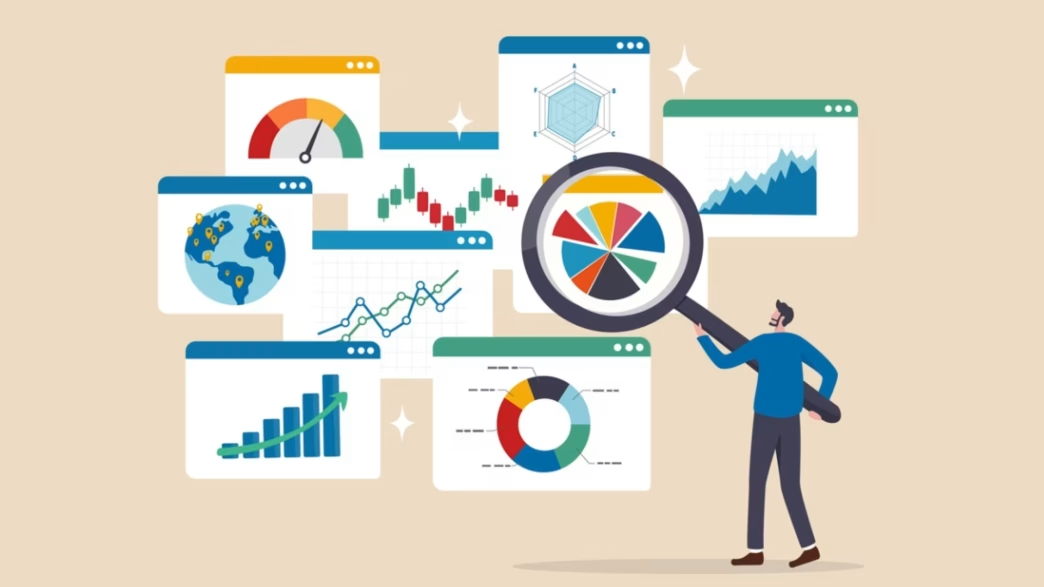
Data work in 2026 asks for more than chart building. Professionals are expected to clean data, query databases, explain trends, and present findings clearly across business, finance, product, and operations teams.
This list covers seven practical courses that help build those skills. It includes Python, SQL, spreadsheet analysis, statistics, and two guided dashboard programs for people aiming at reporting, analysis, and business intelligence roles.
Factors to Consider Before Choosing a Data Analytics and Reporting Course
- Pick a course that matches your next role, not just your current curiosity
- Make sure the tool focus is clear, whether that is Python, SQL, Excel, Power BI, or Tableau.
- Look for hands-on work, because guided practice matters more than passive video time.
- Check the course duration so it fits your weekly schedule realistically.
- Add at least one course that strengthens reasoning, not just tools, such as statistics or analytical thinking.
Top Data Analytics and BI Courses to Support Career Growth in 2026
1) Great Learning Academy Pro+ | Advanced Data Visualization using Power BI
Duration: 11 hours
Short Overview:
This Great Learning power bi course suits professionals who already work with spreadsheets or reporting and want stronger dashboard skills.
It moves from Power BI setup and data modeling to advanced charts, clustering, What If analysis, and storytelling, then ties everything together in a guided sports analytics project.
Key Highlights / What Sets It Apart
- The guided project is FIFA 2018 Player Analysis, where you work with player details, wages, physical stats, skills, potential, and positional strengths to build dashboards and generate insights from sports data.
- The course covers Power BI Desktop setup, data import, data modeling, flow maps, funnel charts, gauge charts, histograms, heat maps, clustering, DAX calculations, Pareto charts, What If analysis, waterfall charts, and dashboard storytelling.
- You receive a Great Learning certificate, and guided projects also carry project certificates. With Academy Pro+, you can continue learning through access to 20+ latest courses within a broader Pro catalog, along with guided projects, AI mock interviews, and résumé tools.
- GL Coach support adds instant doubt clarification, curated materials, AI-assisted mock interviews, and a smart résumé builder that helps place your new data science competencies in front of recruiters more clearly.
Learning Outcomes
- You learn to import data, model it, build dashboards, use advanced visual elements, apply calculations, and present business findings with clearer Power BI stories.
2) Udacity | Introduction to Python
Duration: 20 hours
Short Overview:
This beginner-friendly Python course helps working professionals build coding confidence before stepping into analytics or automation work.
You learn core syntax, variables, loops, functions, and data structures through hands-on lessons. It suits learners who want a practical starting point before moving into pandas, SQL, or reporting tools.
Key Highlights / What Sets It Apart
- The course focuses on Python programming fundamentals, including data types and structures, variables, loops, and functions, which makes it a clean entry point for non-programmers.
Learning Outcomes
- You finish with a working base in Python syntax and problem solving, useful for later work in analytics, scripting, automation, and data preparation.
3) DataCamp | Introduction to SQL
Duration: 2 to 3 hours
Short Overview:
SQL remains one of the most useful skills for analyst roles, and this course keeps the learning curve manageable.
It teaches database structure, core query writing, and the basics of working with relational data in about two hours. That makes it a sensible pick for busy professionals.
Key Highlights / What Sets It Apart
- It introduces relational databases, table structure, and first SQL queries in a short format that feels practical rather than heavy.
Learning Outcomes
- You learn how to create and run basic SQL queries, understand relational data, and pull usable information from structured databases.
4) LinkedIn Learning | Learning Excel: Data Analysis
Duration: 3 hours 41 minutes
Short Overview:
Excel remains central to reporting, finance, and operations teams. This course shows how to work with datasets, organize analysis, and turn spreadsheet findings into clearer decisions.
It works well for professionals who already use Excel and want stronger analytical habits without changing tools.
Key Highlights / What Sets It Apart
- It is a focused Excel analysis course, which makes it useful for professionals who need stronger spreadsheet-based reporting rather than a full platform switch.
Learning Outcomes
- You improve your ability to analyze data inside Excel and communicate findings more clearly through structured spreadsheet work.
5) Great Learning Academy Pro+ | Tableau Data Visualization Essentials
Duration: 8 hours
Short Overview:
This course is best for learners who want to build clean dashboards and explain findings clearly to nontechnical stakeholders.
It starts with data structures and visual basics, then moves on to calculations, heat maps, parameters, dashboards, and story points. The guided retail project gives the Great Learning tableau course a practical shape.
Key Highlights / What Sets It Apart
- The guided project is Retail Sales Analysis, where you work with transaction details, product categories, customer demographics, sale prices, discounts, and store performance to study customer behavior, product performance, and sales trends.
- The curriculum covers visual analytics, data structure, charts and calculations, heat maps, histograms, tree maps, bullet graphs, Pareto charts, KPI controls, parameters, interactive dashboards, and storyboarding for executive reporting.
- You get a Great Learning certificate, plus project certificates for guided work. Academy Pro+ also extends your path by giving you access to 20+ latest courses within a larger Pro catalog, alongside guided projects, AI mock interviews, and résumé support.
- GL Coach support includes instant doubt clarification, curated materials, AI-assisted mock interviews, and a smart résumé builder that helps present your newer data science capabilities more effectively to recruiters.
Learning Outcomes
- You learn to structure data, build basic and advanced charts, use parameters, create interactive dashboards, and tell clearer data stories in Tableau.
6) LinkedIn Learning | Career Essentials in Data Analysis by Microsoft and LinkedIn
Duration: 12 hours 18 minutes
Short Overview:
This learning path works well for career changers who want structure instead of isolated tutorials.
It covers core data analysis concepts, common software tools, and visualization basics across five courses. The broader format is useful if you want context on how reporting, analysis, and communication fit together.
Key Highlights / What Sets It Apart
- This path is designed around career readiness, with five courses that build grounding in data analysis concepts, software tools, and visualization skills.
Learning Outcomes
- You get a wider understanding of how data analysis work is structured, which is useful if you are preparing for an entry-level analyst or reporting roles.
7) DataCamp | Introduction to Statistics
Duration: 4 hours
Short Overview:
Strong reporting depends on more than dashboards. You also need statistical judgment. This course covers measures of center and spread, probability distributions, and hypothesis testing through videos and exercises.
It is a smart addition for professionals who want to explain trends, sample results, and confidence levels more carefully.
Key Highlights / What Sets It Apart
- The course includes 16 videos and 56 exercises, with a beginner-friendly structure that keeps statistics tied to practical interpretation rather than abstract theory.
Learning Outcomes
- You learn the fundamentals of descriptive statistics, probability distributions, and hypothesis testing, which improves how you read data and justify conclusions.
Conclusion
If your goal is a data analyst or BI role in 2026, the strongest route is not a random mix of tools. It is a sensible sequence. Start with Python or SQL, strengthen spreadsheet or statistical thinking, then move into dashboard platforms that help you present decisions clearly. You can also begin with a free online course to test your interest before committing to a longer learning path.
The two guided programs in this list are especially useful for practical portfolio building, while the surrounding picks help round out your foundation. Taken together, these courses can support real job movement, better reporting quality, and greater confidence in interviews for analyst focused roles.