In today’s development world, there is an increasing expectation for fast project delivery without affecting the product performance negatively. When developing games, simulations, or real-time visualizations, efficiency affects directly our deadline and cost control. Business leaders need to optimize their development processes because otherwise, their products cannot stay competitive.
There is an array of choices and options offered by different Unreal Engine versions that help us achieve better results; however, efficiency is all about utilizing all these resources optimally.
Understanding the Role of Unreal Engine Editions
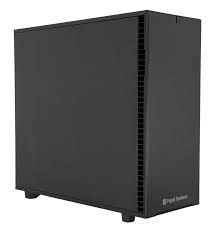
Selecting the right setup is the first step toward improving development efficiency. Systems such as an Unreal Engine Standard Edition Workstation are designed to support stable workflows for general development tasks, including asset creation and scene building.
A properly configured environment ensures that developers can work without interruptions, reducing delays caused by system limitations. This foundation allows teams to focus on productivity rather than troubleshooting performance issues.
1. Optimize Editor Performance for Faster Workflows
The Unreal Editor may also require significant resources to operate if it is not configured properly. Turning off the unnecessary real-time rendering feature and limiting background processing will have a positive effect on performance. Saving the custom layout and changing the settings for viewports are also helpful in decreasing system strain.
2. Use World Partition for Large-Scale Projects
Managing large environments can slow down development if entire levels are loaded at once. World Partition allows developers to stream only the required sections of a project.
This approach improves performance and reduces memory usage. It also makes collaboration easier, as teams can work on different parts of the same project without conflicts.
3. Leverage Nanite and Lumen for Rendering Efficiency
Nanite and Lumen are some of the many state-of-the-art rendering techniques offered by the Unreal Engine today. The purpose of these engines is to lessen the workload of developers and provide high-quality results. Nanite provides an efficient method for complex geometry rendering, whereas Lumen renders dynamic lights.
4. Improve Asset Management and Workflow
Asset management plays a very important role in terms of keeping up with the pace of development. Virtualization of assets makes sure that only those assets that are required are loaded onto the system. Engines such as Unreal Engine Professional Edition Workstation make things easier as well.
Proper file naming conventions and folder structure also make access to the required assets easier.
5. Optimize Shader Compilation and Materials
Shader compilation can slow down iteration times if not managed properly. Using material instances instead of creating new shaders reduces compilation overhead.
Setting up a local Derived Data Cache (DDC) ensures faster loading and prevents repeated processing. These optimizations significantly improve workflow efficiency.

6. Balance Blueprint and C++ Usage
Blueprints have some advantages of being flexible and easy to use; however, too much dependence on blueprints may affect the performance of your project. As for complicated systems, moving the logic to C++ will be more efficient. It is recommended to avoid extra ticks by using timers.
7. Utilize High-Performance Systems for Complex Projects
As projects grow in complexity, hardware plays a critical role in maintaining efficiency. High-performance systems reduce build times, speed up rendering, and improve overall responsiveness.
This allows teams to work more efficiently on advanced projects without delays caused by hardware limitations.
8. Profile Performance Early and Regularly
Identifying bottlenecks early prevents major issues later in development. Tools such as Unreal Insights provide detailed performance data for CPU and GPU usage.
Monitoring metrics like frame rate and processing time helps developers make informed decisions. Regular profiling ensures that performance remains consistent throughout the project lifecycle.
9. Streamline Collaboration and Version Control
Efficient collaboration is essential for large development teams. Using proper version control systems ensures that changes are tracked and managed effectively.
Shared workflows and structured pipelines reduce conflicts and improve team coordination. This leads to faster development cycles and fewer delays.
10. Plan for Scalability and Long-Term Efficiency
Development projects often evolve, requiring additional resources and capabilities. Choosing scalable tools and workflows ensures long-term efficiency.
Planning for future expansion allows teams to adapt without disrupting ongoing work. This approach supports continuous improvement and sustained productivity.

Driving Better Results Through Optimized Development
Efficient development using Unreal Engine versions is all about finding the perfect blend between the necessary tools, processes, and hardware that go into the development. When the correct combination exists, developers will be able to produce faster and with higher quality.
Dell Technologies and HP are some of the big players when it comes to systems; however, the configuration that they use does not always optimize Unreal Engine processes, which will lead to inefficiencies in their use.
Cloud Ninjas offers a more personalized solution since it specializes in systems built to work with Unreal Engine development, providing improved efficiency and effectiveness in the process.