Apple Music offers a vast catalog of over 100 million songs. However, for users who are not ready to commit to a monthly payment—or those whose free trials are ending—the platform’s limitations become painfully clear. Without an active Apple Music Premium subscription, you cannot download songs for offline listening. Even if you have downloaded tracks while subscribed, they become unplayable the moment your payment lapses. This is due to DRM (Digital Rights Management) protection, which locks you into an active account.
But what if you want to own your favorite playlist forever? What if you want to listen to Apple Music on an old iPod, a smart speaker that doesn’t support Apple, or simply want to preserve your files without paying a recurring fee?
In this guide, we’ll explore the only reliable method to download Apple Music songs without an ongoing premium subscription using ViWizard Apple Music Converter.
Why Can’t You Download Apple Music Permanently?
Before diving into the solution, it’s important to understand the problem. Apple Music uses FairPlay DRM encryption. When you download a song through the official Apple Music app, the file is encrypted and linked to your Apple ID. To play it, the app must verify your subscription status. Once your premium access ends, the files are essentially bricked—they remain on your device but cannot be opened.
While Apple offers free trials or ad-supported radio stations, these do not allow for permanent, portable file ownership. For true, permanent ownership of your favorite tracks without a monthly bill, you need a tool that can remove the DRM and convert the audio to a universal format.
Introducing ViWizard: Your Key to Permanent Apple Music
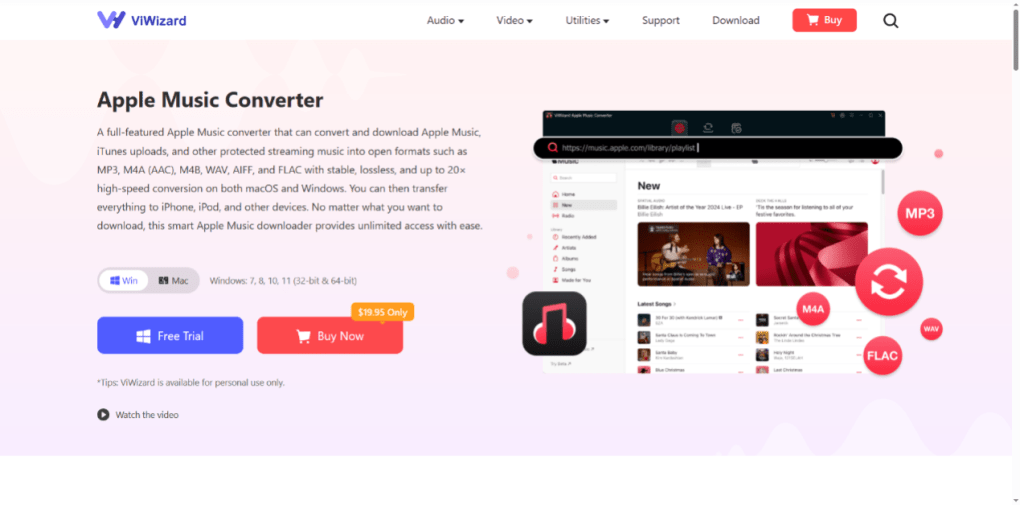
ViWizard Apple Music Converter, one of the best downloader of music for Apple Music, is a professional software solution designed specifically to bypass these restrictions. It acts as a bridge between Apple’s protected ecosystem and your personal music library. By recording and converting the audio streams, ViWizard allows you to take your music with you wherever you go, regardless of your subscription status.
Key Features of ViWizard
Removes DRM Protection: It strips away the FairPlay encryption from Apple Music tracks, making them playable on any device.
Converts to Universal Formats: Convert your Apple Music to MP3, M4A, AIFF, FLAC, WAV, and more. This ensures compatibility with thousands of devices, from car stereos to old iPods.
Lossless Quality: Preserves ID3 tags (artist, album, artwork) and maintains high-quality audio output up to 320kbps.
Batch Conversion: Convert entire playlists or albums at once with speeds up to 20x faster than real-time.
Step-by-Step Guide: Downloading Apple Music Without Premium
Using ViWizard is straightforward. Follow this guide to build your permanent music library today.
Step 1: Install ViWizard Apple Music Converter
Download and install the software on your Windows PC or Mac. The installation process is simple and guided by on-screen instructions.
Step 2: Sign in to Apple Music
Launch the application. ViWizard features an integrated web player that automatically opens the Apple Music interface. Click the “Sign In” button in the top-right corner and log in using your Apple ID credentials. You do not need an active premium subscription to browse the library, but note that playback is required for conversion.
Step 3: Configure Output Settings
Before adding songs, customize your output preferences. Click on the menu button (usually three lines) and select Preferences (or Settings).
- Format: Select MP3 as the output format for maximum compatibility.
- Quality: Set the bitrate to 320 kbps for the best sound.
- Destination: Choose a folder on your computer where the finished files will be saved.
Step 4: Select Your Music
Navigate the Apple Music catalog using the built-in web player. Find the songs, album, or playlist you wish to download permanently. Once you open the album or playlist, click the “Add” button (represented by a + icon) that appears in the ViWizard interface to load the tracks into the conversion list.
Step 5: Convert and Download
Finally, click the big “Convert” button. ViWizard will begin processing the files. It will play and record the songs, removing the DRM and saving them as high-quality MP3 files to your computer . The speed will depend on the length of the playlist and your chosen settings.
Once the conversion is complete, navigate to the output folder you selected. You will now find your Apple Music tracks as standard MP3 files. You can now transfer them to any device, burn them to a CD, or keep them forever—even if you cancel your Apple Music subscription.
Other Ways to Record Apple Music (Not Recommended)
Some users try to download Apple Music songs using screen or audio recorders. While this method technically works, it has several disadvantages.
Common problems include:
- Lower audio quality
- Recording interruptions
- Long recording times
- Manual editing required
- Missing song metadata
Compared with recording methods, using a professional converter like ViWizard is much faster and preserves full audio quality.
Conclusion
While you cannot download Apple Music songs without an active premium subscription using official methods, ViWizard Apple Music Converter provides a powerful workaround. It liberates your purchased or curated music from the confines of DRM, giving you true ownership and portability.